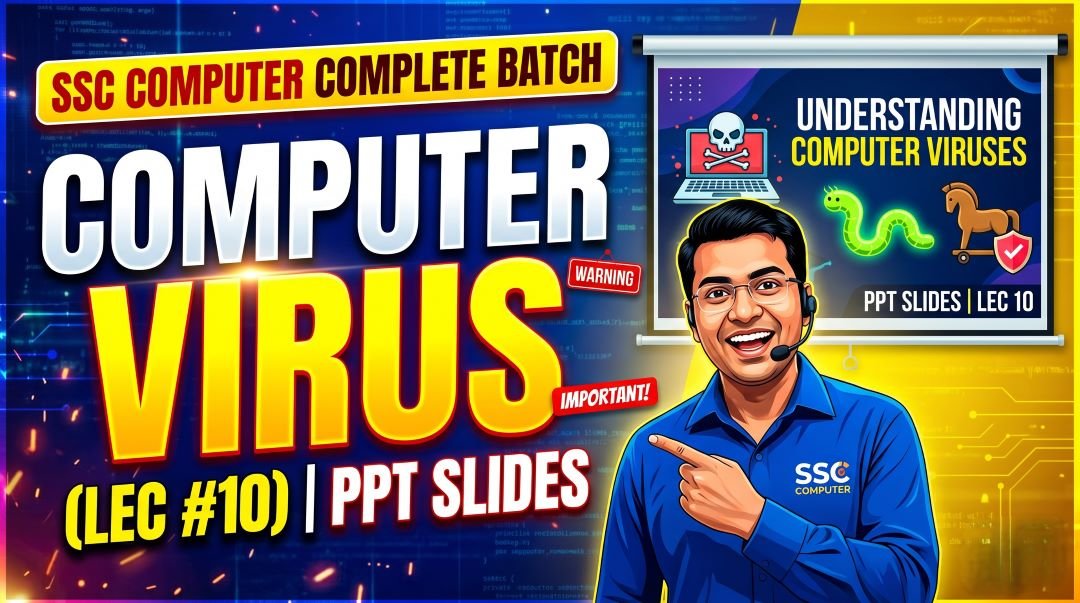
This is SSC Computer Complete Batch Computer Virus PPT Slides LEC 10 so, in a world where every government office is connected to the internet, every citizen interacts with digital services, and every SSC (Staff Selection Commission) aspirant submits their application online, computer security is no longer optional knowledge. It is essential. The SSC Commission recognized this reality and has been steadily increasing the weight of cybersecurity and virus-related questions across all its major examinations.
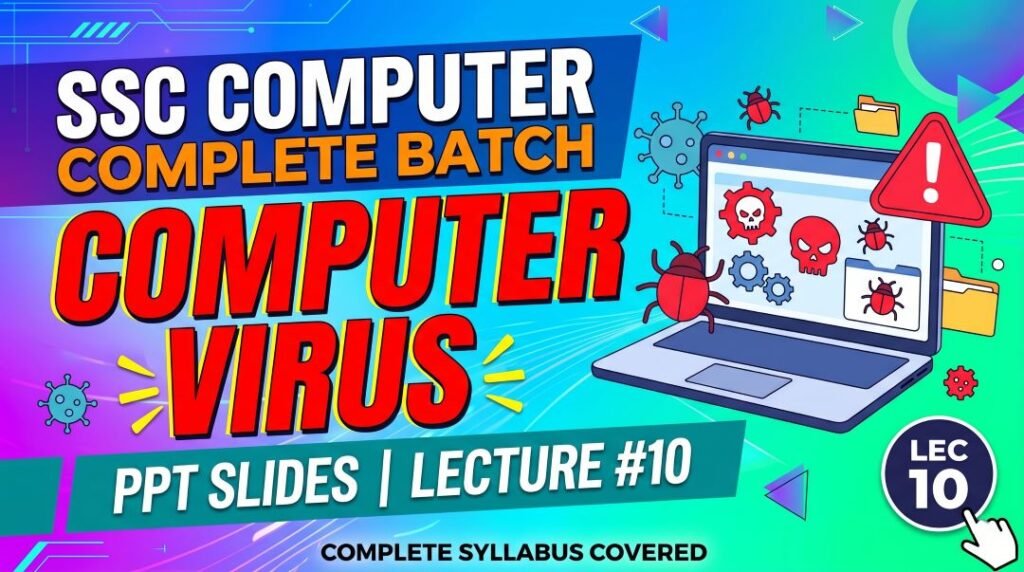
Lecture 10 of the Complete Foundation Batch for All SSC and Other Exams PPT Series is dedicated entirely to Computer Virus (कंप्यूटर वायरस). With 82 comprehensive PPT slides covering every type of malware, virus, and cybersecurity concept that has ever been tested in SSC CGL, CHSL, MTS, GD, CPO, and JE exams, this is the chapter that separates well-prepared candidates from average ones.
Whether you are searching for computer virus kya hai in Hindi, types of computer viruses, difference between virus and worm, antivirus software notes, cybersecurity terms for SSC, famous computer viruses history, or a free computer virus notes PDF, this article covers all of it in depth. Let us build your complete command over this chapter.
| Detail | Information |
| Subject | Computer Virus (कंप्यूटर वायरस) |
| Lecture Number | LEC 10 |
| Total Slides | 82 PPT Slides |
| File Size | 29 MB |
| Series Name | Complete Foundation Batch for All SSC and Other Exams (PPT Series) |
| Serial Number | #010 |
| Best For | SSC CGL, CHSL, MTS, GD, CPO, JE, Banking, and all competitive exams |
| Language | English + Hindi (Bilingual) |
| Format | PPT / PDF |
| Website | https://slideshareppt.net/ |
SSC Computer Complete Batch Computer Virus PPT Slides LEC 10
NOTE: IF YOU WANT TO DOWNLOAD COMPLETE SERIES – JUST VISIT THIS REDIRECT PAGE
Computer Virus Kya Hai? What Is a Computer Virus?
A computer virus is a type of malicious software (malware) that is designed to replicate itself and spread from one computer to another. Like a biological virus that infects living cells and uses them to reproduce, a computer virus attaches itself to legitimate programs or files and uses those hosts to spread and execute its malicious payload.
The key defining characteristic of a computer virus is self-replication. A virus copies itself into other programs, files, or the system’s boot sector. When an infected file is opened or program is executed, the virus code runs and may replicate further, corrupt data, display messages, slow down the system, or perform other harmful actions.
In Hindi, a computer virus is called Kampyootar Vayaras (कंप्यूटर वायरस) or sometimes Sankramak Program (संक्रामक प्रोग्राम – meaning infectious program). The term VIRUS also has a backronym: Vital Information Resources Under Siege.
| Aspect | Detail |
| Full Form / Backronym | VIRUS = Vital Information Resources Under Siege |
| Hindi Name | कंप्यूटर वायरस / संक्रामक प्रोग्राम (Sankramak Program) |
| Definition | Self-replicating malicious program that attaches to files/programs and spreads |
| Key Characteristic | Self-replication; needs a host file to attach to and spread |
| First Computer Virus | Creeper (1971) – displayed ‘I’m the creeper, catch me if you can!’ |
| First PC Virus | Brain (1986) – created by Pakistani brothers Basit and Amjad Farooq Alvi |
| How It Spreads | Infected files, email attachments, USB drives, downloaded software, websites |
| Category | Malware (Malicious Software) |
| Protection | Antivirus software, regular updates, careful email/download habits |
Computer Virus vs Malware: Understanding the Hierarchy
One of the most important conceptual clarifications for SSC exams is understanding the relationship between a virus and malware. These terms are often used interchangeably in everyday conversation, but they have distinct technical meanings that examiners test:
| Term | Definition | Relationship |
| Malware | Malicious Software – the BROAD umbrella term for ANY software designed to harm, disrupt, or gain unauthorized access to a computer system | Parent category; all harmful programs are malware |
| Virus | A specific TYPE of malware that self-replicates by attaching to host files; requires human action (opening infected file) to spread | Subset of malware; one specific type |
| Worm | A specific TYPE of malware that self-replicates and spreads AUTOMATICALLY through networks without needing a host file or human action | Subset of malware; different from virus |
| Trojan | A specific TYPE of malware that disguises itself as legitimate software to trick users into installing it; does NOT self-replicate | Subset of malware; different from virus and worm |
| Ransomware | A specific TYPE of malware that encrypts victim’s files and demands ransom for decryption key | Subset of malware; can be delivered via virus or trojan |
| Spyware | A specific TYPE of malware that secretly monitors and collects user data without their knowledge | Subset of malware; stealth-focused |
| Adware | Software that displays unwanted advertisements; often bundled with free software | Subset of malware (when intrusive); sometimes classified as PUP (Potentially Unwanted Program) |
Types of Malware: Complete Classification for SSC Exams
The types of malware and their specific characteristics are among the most tested topics in SSC Computer Awareness. You must know each type’s definition, how it spreads, and what makes it unique. Here is the most comprehensive malware classification table for SSC preparation:
| Malware Type | Definition | How It Spreads | Key Distinguishing Feature | Famous Examples |
| Virus | Self-replicating code that attaches to legitimate host files; executes when the host file is opened | Infected files shared via email attachments, USB drives, downloads, CDs | NEEDS a host file; spread requires human action (opening infected file) | ILOVEYOU (2000), Melissa (1999), CIH/Chernobyl (1998), Michelangelo |
| Worm | Self-replicating malware that spreads autonomously across networks without needing a host file | Network connections, email (auto-sends itself), internet vulnerabilities | Does NOT need host file; spreads AUTOMATICALLY without human action | WannaCry (2017), Code Red (2001), Blaster (2003), Morris Worm (1988), Conficker |
| Trojan Horse | Malicious software disguised as legitimate, useful software to trick users into installing it | Downloads from untrusted sources, email attachments, fake software updates | Does NOT self-replicate; uses social engineering to trick user | Zeus Banking Trojan, Emotet, RAT (Remote Access Trojan), Dark Comet |
| Ransomware | Encrypts victim’s files or locks the entire system and demands payment (usually cryptocurrency) for decryption | Email phishing, malicious downloads, network vulnerabilities, RDP attacks | Blocks access to data until ransom is paid; uses encryption | WannaCry (2017), NotPetya (2017), Petya, REvil, LockBit, Ryuk |
| Spyware | Secretly monitors user activity (keystrokes, browsing, passwords) and transmits data to attackers | Bundled with free software, malicious downloads, drive-by downloads | Stealth operation; user is typically unaware; steals data silently | FinFisher, CoolWebSearch, HawkEye Keylogger |
| Adware | Displays unwanted advertisements on the user’s device; collects browsing data for targeted ads | Bundled with free software installers; browser extensions | Less harmful than other malware; can slow browser; privacy concern | BonziBuddy, Fireball, DollarRevenue |
| Rootkit | Hides deep within the OS or firmware to give attackers persistent, privileged unauthorized access; conceals its own presence | Trojans, physical access, infected software installers | Extremely difficult to detect; modifies OS to hide itself | Sony BMG rootkit (2005), NTRootkit, Azazel, Necurs |
| Keylogger | Records every keystroke typed by the user to steal passwords, credit card numbers, and sensitive data | Trojans, phishing emails, physical hardware device on keyboard | Can be software or hardware; captures everything typed | Hardware keyloggers (physical USB), HawkEye, Spyrix, BlackShades |
| Botnet | A network of compromised computers (‘bots’ or ‘zombies’) controlled remotely by an attacker for large-scale attacks | Spreads via viruses, worms, or trojans that install bot software | Controlled by Command and Control (C&C) server; used for DDoS, spam | Mirai Botnet, Conficker, Storm Botnet, Necurs Botnet |
| Fileless Malware | Operates entirely in computer’s RAM without writing files to disk; exploits legitimate tools (PowerShell, WMI) | Phishing emails, malicious websites, drive-by downloads | No files on disk; evades file-based antivirus detection | PowerGhost, Kovter, Astaroth |
| Polymorphic Malware | Changes its code/signature each time it replicates to evade signature-based antivirus detection | Same as parent malware type; adds code-mutation capability | Each copy has different code signature; hard for antivirus to detect | Storm Worm, Virut, Simile |
| Logic Bomb | Malicious code hidden inside a legitimate program that activates only when specific conditions are met | Inserted by disgruntled insiders into legitimate software | Dormant until trigger condition; time-based or event-based | Numerous insider threat cases in corporations and military |
Virus vs Worm vs Trojan: Most Tested Comparison in SSC
The three-way comparison between a Virus, Worm, and Trojan Horse is one of the most consistently tested questions in SSC Computer Awareness. Examiners love this topic because many students confuse these three. Master this table completely:
| Feature | Virus | Worm | Trojan Horse |
| Self-Replication | Yes; copies itself into host files | Yes; copies itself independently | No; does not replicate |
| Needs Host File | Yes; attaches to .exe, .doc, .com files | No; exists as standalone program | No; itself pretends to be a legitimate program |
| Spreads Via | Human action: sharing/opening infected files | Automatically: network connections, email | Human action: user installs thinking it is legitimate software |
| Requires User Action? | Yes; user must open/execute infected file | No; spreads on its own through networks | Yes; user is tricked into installing it |
| Primary Damage | Corrupts files, slows system, destroys data | Consumes network bandwidth, slows network, can carry payload | Opens backdoor, steals data, enables remote access |
| Named After | Biological virus (needs host to replicate) | Earthworm (moves independently without host) | Trojan Horse (Greek myth: gift concealing soldiers) |
| Detection Difficulty | Moderate; antivirus can detect infected files | Moderate to hard; spreads fast before detection | Hard; disguised as legitimate software |
| Example | ILOVEYOU, Melissa, CIH | WannaCry, Code Red, Morris Worm | Zeus, RAT, Emotet, Dark Comet |
Famous Computer Viruses and Malware: History for SSC General Awareness
SSC exams occasionally ask about specific famous computer viruses, especially those that caused widespread damage. These are also important for general awareness sections in banking and government exams:
| Malware Name | Year | Type | Key Facts |
| Creeper | 1971 | Experimental Virus | Considered the first computer virus; displayed ‘I’m the creeper, catch me if you can!’; created by Bob Thomas on ARPANET; first antivirus ‘Reaper’ was created to delete it |
| Brain | 1986 | Boot Sector Virus | First PC (MS-DOS) virus; created by Pakistani brothers Basit and Amjad Farooq Alvi from Lahore; spread via infected floppy disks |
| Morris Worm | 1988 | Worm | First worm to gain widespread attention; created by Robert Tappan Morris (Cornell University student); caused significant damage to ARPANET; first person convicted under US Computer Fraud and Abuse Act |
| Michelangelo | 1992 | Virus | Activated on March 6 (Michelangelo’s birthday); designed to overwrite hard drive; created widespread public fear about computer viruses |
| CIH / Chernobyl | 1998 | Virus | Activated on April 26 (Chernobyl anniversary); could overwrite BIOS chip making computer unbootable; created by Chen Ing-hau (Taiwan) |
| Melissa | 1999 | Macro Virus + Worm | Spread via infected MS Word document in email; auto-forwarded itself to first 50 Outlook contacts; crashed email servers worldwide |
| ILOVEYOU | 2000 | Worm | Also called Love Bug or Love Letter virus; spread via email with subject ‘ILOVEYOU’; overwrote files; caused $10 billion in damage; originated in Philippines |
| Code Red | 2001 | Worm | Targeted Microsoft IIS web servers; exploited a buffer overflow vulnerability; defaced websites with ‘HELLO! Welcome to http://www.worm.com!’ |
| SQL Slammer | 2003 | Worm | Fastest spreading worm ever; infected 75,000 servers in 10 minutes; caused internet slowdowns worldwide |
| Blaster / MSBlast | 2003 | Worm | Exploited Windows vulnerability; caused infected computers to repeatedly restart; displayed messages |
| MyDoom | 2004 | Worm | Fastest spreading email worm of its time; still active in modified forms; caused over $38 billion in damages |
| Stuxnet | 2010 | Worm / Cyberweapon | Considered the world’s first cyberweapon; targeted Iranian nuclear centrifuges; believed to be created by USA and Israel; could cause physical damage to industrial equipment |
| WannaCry | 2017 | Ransomware Worm | Affected 200,000+ computers in 150 countries; used NSA’s EternalBlue exploit; demanded Bitcoin ransom; hit NHS UK, Renault, FedEx, Indian organizations |
| NotPetya | 2017 | Destructive Worm (disguised as Ransomware) | Caused $10 billion+ in damages; most destructive cyberattack in history; targeted Ukraine; spread globally; destroyed data rather than encrypting for ransom |
| Pegasus | 2016-present | Spyware | Developed by NSO Group (Israel); targets smartphones (iOS and Android); used for government surveillance; can access camera, microphone, messages without user knowledge |
Types of Computer Viruses: Classification by Infection Method
Computer viruses are further classified based on how they infect systems and what they target. This classification is important for SSC exams:
| Virus Type | Target / Infection Method | How It Works | Example |
| File Infector Virus | Executable files (.exe, .com, .bat) | Attaches to executable files; runs when infected file is executed; most common type | CIH/Chernobyl, Jerusalem, Sasser |
| Boot Sector Virus | Master Boot Record (MBR) or Volume Boot Record (VBR) of storage devices | Infects the boot sector; loads before the OS; difficult to detect and remove | Brain (1986), Michelangelo, Stoned |
| Macro Virus | Documents using macro-capable applications (MS Word, MS Excel) | Written in macro language (VBA); executes when infected document is opened | Melissa (1999), Concept, Laroux (first Excel macro virus) |
| Multipartite Virus | Both boot sector AND files | Infects both file system and boot sector simultaneously; harder to remove | Invader, Flip, Tequila |
| Polymorphic Virus | Any file or sector | Changes its code each time it replicates to evade signature-based antivirus | Storm Worm, Virut, Simile |
| Metamorphic Virus | Any file or sector | Completely rewrites its own code during replication; most advanced evasion | Win32/Simile, Zperm |
| Stealth Virus | Files and boot sectors | Hides its presence by intercepting OS calls that would reveal it | Brain (also stealth), Frodo, Number of the Beast |
| Resident Virus | Memory-resident; stays active in RAM | Loads into RAM and infects files as they are accessed, even after removal of original | Randex, CMJ, Meve |
| Non-Resident Virus | File system only; not memory-resident | Searches for files to infect when executed; does not stay in memory | Find virus, Vienna, Cascade |
| Network Virus | Shared network resources | Spreads across network drives and shared folders; infects network-accessible files | Nimda (combination), some variants of common viruses |
Antivirus Software: Types, Functions, and Popular Programs
Antivirus software is a security program designed to detect, prevent, and remove malware from computer systems. It is one of the most important defenses against computer viruses and other cyber threats. Understanding how antivirus works and knowing popular antivirus programs is tested in SSC Computer Awareness:
How Antivirus Software Works
| Detection Method | How It Works | Advantage | Limitation |
| Signature-Based Detection | Maintains a database of known malware signatures (code patterns); compares files against this database | Very effective against known malware; fast scanning | Cannot detect new/unknown malware (zero-day threats) until signature database is updated |
| Heuristic Analysis | Analyzes behavior patterns and code characteristics to identify potentially malicious activity, even without a known signature | Can detect new variants of known malware; proactive | Can produce false positives (flagging legitimate software as malware) |
| Behavioral Monitoring | Monitors running programs in real time for suspicious behavior (accessing registry, modifying system files, unusual network activity) | Detects zero-day exploits and fileless malware | High system resource usage; may slow down computer |
| Sandbox Analysis | Runs suspicious files in a virtual isolated environment to observe behavior before allowing them to run on the actual system | Very effective for detecting sophisticated threats | Slower; resource-intensive; some malware detects sandbox and behaves normally |
| Cloud-Based Detection | Sends file information to cloud servers where it is analyzed against up-to-the-minute threat intelligence | Always current; reduces local processing load | Requires internet connection; privacy concerns about file data |
Popular Antivirus Software: Names and Developers for SSC
| Antivirus | Developer | Country | Key Feature / Notes |
| Windows Defender (Microsoft Defender) | Microsoft | USA | Built into Windows 10/11; free; no installation required; adequate for most users |
| Norton (Norton 360) | NortonLifeLock (Gen Digital) | USA | One of the oldest; comprehensive protection; firewall, VPN, password manager included |
| Kaspersky | Kaspersky Lab | Russia | High detection rates; comprehensive; controversy over Russian government links |
| McAfee | McAfee (Intel Security, now independent) | USA | One of the first commercial antivirus programs; founded by John McAfee |
| Avast | Avast Software | Czech Republic | Popular free version; large user base; acquired AVG Technologies |
| Bitdefender | Bitdefender | Romania | Consistently top-rated; minimal performance impact; strong malware detection |
| AVG | AVG Technologies (owned by Avast) | Czech Republic | Free and paid versions; now part of Avast |
| ESET NOD32 | ESET | Slovakia | Known for lightweight operation and low system resource usage |
| Trend Micro | Trend Micro | Japan | Strong enterprise solutions; good ransomware protection |
| Quick Heal | Quick Heal Technologies Ltd. | India | Popular in India; Indian company; government certified |
| K7 Antivirus | K7 Computing | India | Indian company based in Chennai; good for Indian users |
Cybersecurity Concepts: Firewall, Encryption, and More
Cybersecurity is the practice of protecting computer systems, networks, and data from digital attacks, unauthorized access, and damage. Here are the most important cybersecurity concepts tested in SSC Computer Awareness:
| Security Concept | Definition | How It Protects / SSC Key Point |
| Firewall | Hardware or software system that monitors and controls network traffic based on predefined security rules; acts as a barrier between trusted and untrusted networks | Blocks unauthorized inbound and outbound connections; first line of network defense; can be hardware (router-based) or software (Windows Firewall) |
| Encryption | Process of converting readable data (plaintext) into an unreadable format (ciphertext) using a mathematical algorithm and key | Protects data confidentiality; only authorized parties with the decryption key can read the data; used in HTTPS, email, storage |
| SSL/TLS | Secure Sockets Layer / Transport Layer Security; cryptographic protocols that provide secure communication over the internet | Used in HTTPS websites (padlock icon in browser); TLS is the modern successor to SSL; encrypts data between browser and web server |
| VPN | Virtual Private Network; creates an encrypted private tunnel over the public internet | Protects privacy; hides IP address; allows secure remote work; bypasses geographic restrictions |
| Two-Factor Authentication (2FA) | Authentication requiring two verification methods: something you know (password) + something you have (OTP on phone) or something you are (biometric) | Much stronger than password alone; even if password is stolen, attacker cannot login without the second factor |
| Digital Signature | Cryptographic technique that verifies the authenticity and integrity of a digital document or message | Proves the document was sent by the claimed sender and was not altered in transit; used in e-governance and legal documents |
| Digital Certificate | Electronic document issued by a Certificate Authority (CA) that proves the identity of a website or organization | The green padlock/HTTPS in browsers relies on digital certificates; issued by CAs like DigiCert, Let’s Encrypt, VeriSign |
| IDS | Intrusion Detection System; monitors network or system for suspicious activity and alerts administrators | Passive monitoring only; detects and reports but does not block attacks automatically |
| IPS | Intrusion Prevention System; monitors AND actively blocks suspicious or malicious network traffic | Active blocking; prevents attacks in real time; more comprehensive than IDS |
| Zero-Day Exploit | A cyberattack that exploits a previously unknown vulnerability before the software developer has issued a patch/fix | Called ‘zero-day’ because developers have zero days to fix it before it is exploited; extremely dangerous |
| Patch / Security Update | A software update that fixes security vulnerabilities and bugs in operating systems and applications | Keeping OS and software updated is one of the most effective defenses against malware and cyberattacks |
| Honeypot | A decoy computer system or network designed to lure and trap attackers; looks like a real vulnerable system | Used by security researchers and organizations to study attack techniques; detects and identifies attackers |
Types of Cyber Attacks: Important for SSC and Banking Exams
Beyond malware, there are several types of cyber attacks that are tested in SSC Computer Awareness, especially in the context of digital security awareness for government employees:
| Attack Type | Definition | How It Works | Prevention |
| Phishing | Fraudulent attempt to steal credentials by impersonating a trusted entity via email, SMS (smishing), or voice call (vishing) | Victim receives fake email from ‘bank’ or ‘government portal’ asking them to click a link and enter login details on a fake website | Never click links in unsolicited emails; type URLs directly; check for HTTPS; verify sender address |
| DDoS Attack | Distributed Denial of Service; floods a target server/website with massive traffic from thousands of compromised computers (botnet) to make it unavailable | Botnet sends millions of requests per second overloading server resources; legitimate users cannot access the service | Firewalls, traffic filtering, CDN (Content Delivery Network), rate limiting; difficult to fully prevent large attacks |
| Man-in-the-Middle (MITM) | Attacker intercepts communication between two parties without either knowing; reads or alters messages in transit | Attacker positions between user and server on unsecured Wi-Fi; captures data; can inject malicious content | Use HTTPS; avoid public Wi-Fi; use VPN; certificate validation |
| SQL Injection | Inserting malicious SQL code into web form input fields to manipulate the database behind a website | Attacker enters SQL commands in login forms; can bypass authentication, extract or delete database data | Input validation; parameterized queries; WAF (Web Application Firewall) |
| Cross-Site Scripting (XSS) | Injecting malicious scripts into web pages that execute in the browser of other users visiting the site | Attacker posts malicious JavaScript on a forum or website; script runs in victims’ browsers stealing cookies/sessions | Input sanitization; Content Security Policy (CSP); output encoding |
| Brute Force Attack | Systematically trying every possible password combination until the correct one is found | Automated tools try thousands of password combinations per second; works well against weak or short passwords | Strong passwords; account lockout after failed attempts; CAPTCHA; multi-factor authentication |
| Dictionary Attack | Like brute force but uses a predefined list of common words and passwords rather than trying every combination | Faster than brute force; uses wordlists of commonly used passwords | Avoid common passwords; use long unique passphrases; multi-factor authentication |
| Social Engineering | Manipulating people psychologically to reveal confidential information or perform actions that compromise security | Does not require technical hacking; exploits human trust; includes phishing, pretexting, baiting, tailgating | Security awareness training; verification procedures; never share passwords or OTPs with anyone |
| Ransomware Attack | Malware attack that encrypts victim’s files and demands ransom payment for decryption key | Delivered via phishing emails, malicious downloads, or RDP vulnerabilities; spreads through networks | Regular offline backups; software updates; email filtering; restricted user permissions; endpoint protection |
| Insider Threat | Security risk originating from within the organization; disgruntled employees, contractors, or careless staff | Can involve data theft, sabotage, leaking credentials, or installing malware; hard to detect as user has legitimate access | Access controls (least privilege); activity monitoring; background checks; security awareness training |
Cyber Laws and IT Act: Important for SSC and Government Exams
Knowledge of cyber laws and the legal framework for cybersecurity in India is increasingly tested in SSC Computer Awareness and General Awareness sections. Here are the most important points:
| Topic | Key Details | Exam Relevance |
| IT Act 2000 | Information Technology Act 2000; India’s primary legislation governing electronic commerce and cybercrime; enacted on October 17, 2000 | Full form = Information Technology Act; year = 2000; first major Indian cyber law |
| IT (Amendment) Act 2008 | Amended the IT Act 2000; added new cybercrime definitions; Section 66A (now struck down), 66C, 66D, 66F added | Strengthened cyber law; included provisions for cyberterrorism (Section 66F) |
| Section 43 | Unauthorized access to computer systems; damage, hacking; civil liability; compensation up to Rs. 1 crore | Civil offense; not criminal but involves compensation |
| Section 66 | Computer related offenses equivalent to Section 43 done with dishonest or fraudulent intent; imprisonment up to 3 years and/or fine | Criminal offense; hacking with intent |
| Section 66B | Receiving stolen computer resource; imprisonment up to 3 years | Knowingly receiving stolen data/device |
| Section 66C | Identity theft using electronic signature, password, or unique identification feature; imprisonment up to 3 years | Covering password theft, Aadhaar misuse, digital identity theft |
| Section 66D | Cheating by impersonation using computer resource; imprisonment up to 3 years | Phishing, fake websites, email spoofing for fraud |
| Section 66E | Violation of privacy (capturing, publishing private images); imprisonment up to 3 years | Deals with cyber stalking and non-consensual intimate image sharing |
| Section 66F | Cyber terrorism; unauthorized access that threatens national security or causes death; imprisonment up to life | Most serious cybercrime in IT Act; life imprisonment possible |
| Section 67 | Publishing obscene material in electronic form; imprisonment up to 3 years (first offense) | Cyberporn; indecent digital content |
| CERT-In | Computer Emergency Response Team India; national agency for cybersecurity incident response; under MeitY | CERT-In = India’s cybersecurity nodal agency; reports cyber incidents |
| Cybercrime Portal | cybercrime.gov.in; National Cybercrime Reporting Portal launched by Government of India | Citizens report cybercrime here; part of Digital India |
| National Cyber Security Policy 2013 | India’s framework document for cybersecurity at national level; focuses on protecting cyberspace | Policy document; not an Act; framework for national cyber protection |
Safe Computing Practices: Digital Hygiene for SSC and Government Jobs
Safe computing practices (also called cyber hygiene or digital hygiene) are the habits and procedures that protect users from cyber threats. These are tested as general awareness and are essential knowledge for government employees:
- Always keep your operating system and software updated to patch known security vulnerabilities
- Install reputable antivirus and anti-malware software and keep its virus definitions database updated
- Use strong, unique passwords for every account; a strong password should be at least 12 characters with uppercase, lowercase, numbers, and special characters
- Enable Two-Factor Authentication (2FA) on all important accounts including email, banking, and government portals
- Never click on links in unsolicited emails or SMS; type URLs directly into your browser instead
- Never share your password, OTP, or PIN with anyone, including people claiming to be from your bank or government
- Be careful with email attachments; scan all attachments before opening, even from known senders
- Avoid using public Wi-Fi for sensitive activities like banking; use a VPN if public Wi-Fi is unavoidable
- Regularly back up important data to an external drive or cloud storage not connected to your main system
- Log out from accounts after use, especially on shared or public computers
- Look for HTTPS (padlock icon) in browser address bar before entering personal or financial information
- Be wary of suspicious downloads; only download software from official or reputable sources
- Do not plug in unknown USB drives; they may contain malware that auto-executes on connection
- Check your account statements and activity regularly for unauthorized transactions or logins
- Report suspected cybercrime to cybercrime.gov.in or call the National Cyber Helpline 1930
Cybersecurity Abbreviations: Complete Reference for SSC
| Abbreviation | Full Form | Context |
| VIRUS | Vital Information Resources Under Siege | Backronym for computer virus |
| MALWARE | Malicious Software | Umbrella term for all harmful programs |
| DDoS | Distributed Denial of Service | Attack flooding servers with traffic from multiple sources |
| DoS | Denial of Service | Single-source attack overwhelming a server |
| MITM | Man-in-the-Middle Attack | Attacker intercepts communication between two parties |
| SQL | Structured Query Language | Used in SQL injection attacks against databases |
| XSS | Cross-Site Scripting | Web attack injecting malicious scripts |
| RAT | Remote Access Trojan | Trojan giving attacker remote control of victim’s computer |
| APT | Advanced Persistent Threat | Long-term targeted cyberattack by well-resourced attackers (nation-states) |
| IDS | Intrusion Detection System | Monitors and alerts on suspicious network activity |
| IPS | Intrusion Prevention System | Monitors and actively blocks suspicious network activity |
| VPN | Virtual Private Network | Encrypted secure tunnel over public internet |
| SSL | Secure Sockets Layer | Older encryption protocol for HTTPS |
| TLS | Transport Layer Security | Modern replacement for SSL |
| 2FA | Two-Factor Authentication | Security with two verification methods |
| MFA | Multi-Factor Authentication | Security with multiple verification methods |
| CERT-In | Computer Emergency Response Team – India | India’s national cybersecurity response agency |
| IT Act | Information Technology Act | India’s primary cyber law (2000) |
| OTP | One-Time Password | Single-use code for authentication; valid once/short time |
| PIN | Personal Identification Number | Numeric password; typically 4-6 digits |
| CAPTCHA | Completely Automated Public Turing test to tell Computers and Humans Apart | Security test distinguishing humans from bots |
| WAF | Web Application Firewall | Protects web applications from SQL injection, XSS, etc. |
| CDN | Content Delivery Network | Distributed servers; also helps absorb DDoS traffic |
| PUP | Potentially Unwanted Program | Software installed without clear user consent; often adware |
| C&C | Command and Control | Server controlling a botnet |
| MBR | Master Boot Record | First sector of hard disk; target of boot sector viruses |
| VBA | Visual Basic for Applications | Language used by macro viruses in MS Office documents |
| NSA | National Security Agency | US intelligence agency; tools leaked and used in WannaCry |
| GDPR | General Data Protection Regulation | EU data privacy law impacting global cybersecurity practices |
| PDPA | Personal Data Protection Act | India’s data privacy legislation (successor to IT Act provisions) |
Computer Virus and Security Topics: Exam Frequency and Priority
| Topic | Exam Frequency | Difficulty | Priority |
| Virus Definition and Full Form (VIRUS = Vital Info Resources Under Siege) | Very High | Easy | Must Study First |
| Virus vs Worm vs Trojan Differences | Very High | Easy-Medium | Must Study First |
| Types of Malware (Ransomware, Spyware, Adware, Rootkit, Keylogger) | Very High | Easy-Medium | Must Study First |
| Famous Viruses (ILOVEYOU, WannaCry, Stuxnet, Creeper, Brain) | High | Medium | Must Study First |
| Antivirus Software Names and Companies | High | Easy | Must Study First |
| Firewall Definition and Purpose | High | Easy | Important |
| Phishing Attack Definition and Prevention | High | Easy | Important |
| Ransomware Definition and Examples (WannaCry) | High | Easy-Medium | Important |
| DDoS Attack Definition | High | Easy | Important |
| IT Act 2000 – Full Form and Year | High | Easy | Important |
| CERT-In Full Form and Purpose | Medium-High | Easy | Important |
| SSL/TLS and HTTPS Security | Medium-High | Easy-Medium | Important |
| Two-Factor Authentication (2FA) | Medium-High | Easy | Important |
| Botnet and Command and Control | Medium | Medium | Good to Know |
| Zero-Day Exploit Definition | Medium | Medium | Good to Know |
| Section 66C/66D of IT Act (Identity Theft/Impersonation) | Medium | Medium | Good to Know |
| SQL Injection Definition | Medium | Medium | Good to Know (CGL, JE) |
| Stuxnet – Cyberweapon against Iran | Medium | Medium | Good to Know |
| Keylogger vs Spyware | Medium | Easy-Medium | Good to Know |
| Social Engineering Definition | Low-Medium | Easy | Revision Only |
Top 35 Computer Virus and Security Facts to Memorize for SSC
- VIRUS stands for Vital Information Resources Under Siege
- A computer virus is a self-replicating malicious program that attaches to host files
- Malware is the broad umbrella term; virus, worm, trojan, ransomware are all types of malware
- A virus NEEDS a host file; a worm does NOT need a host file
- A worm spreads AUTOMATICALLY through networks; a virus requires human action to spread
- A Trojan Horse disguises itself as legitimate software; it does NOT self-replicate
- The first computer virus was Creeper (1971); the first PC virus was Brain (1986)
- Brain virus was created by Pakistani brothers Basit and Amjad Farooq Alvi
- The Morris Worm (1988) was the first worm to gain widespread attention; created by Robert Tappan Morris
- ILOVEYOU worm (2000) caused approximately $10 billion in damage; originated in the Philippines
- WannaCry (2017) was a ransomware worm that affected 200,000+ computers in 150 countries
- Stuxnet (2010) was the world’s first cyberweapon; targeted Iranian nuclear facilities
- Ransomware encrypts victim’s files and demands payment (usually cryptocurrency) for decryption
- Spyware secretly monitors user activity without their knowledge
- Adware displays unwanted advertisements; less harmful but a privacy concern
- Rootkit hides deep in the OS to provide persistent unauthorized access; very hard to detect
- Keylogger records every keystroke; can be software or hardware-based
- Botnet is a network of compromised computers controlled by a Command and Control (C&C) server
- Signature-based detection compares files against a database of known malware signatures
- Heuristic analysis detects unknown malware by analyzing suspicious code behavior
- Quick Heal and K7 are Indian antivirus software companies
- Windows Defender (Microsoft Defender) is built into Windows 10/11 for free
- A Firewall monitors and controls network traffic based on security rules
- Phishing tricks users into revealing credentials by impersonating trusted entities
- DDoS (Distributed Denial of Service) floods a server with traffic to make it unavailable
- SSL stands for Secure Sockets Layer; TLS is its modern replacement; both secure HTTPS
- Two-Factor Authentication (2FA) requires password plus a second verification (OTP, biometric)
- The IT Act 2000 (Information Technology Act) is India’s primary legislation on cybercrime
- CERT-In (Computer Emergency Response Team India) is India’s national cybersecurity agency
- Section 66F of IT Act deals with cyberterrorism; punishment can be life imprisonment
- Zero-day exploit attacks an unknown vulnerability before the developer can issue a patch
- Polymorphic virus changes its code every time it replicates to evade signature-based detection
- Boot sector virus infects the Master Boot Record (MBR) of storage devices
- Macro virus is written in VBA and infects macro-capable documents like MS Word and Excel files
- Cybercrime can be reported at cybercrime.gov.in or the National Cyber Helpline 1930
3-Day Study Plan to Master Computer Virus Chapter for SSC Exams
Day 1: Virus Basics, Malware Types, and Famous Viruses
- Study the definition of computer virus, full form (VIRUS), and Hindi name
- Learn the virus vs malware hierarchy; understand that all viruses are malware but not vice versa
- Study all types of malware: Virus, Worm, Trojan, Ransomware, Spyware, Adware, Rootkit, Keylogger, Botnet
- Master the Virus vs Worm vs Trojan comparison table
- Study famous viruses: Creeper (1971), Brain (1986), Morris Worm (1988), ILOVEYOU (2000), WannaCry (2017), Stuxnet (2010)
Day 2: Antivirus, Cybersecurity Concepts, and Cyber Attacks
- Study antivirus detection methods: signature-based, heuristic, behavioral, sandbox
- Memorize popular antivirus software names and their developers
- Study cybersecurity concepts: Firewall, Encryption, SSL/TLS, VPN, 2FA, Digital Signature, IDS/IPS
- Learn all cyber attack types: Phishing, DDoS, MITM, SQL Injection, Brute Force, Ransomware Attack, Social Engineering
Day 3: IT Act, Safe Practices, Abbreviations, and Practice
- Study IT Act 2000: full form, year, important sections (66, 66C, 66D, 66F)
- Learn CERT-In full form and role; cybercrime reporting portal (cybercrime.gov.in)
- Study safe computing practices for digital hygiene
- Revise all cybersecurity abbreviations from the table
- Solve 30 to 40 computer virus and security questions from SSC previous year papers
ALSO READ: SSC Computer Complete Batch MS-Office PPT Slides (LEC #9)
(FAQs)
Q1. What is a computer virus and what does VIRUS stand for?
A computer virus is a self-replicating malicious program that attaches itself to host files and spreads when those infected files are shared or opened. The backronym VIRUS stands for Vital Information Resources Under Siege. The first computer virus was Creeper (1971) and the first PC virus was Brain (1986), created by Pakistani brothers Basit and Amjad Farooq Alvi.
Q2. What is the difference between a virus, worm, and Trojan?
A virus attaches to host files and needs human action to spread. A worm is self-replicating and spreads automatically through networks without needing a host file. A Trojan disguises itself as legitimate software to trick users into installing it; it does not self-replicate. The key memory rule: Virus = host needed, Worm = spreads alone, Trojan = disguised.
Q3. What is ransomware and give an example?
Ransomware is a type of malware that encrypts the victim’s files and demands a ransom payment (usually in cryptocurrency like Bitcoin) in exchange for the decryption key. The most famous example is WannaCry (2017), which affected over 200,000 computers in 150 countries, exploiting a Windows vulnerability using the NSA’s EternalBlue tool. Other examples include NotPetya, Petya, REvil, and LockBit.
Q4. What is the IT Act 2000?
The IT Act 2000 (Information Technology Act 2000) is India’s primary legislation governing electronic commerce and cybercrime, enacted on October 17, 2000. It defines and penalizes various cybercrimes. Important sections include: Section 66 (hacking/computer crimes with criminal intent), Section 66C (identity theft), Section 66D (cheating by impersonation online), and Section 66F (cyberterrorism, which can carry life imprisonment).
Q5. What is the difference between IDS and IPS?
IDS (Intrusion Detection System) passively monitors network or system activity for suspicious behavior and sends alerts to administrators, but does NOT actively block attacks. IPS (Intrusion Prevention System) actively monitors AND blocks suspicious or malicious traffic in real time. IPS is more comprehensive; IDS only detects and reports.
Q6. What is Stuxnet and why is it historically significant?
Stuxnet (discovered 2010) is considered the world’s first cyberweapon. It was a sophisticated worm designed to target specific industrial control systems, particularly the centrifuges used in Iran’s nuclear enrichment program. It caused physical damage to centrifuges by making them spin at incorrect speeds. It is believed to have been created by the United States and Israel. Stuxnet marked the beginning of the era of state-sponsored cyberwarfare.
Q7. How many slides are in the Computer Virus PPT (LEC 10)?
The Computer Virus Complete Batch PPT (LEC 10) contains 82 slides covering all classes on Computer Virus and cybersecurity. It is Serial Number 010 of the Complete Foundation Batch for All SSC and Other Exams PPT Series. The file size is 29 MB.
Q8. What is CERT-In and what is its role?
CERT-In stands for Computer Emergency Response Team India. It is India’s national agency for cybersecurity incident response, operating under the Ministry of Electronics and Information Technology (MeitY). CERT-In coordinates responses to cybersecurity incidents in India, issues security advisories, and supports organizations in protecting their IT infrastructure. Citizens and organizations can report cybersecurity incidents to CERT-In or use the national cybercrime portal at cybercrime.gov.in.
Conclusion: Computer Security Knowledge Is Your Shield in the Digital Age
The Computer Virus chapter (LEC 10) is the final technical chapter in the Complete Foundation Batch for All SSC Exams PPT Series, and it is in many ways the most socially important. As a government employee, you will be responsible for handling sensitive citizen data, official documents, and government systems. Your ability to identify threats, follow safe computing practices, and understand the legal framework for cybercrime is not just an exam topic; it is a professional responsibility.
- The 82-slide LEC 10 module covers every malware type with precise definitions and distinguishing features, famous virus history from Creeper to WannaCry to Stuxnet, antivirus detection methods, popular antivirus software (including Indian ones like Quick Heal and K7), cybersecurity concepts (Firewall, VPN, SSL, 2FA, IDS/IPS), all types of cyber attacks, IT Act 2000 sections, CERT-In, and safe computing practices.
- The most exam-critical areas are: the VIRUS full form, the Virus vs Worm vs Trojan comparison, malware type definitions (especially ransomware and spyware), WannaCry and ILOVEYOU as examples, antivirus software companies, IT Act 2000 year and important sections, and CERT-In’s role. Mastering these areas guarantees you full marks on any security question in SSC Computer Awareness.
- Download the free 29 MB PDF from https://slideshareppt.net/, complete the 3-day study plan, revise all comparison tables and abbreviations, and practice previous year security questions. Computer Virus will become one of your most confidently answered topics in any SSC or competitive exam.
This completes the full 10-lecture journey of the Complete Foundation Batch PPT Series covering Architecture, Hardware, CPU, Output Devices, Software, Networking, Internet, Email, MS-Office, and Computer Virus. You now have complete, structured, exam-ready notes for the entire SSC Computer Awareness syllabus.