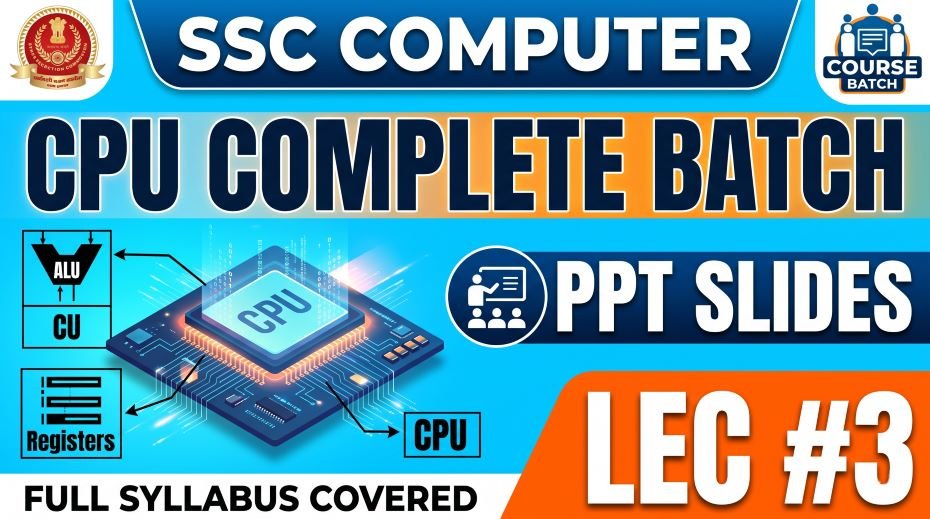
Today we will give you Study material of SSC Computer CPU Complete Batch PPT Slides or Working of CPU: SSC Computer CPU Complete Batch PPT Slides Free Download (108 Slides) – LEC 3 so, among all the topics tested in the SSC Computer Awareness section, the CPU (Central Processing Unit) stands as the most fundamental. Every single SSC exam, whether it is SSC CGL, CHSL, MTS, GD, CPO, or JE, tests students on the working of the CPU, its components, and related concepts. Yet surprisingly, many aspirants treat this topic casually and end up losing easy marks.
This article covers Lecture 3 of the Complete Foundation Batch for All SSC Exams PPT Series, which is dedicated entirely to the Working of CPU (CPU की कार्यप्रणाली). With 108 well-structured PPT slides, this module gives you a crystal-clear understanding of how the CPU processes data, what its internal components do, how memory interacts with the processor, and what concepts like clock speed, instruction cycle, and pipeline actually mean in the context of SSC (Staff Selection Commission) exams.
If you have been searching for CPU notes for competitive exams, CPU kya hai in Hindi, what is CPU full form, or the working of CPU step by step, this is the one resource you need to download and study thoroughly.
| Detail | Information |
| Subject | Working of CPU (CPU की कार्यप्रणाली) |
| Lecture Number | LEC 3 |
| Total Slides | 108 PPT Slides |
| File Size | 5 MB |
| Series Name | Complete Foundation Batch for All SSC Exams (PPT Series) |
| Serial Number | #03 |
| Best For | SSC CGL, CHSL, MTS, GD, CPO, JE and all competitive exams |
| Language | English + Hindi (Bilingual) |
| Format | PPT / PDF |
| Website | https://slideshareppt.net/ |
SSC Computer CPU Complete Batch PPT Slides (LEC #3)
NOTE: IF YOU WANT TO DOWNLOAD COMPLETE SERIES – JUST VISIT THIS REDIRECT PAGE
CPU Kya Hai? What Is CPU? Definition and Full Form
CPU stands for Central Processing Unit. It is the primary component of a computer that performs all the computational and logical operations. Every instruction that a computer executes, from opening a file to running a calculation, passes through the CPU.
The CPU is often called the brain of the computer. Just as the human brain processes every thought and action, the CPU processes every piece of data and every instruction that flows through the computer system. Without the CPU, no program can run and no task can be completed.
In competitive exam terms, the CPU is defined as the hardware component responsible for interpreting and executing most of the commands from the computer’s hardware and software. It sits on the motherboard and is one of the most important internal hardware components in any computer system.
| Term | Meaning |
| CPU Full Form | Central Processing Unit |
| CPU Hindi Name | केंद्रीय प्रसंस्करण इकाई (Kendriya Prasanskaran Ikaai) |
| Other Name | Processor or Microprocessor |
| Location | Mounted on the CPU socket of the Motherboard |
| Function | Processes all instructions, calculations, and logical operations |
| Called | The Brain of the Computer |
| Invented by | Intel (first commercial microprocessor: Intel 4004, 1971) |
| Speed Measured In | GHz (Gigahertz) – higher GHz = faster processing |
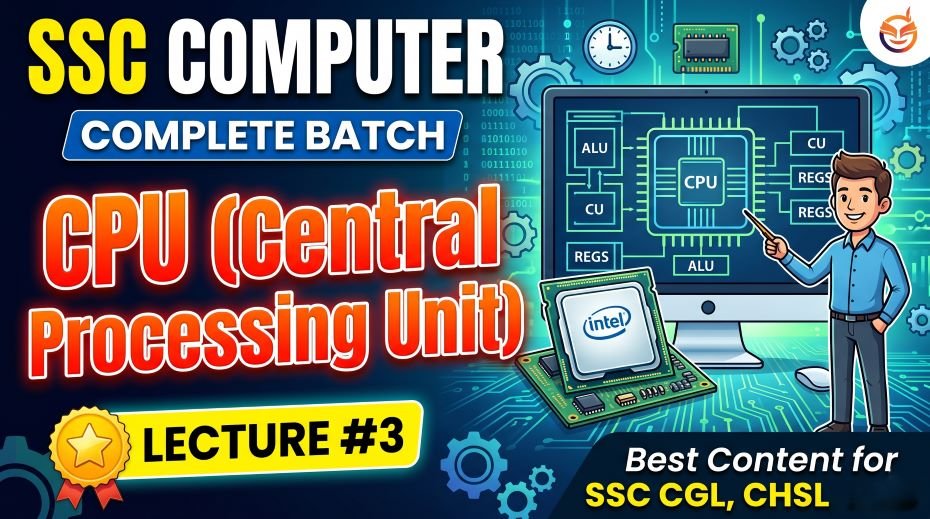
Components of CPU: ALU, CU, and Registers Explained
The CPU is not a single component but a collection of several internal units that work together to process data. For SSC Computer Awareness, you must know all the components of CPU, their full forms, and their specific functions.
1. ALU – Arithmetic Logic Unit
The ALU is the mathematical engine of the CPU. It performs two categories of operations: arithmetic operations (addition, subtraction, multiplication, division) and logical operations (comparisons like equal to, greater than, less than, AND, OR, NOT).
Whenever a program needs to calculate something or compare two values, the CPU sends that task to the ALU. The ALU processes it and sends the result back through the registers. The ALU is arguably the most active part of the CPU during normal computing tasks.
2. CU – Control Unit
The Control Unit is the manager or director of the CPU. It does not process data itself; instead, it coordinates and controls all the other components. The CU reads instructions from memory, decodes them (figures out what each instruction means), and then directs the ALU, registers, and other components to execute those instructions.
Think of the Control Unit as the traffic signal of the CPU. It tells every component what to do, when to do it, and in what order. Without the CU, the CPU would have no direction.
3. Registers
Registers are the smallest and fastest storage units inside the CPU. They are tiny memory slots that hold data, instructions, or memory addresses that the CPU is currently working on. Because registers are physically part of the CPU chip itself, they are incredibly fast, far faster than even cache memory or RAM.
Registers work in coordination with the ALU and CU. When the CU fetches an instruction, it is stored in a register. When the ALU performs a calculation, the operands come from registers and the result goes back into a register.
| Component | Full Form | Primary Role | Speed |
| ALU | Arithmetic Logic Unit | Performs all math and logic operations | Depends on CPU clock speed |
| CU | Control Unit | Coordinates and directs all CPU operations | Depends on CPU clock speed |
| Registers | No full form | Fastest, smallest storage inside the CPU for active data | Fastest of all memory |
Types of CPU Registers: Important for SSC Exams
Registers are a frequently tested subtopic in SSC Computer Awareness. Different types of registers perform different specific functions inside the CPU. Here is a complete table:
| Register Name | Abbreviation | Function |
| Program Counter | PC | Holds the memory address of the next instruction to be fetched and executed |
| Instruction Register | IR | Holds the current instruction being decoded and executed by the CU |
| Memory Address Register | MAR | Holds the address in memory from where data is to be read or written |
| Memory Data Register | MDR | Holds the actual data that has been fetched from or is to be written to memory |
| Accumulator | ACC | Stores the intermediate results of arithmetic and logic operations performed by the ALU |
| Stack Pointer | SP | Holds the address of the top of the stack in memory |
| General Purpose Registers | GPR | Used for temporary storage of data during processing; multipurpose use |
Working of CPU: The Instruction Cycle (Fetch-Decode-Execute)
The most important concept in the Working of CPU is the Instruction Cycle, also called the Machine Cycle or Fetch-Decode-Execute Cycle. This is the process the CPU follows every time it processes a single instruction. Understanding this cycle is essential for SSC CGL and other competitive exams.
Step 1: Fetch
In the Fetch stage, the Control Unit retrieves (fetches) the next instruction from the main memory (RAM). The address of this instruction is stored in the Program Counter (PC). Once the instruction is fetched, it is placed in the Instruction Register (IR), and the Program Counter is automatically updated to point to the next instruction.
Step 2: Decode
In the Decode stage, the Control Unit reads the instruction stored in the Instruction Register and interprets it. It figures out what operation needs to be performed (for example, add two numbers) and which data or memory addresses are involved. The CU then prepares the appropriate signals to direct other parts of the CPU.
Step 3: Execute
In the Execute stage, the actual operation is carried out. If it is an arithmetic or logical task, the CU sends the data to the ALU along with the operation to perform. The ALU completes the operation and places the result in the Accumulator register. If it is a memory operation, data is read from or written to the appropriate location.
Step 4: Store (Write Back)
After execution, the result is written back to the appropriate location, either a register, cache memory, or main memory (RAM). This completes one full instruction cycle. The CPU then fetches the next instruction and the cycle repeats.
| Stage | Also Called | Component Involved | What Happens |
| Fetch | Instruction Fetch (IF) | Program Counter, MAR, MDR | CPU retrieves the next instruction from RAM |
| Decode | Instruction Decode (ID) | Instruction Register, Control Unit | CU interprets what the instruction means |
| Execute | Execution (EX) | ALU, Accumulator, Registers | The actual operation is carried out |
| Store / Write Back | Write Back (WB) | Registers, Cache, RAM | Result is saved to appropriate memory location |
CPU Clock Speed: What Is GHz and Why It Matters
Clock speed is one of the most commonly tested CPU concepts in SSC exams. Let us understand it clearly.
Every CPU has an internal clock that generates pulses at a fixed rate. These pulses synchronize all the operations inside the CPU. The number of pulses (cycles) per second is called the clock speed, measured in Hertz (Hz). Modern CPUs operate at billions of cycles per second, so we measure them in GHz (Gigahertz).
| Unit | Full Form | Value |
| Hz | Hertz | 1 cycle per second |
| KHz | Kilohertz | 1,000 cycles per second |
| MHz | Megahertz | 1,000,000 (10 lakh) cycles per second |
| GHz | Gigahertz | 1,000,000,000 (100 crore) cycles per second |
A CPU with 3.5 GHz clock speed can perform 3.5 billion cycles per second. In general, a higher clock speed means faster processing, but modern CPUs also use multiple cores, cache efficiency, and pipeline techniques to improve performance beyond just raw clock speed.
CPU Cores: Single Core, Dual Core, Quad Core, and More
A core is an independent processing unit within the CPU. Earlier CPUs had only one core (single-core) and could process only one instruction stream at a time. Modern CPUs have multiple cores, allowing them to handle many tasks simultaneously, which is called parallel processing.
| CPU Type | Number of Cores | Capability | Common Use |
| Single Core | 1 Core | One task at a time (sequential) | Old desktops, basic embedded systems |
| Dual Core | 2 Cores | Two simultaneous task streams | Budget laptops, basic computing |
| Quad Core | 4 Cores | Four simultaneous task streams | Mid-range laptops and desktops |
| Hexa Core | 6 Cores | Six simultaneous task streams | High-performance desktops |
| Octa Core | 8 Cores | Eight simultaneous task streams | Gaming PCs, professional workstations |
| Deca Core | 10 Cores | Ten simultaneous task streams | Server-grade and high-end workstations |
| Many Core | 16, 32, 64+ Cores | Massively parallel processing | Data centers, supercomputers, servers |
CPU Cache Memory: L1, L2, and L3 Cache Explained
Cache memory is a small, ultra-fast memory that sits between the CPU and the main RAM. Its purpose is to store frequently used data and instructions so the CPU can access them quickly without waiting for the slower RAM. Cache memory is built directly into the CPU chip.
Cache memory is organized in levels, and this level-based structure is a very commonly tested concept in SSC Computer Awareness papers.
| Cache Level | Full Name | Location | Size | Speed | Function |
| L1 Cache | Level 1 Cache | Inside the CPU core itself | 32 KB to 256 KB per core | Fastest | Stores the most frequently accessed data and instructions for immediate CPU use |
| L2 Cache | Level 2 Cache | Inside CPU, shared or per core | 256 KB to 4 MB per core | Fast | Secondary fast storage; feeds L1 when needed |
| L3 Cache | Level 3 Cache | Inside CPU, shared by all cores | 4 MB to 64 MB (shared) | Moderate-Fast | Large shared buffer between all cores and RAM; reduces RAM access |
The hierarchy works like this: CPU first checks L1 cache, then L2, then L3, and only then goes to RAM. The closer the cache is to the CPU core, the faster it is. This tiered system significantly speeds up CPU performance.
Memory Hierarchy in CPU Operation: Complete Overview
| Level | Memory Type | Speed | Size | Volatile? |
| 1 (Fastest) | CPU Registers | Fastest possible | Bytes only | Yes |
| 2 | L1 Cache | Extremely Fast | 32 KB to 256 KB | Yes |
| 3 | L2 Cache | Very Fast | 256 KB to 4 MB | Yes |
| 4 | L3 Cache | Fast | 4 MB to 64 MB | Yes |
| 5 | RAM (Main Memory) | Moderate | 4 GB to 128 GB | Yes |
| 6 | SSD (Secondary) | Moderate-Slow | 256 GB to 4 TB | No |
| 7 (Slowest) | HDD (Secondary) | Slow | 500 GB to 20 TB | No |
Factors That Determine CPU Performance
Clock speed alone does not define how fast a CPU is. Several other factors contribute to overall CPU performance. These are important for SSC CGL and SSC JE Computer Science exams:
| Factor | What It Means | Impact on Performance |
| Clock Speed (GHz) | Number of processing cycles per second | Higher clock speed = faster per-core performance |
| Number of Cores | Independent processing units within CPU | More cores = better multitasking and parallel tasks |
| Cache Size (L1/L2/L3) | Fast on-chip memory buffer | Larger cache = fewer slow RAM accesses |
| Architecture (32-bit / 64-bit) | Width of data the CPU can handle at once | 64-bit handles larger data and more RAM than 32-bit |
| Instruction Set (ISA) | Set of commands the CPU can understand | More efficient ISA = better performance per cycle |
| Pipeline Depth | Number of stages in the instruction pipeline | Deeper pipeline allows overlapping of instructions |
| TDP (Thermal Design Power) | Heat the CPU generates under load | Lower TDP = more power-efficient and cooler operation |
| Hyper-Threading (Intel) | Virtual doubling of CPU cores (logical processors) | Improves multitasking; 4 cores can act as 8 threads |
CPU Pipelining: What Is Pipelining in Computer Architecture?
Pipelining is one of the most important techniques used to improve CPU performance and is a concept that appears in SSC CGL and SSC JE Computer Science papers. Understanding pipelining will give you a significant advantage over other aspirants.
In a basic CPU without pipelining, the Fetch-Decode-Execute cycle must fully complete for one instruction before the next instruction can even begin fetching. This means at any given moment, only one stage is active and the rest of the CPU is idle.
Pipelining solves this by overlapping the execution of multiple instructions. While one instruction is being executed, the next instruction is being decoded, and the one after that is being fetched. This overlap allows the CPU to process multiple instructions at different stages simultaneously, dramatically increasing throughput.
| Concept | Without Pipelining | With Pipelining |
| Instruction Processing | One complete at a time (sequential) | Multiple at different stages simultaneously |
| CPU Stage Utilization | Most stages idle at any moment | All stages active every clock cycle |
| Throughput | Low – one instruction per full cycle | High – one instruction completed every cycle (after fill) |
| Complexity | Simple | More complex hardware required |
| Hazards | None (sequential) | Data hazards, control hazards, structural hazards possible |
32-Bit vs 64-Bit CPU: Key Differences for SSC Exams
| Feature | 32-Bit CPU | 64-Bit CPU |
| Data Width | Processes 32 bits at a time | Processes 64 bits at a time |
| Maximum RAM Support | Up to 4 GB RAM | Up to 16 Exabytes (theoretically) |
| Practical RAM in Windows | Maximum ~3.2 GB usable | Up to 128 GB or more (OS dependent) |
| Operating System | Can only run 32-bit OS | Can run both 32-bit and 64-bit OS |
| Software Compatibility | Runs 32-bit software only | Runs both 32-bit and 64-bit software |
| Performance | Lower for large data tasks | Higher, especially for data-intensive tasks |
| Current Status | Obsolete in new computers | Standard in all modern computers and phones |
Types of CPU: RISC vs CISC Architecture
CPU architecture is categorized into two main types based on the instruction set design. This is an important concept for SSC JE and advanced competitive exams:
| Feature | RISC | CISC |
| Full Form | Reduced Instruction Set Computer | Complex Instruction Set Computer |
| Instructions | Fewer, simpler instructions | Large number of complex instructions |
| Execution Speed | Faster (each instruction takes 1 cycle) | Slower (some instructions take many cycles) |
| Pipelining | Easier to implement | More difficult to implement |
| Hardware Complexity | Simpler hardware design | Complex hardware design |
| Examples | ARM processors (used in smartphones), MIPS, SPARC | Intel x86, AMD processors (used in PCs and laptops) |
| Used In | Mobile phones, tablets, embedded systems | Desktop computers, laptops, servers |
Famous CPU Manufacturers and Their Processors
For SSC exams, knowing the major CPU brands and their product lines is useful for general awareness questions:
| Manufacturer | Country | Popular Processor Families | Used In |
| Intel | USA | Core i3, Core i5, Core i7, Core i9, Xeon, Pentium, Celeron | Desktops, laptops, servers |
| AMD | USA | Ryzen 3/5/7/9, EPYC, Athlon, Threadripper | Desktops, laptops, servers |
| ARM (now owned by SoftBank) | UK/Japan | Cortex-A, Cortex-M series | Smartphones, tablets, IoT devices |
| Apple | USA | M1, M2, M3 (Apple Silicon), A-series (iPhone chips) | Mac computers, iPhones, iPads |
| Qualcomm | USA | Snapdragon series | Android smartphones and tablets |
| MediaTek | Taiwan | Dimensity, Helio series | Mid-range Android smartphones |
CPU Cooling Methods: Important Hardware Knowledge
Since the CPU generates significant heat during operation, cooling systems are essential to prevent overheating and performance degradation. This topic appears as a general awareness question in SSC exams:
| Cooling Method | How It Works | Best For |
| Air Cooling (Heat Sink + Fan) | Metal heat sink absorbs heat; fan blows hot air away | Most desktop and laptop CPUs, budget builds |
| Liquid Cooling (AIO) | Water/coolant absorbs CPU heat and carries it to a radiator | High-performance gaming and overclocked CPUs |
| Thermal Paste | Conductive compound fills gaps between CPU and heat sink for better heat transfer | Used with every cooling solution |
| Passive Cooling | Heat sink only, no fan; relies on natural convection | Low-power CPUs in thin devices |
| TEC (Thermoelectric Cooling) | Uses Peltier effect to actively cool; can go below room temperature | Extreme overclocking scenarios |
Important CPU-Related Abbreviations for SSC Exams
| Abbreviation | Full Form | Context |
| CPU | Central Processing Unit | The main processor of a computer |
| ALU | Arithmetic Logic Unit | Performs math and logical operations inside CPU |
| CU | Control Unit | Manages and coordinates CPU operations |
| PC | Program Counter | Register holding address of next instruction |
| IR | Instruction Register | Holds the current instruction being executed |
| MAR | Memory Address Register | Holds the memory address to access |
| MDR | Memory Data Register | Holds data read from or written to memory |
| ACC | Accumulator | Stores ALU operation results |
| GHz | Gigahertz | Unit of CPU clock speed |
| MHz | Megahertz | Older unit of CPU clock speed |
| L1/L2/L3 | Level 1/2/3 Cache | CPU cache memory levels |
| ISA | Instruction Set Architecture | The set of CPU instructions |
| RISC | Reduced Instruction Set Computer | CPU design with simple instructions |
| CISC | Complex Instruction Set Computer | CPU design with complex instructions |
| TDP | Thermal Design Power | CPU heat output rating in Watts |
| IPC | Instructions Per Clock | CPU efficiency metric |
| HT | Hyper-Threading (Intel) | Technology to create virtual CPU cores |
| SMT | Simultaneous Multi-Threading | AMD’s version of Hyper-Threading |
| GPU | Graphics Processing Unit | Processor specialized for graphics |
| SoC | System on Chip | CPU, GPU, and other components on one chip |
CPU Topics Frequency in SSC Exams: Priority Table
| CPU Topic | Exam Frequency | Difficulty | Priority |
| CPU Full Form and Definition | Very High | Easy | Must Study First |
| Components of CPU (ALU, CU, Registers) | Very High | Easy-Medium | Must Study First |
| CPU called the Brain of Computer | Very High | Easy | Must Study First |
| Types of Memory (Registers, Cache, RAM) | Very High | Medium | Must Study First |
| Clock Speed (GHz, MHz) | High | Easy | Important |
| Fetch-Decode-Execute Cycle | High | Medium | Important |
| Types of Registers (PC, IR, MAR, MDR) | High | Medium | Important |
| Cache Memory Levels (L1, L2, L3) | High | Medium | Important |
| 32-bit vs 64-bit CPU | Medium-High | Medium | Important |
| CPU Cores (Dual, Quad, Octa) | Medium | Easy | Good to Know |
| RISC vs CISC | Medium | Medium-Hard | Good to Know |
| CPU Pipelining | Medium | Hard | Good to Know (CGL, JE) |
| CPU Manufacturers (Intel, AMD) | Low-Medium | Easy | Revision Only |
CPU vs GPU vs APU: Key Differences
A commonly asked question in SSC exams is the difference between CPU and GPU. Here is a clear comparison:
| Feature | CPU | GPU | APU |
| Full Form | Central Processing Unit | Graphics Processing Unit | Accelerated Processing Unit |
| Primary Job | General-purpose computing | Rendering graphics and images | Combined CPU + GPU on one chip |
| Number of Cores | Few powerful cores (2 to 64) | Thousands of small cores | Moderate (combined) |
| Best At | Sequential, complex tasks | Parallel, repetitive tasks | Budget computing and light gaming |
| Examples | Intel Core i7, AMD Ryzen 7 | NVIDIA RTX 4090, AMD RX 7900 | AMD Ryzen 5 5600G with Radeon Graphics |
| Used For | All computing tasks | Gaming, AI, video editing, 3D rendering | Laptops and budget desktops |
Intel vs AMD: Popular CPUs for SSC General Awareness
| Feature | Intel | AMD |
| Founded | 1968 | 1969 |
| Headquarters | Santa Clara, California, USA | Santa Clara, California, USA |
| Popular Consumer Series | Intel Core i3, i5, i7, i9 | AMD Ryzen 3, 5, 7, 9 |
| Server/Workstation | Intel Xeon | AMD EPYC, Threadripper |
| Architecture | Intel’s own architecture (x86-64) | x86-64 (same instruction set as Intel) |
| Multi-threading | Hyper-Threading (HT) | Simultaneous Multi-Threading (SMT) |
| Manufacturing | Intel Fabs (in-house) | Manufactured by TSMC |
| Market Position | Historically dominant in laptops | Strong competition since Ryzen (2017) |
Top 25 CPU Facts to Memorize for SSC Computer Awareness
- CPU stands for Central Processing Unit and is called the brain of the computer
- The three main components of CPU are ALU, CU (Control Unit), and Registers
- ALU performs arithmetic operations (addition, subtraction) and logical operations (AND, OR, NOT)
- The Control Unit coordinates and manages all CPU operations without processing data itself
- Registers are the fastest and smallest memory units located inside the CPU
- The Program Counter (PC) register holds the address of the next instruction to be executed
- The Instruction Register (IR) holds the instruction currently being decoded
- The Accumulator stores intermediate results of ALU operations
- The Instruction Cycle consists of Fetch, Decode, Execute, and Store (Write Back) stages
- Clock speed is measured in GHz (Gigahertz); higher GHz means faster processing
- Cache memory is faster than RAM and is divided into L1, L2, and L3 levels
- L1 cache is the fastest, smallest, and closest to the CPU core
- L3 cache is the largest and shared among all cores of the CPU
- A dual-core processor has 2 independent processing units inside one CPU chip
- Hyper-Threading (Intel) allows one physical core to work as two logical cores
- 32-bit CPUs can support a maximum of only 4 GB of RAM
- 64-bit CPUs can theoretically support up to 16 Exabytes of RAM
- RISC stands for Reduced Instruction Set Computer; ARM processors use RISC design
- CISC stands for Complex Instruction Set Computer; Intel x86 processors use CISC design
- Pipelining allows the CPU to work on multiple instructions at different stages simultaneously
- The first commercial microprocessor was the Intel 4004, released in 1971
- TDP (Thermal Design Power) measures how much heat a CPU generates in Watts
- The CPU is mounted on the CPU socket of the Motherboard
- Thermal paste is applied between the CPU and heat sink for better heat transfer
- Modern CPUs from Intel and AMD both use the x86-64 instruction set architecture
Study Plan to Master CPU Topics for SSC Exams
Day 1 to 2: Basics and Definitions
- Learn the CPU definition, full form, and why it is called the brain of the computer
- Memorize the three main components: ALU, CU, Registers and their functions
- Study the types of registers: PC, IR, MAR, MDR, Accumulator
Day 3 to 4: Instruction Cycle and Clock Speed
- Study the Fetch-Decode-Execute cycle step by step
- Understand clock speed (GHz) and what makes a CPU faster
- Learn about cache memory levels L1, L2, and L3 and their differences
Day 5 to 6: Advanced Concepts
- Study 32-bit vs 64-bit CPU differences
- Learn about CPU cores (Dual Core, Quad Core, Octa Core)
- Understand RISC vs CISC architecture for SSC CGL and JE
Day 7: Revision and Practice
- Revise all CPU abbreviations from the table in this article
- Solve 20 to 30 CPU-related SSC previous year questions
- Review all comparison tables one final time
READ ALSO: SSC Computer Hardware Complete Batch PPT Slides (LEC #2)
(FAQs)
Q1. What is the full form of CPU in computer?
CPU full form is Central Processing Unit. It is the primary hardware component that processes all instructions and data in a computer. It is commonly called the brain of the computer.
Q2. What are the main components of a CPU?
The three main components of a CPU are the ALU (Arithmetic Logic Unit), the CU (Control Unit), and Registers. The ALU handles all mathematical and logical operations, the CU manages and directs all operations, and Registers are the ultra-fast memory slots inside the CPU that hold active data and instructions.
Q3. What is CPU clock speed and how is it measured?
CPU clock speed is the number of processing cycles the CPU can complete per second. It is measured in GHz (Gigahertz). A 3.0 GHz CPU can complete 3 billion cycles per second. Higher clock speed generally means faster processing, although other factors like core count and cache size also play a major role.
Q4. What is the difference between L1, L2, and L3 cache?
L1 cache is the smallest and fastest, located directly inside each CPU core. L2 cache is larger and slightly slower, also usually per core. L3 cache is the largest and slowest of the three, shared by all cores on the CPU chip. The CPU checks L1 first, then L2, then L3, and only accesses RAM when needed data is not in any cache level.
Q5. What is the Fetch-Decode-Execute cycle?
The Fetch-Decode-Execute cycle, also called the instruction cycle or machine cycle, is the fundamental process the CPU repeats for every instruction. First it Fetches the instruction from RAM, then it Decodes the instruction to understand what operation is needed, then it Executes the operation (usually via the ALU), and finally stores the result. This entire cycle happens billions of times per second in modern CPUs.
Q6. How many slides are in this CPU PPT Series (LEC 3)?
This module contains 108 PPT slides covering all 10 classes of the Working of CPU topic. It is Lecture 3 (LEC 3), Serial Number 03 of the Complete Foundation Batch for All SSC Exams PPT Series. The file size is just 5 MB, making it easy to download even on a mobile device.
Q7. Is CPU notes sufficient for SSC CGL Computer Awareness?
CPU notes are one part of the complete Computer Awareness syllabus for SSC CGL. To cover the full syllabus, you should also study LEC 1 (Architecture of Computer), LEC 2 (Computer Hardware), and subsequent lectures covering topics like operating systems, networking, MS Office, and internet basics. All of these are available in the same Complete Foundation Batch PPT Series from slideshareppt.net.
Conclusion: CPU Is the Heart of SSC Computer Awareness Preparation
Understanding the Working of CPU is not just about memorizing definitions. It is about building a conceptual foundation that helps you confidently answer any question the examiner throws at you, whether it is about ALU, registers, instruction cycles, cache levels, or clock speeds.
The 108 slides in this CPU Complete Batch PPT Series (LEC 3) are carefully crafted to cover every dimension of this topic in a visual, exam-focused, and bilingual format. Whether you are a beginner who is encountering these concepts for the first time or an experienced aspirant who needs a structured revision, this material serves both needs equally well.
Download the PDF from https://slideshareppt.net/, follow the study plan, revise the abbreviations and comparison tables, and practice previous year questions. CPU will no longer be a source of doubt but a guaranteed source of marks in your next SSC exam.
Good luck with your preparation. Do not forget to check out the other lectures in the Complete Foundation Batch PPT Series for comprehensive SSC Computer Awareness preparation across all topics.