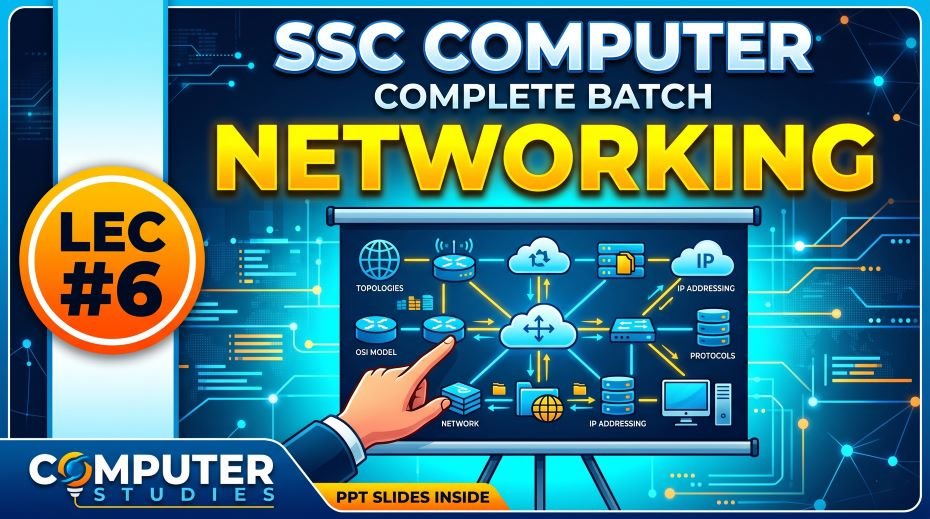
In this article we will share SSC Computer Complete Batch Networking PPT Slides (LEC #6) So, in today’s digital world, computer networking is no longer a specialist subject. It is everyday knowledge. When you connect to Wi-Fi, send a WhatsApp message, access a government portal, or use internet banking, you are using computer networking concepts in real life. This is exactly why the SSC Commission has made networking a core component of Computer Awareness across all its major exams.
Lecture 6 (LEC 6) of the Complete Foundation Batch for All SSC Exams PPT Series is dedicated entirely to Networking (नेटवर्किंग). With 177 comprehensive PPT slides covering all 10 classes on computer networking, this module is one of the most practically relevant and exam-rich chapters in the entire series.
Whether you are searching for computer networking notes for (Staff Selection Commission) SSC, types of computer networks, network topology in computer networks, OSI model layers, network devices list, IP address and DNS explanation, or a free networking notes PDF for competitive exams, this article and the downloadable PPT cover every single concept you need. Let us start from the foundation.
| Detail | Information |
| Subject | Networking (नेटवर्किंग) |
| Lecture Number | LEC 6 |
| Total Slides | 177 PPT Slides |
| File Size | 80 MB |
| Series Name | Complete Foundation Batch for All SSC Exams (PPT Series) |
| Serial Number | #06 |
| Best For | SSC CGL, CHSL, MTS, GD, CPO, JE and all competitive exams |
| Language | English + Hindi (Bilingual) |
| Format | PPT / PDF |
| Website | https://slideshareppt.net/ |
SSC Computer Complete Batch Networking PPT Slides (LEC #6)
NOTE: IF YOU WANT TO DOWNLOAD COMPLETE SERIES – JUST VISIT THIS REDIRECT PAGE
Computer Network Kya Hai? Definition and Basic Concept
A computer network is a system in which two or more computers (or other digital devices) are connected together to share data, resources, and information. The connection can be through physical cables, wireless signals, or a combination of both.
The primary purpose of a computer network is resource sharing. Instead of each computer having its own printer, internet connection, or file storage, networked computers can share these resources efficiently. This reduces cost, increases collaboration, and enables communication on a massive scale.
In Hindi, computer network is called Sanganak Jaal (संगणक जाल) or simply Computer Network (कंप्यूटर नेटवर्क). The bilingual SSC papers use both terms.
| Aspect | Detail |
| Definition | Two or more computers connected to share data and resources |
| Hindi Name | कंप्यूटर नेटवर्क / संगणक जाल (Networking = नेटवर्किंग) |
| Key Purpose | Data sharing, resource sharing, communication, centralized management |
| Minimum Requirement | At least 2 computers and a communication medium (cable or wireless) |
| Communication Medium | Wired (Ethernet, Fiber Optic, Coaxial Cable) or Wireless (Wi-Fi, Bluetooth, Satellite) |
| Managed By | Network Administrator using specialized network hardware and software |
| Examples | Internet, Intranet, office LAN, mobile data network, ATM banking network |
Types of Computer Networks: LAN, WAN, MAN, PAN, and More
The classification of computer networks based on their geographic coverage is one of the most frequently tested topics in SSC Computer Awareness. Every SSC exam has at least one question from this section. You must know all network types, their full forms, coverage ranges, and examples.
| Network Type | Full Form | Geographic Coverage | Speed | Examples |
| PAN | Personal Area Network | Very short range; within a few meters around a person | High (within range) | Bluetooth between phone and earbuds, USB connection between PC and phone |
| LAN | Local Area Network | Limited area: single building, floor, office, or campus | Very High (100 Mbps to 10 Gbps) | Office network, school computer lab, home Wi-Fi network |
| MAN | Metropolitan Area Network | City or town level; spans several kilometers | High (up to Gbps) | City-wide cable TV network, municipal Wi-Fi, university across multiple campuses |
| WAN | Wide Area Network | Country, continent, or global level | Variable (slower than LAN due to distance) | The Internet itself; bank ATM networks across India; SWIFT financial network |
| CAN | Campus Area Network | A university or large corporate campus | High | IIT campus network, corporate headquarters network |
| SAN | Storage Area Network | Specialized network for storage devices in data centers | Very High | Enterprise data centers connecting servers to storage arrays |
| VPN | Virtual Private Network | Extends a private network over a public network (Internet) | Depends on internet speed | Remote employee access to company servers; secure browsing tools |
| Internet | Interconnected Networks | Global – the entire world | Variable | WWW (World Wide Web), email, cloud services, streaming |
LAN vs MAN vs WAN: Key Differences (Most Tested SSC Table)
| Feature | LAN | MAN | WAN |
| Full Form | Local Area Network | Metropolitan Area Network | Wide Area Network |
| Coverage | Single building or campus | City or town (few to 50 km) | Country, continent, or global |
| Speed | Very High (up to 10 Gbps) | High (up to 1 Gbps) | Slower (variable, depends on link) |
| Ownership | Usually privately owned | May be public or private | Often owned by telecom providers |
| Setup Cost | Low | Medium | High |
| Maintenance | Easy | Moderate | Complex |
| Example | Office LAN, school lab | City broadband network | The Internet, satellite WAN |
| Technology Used | Ethernet, Wi-Fi | Fiber optic, WiMAX | MPLS, fiber, satellite, DSL |
Network Topology: Types and Diagrams Explained
Network topology refers to the physical or logical arrangement of computers and other devices in a network. It describes how nodes (computers, printers, servers) are connected to each other and the communication medium. Topology is a consistently tested concept in SSC Computer Awareness papers.
| Topology | Shape / Layout | Advantages | Disadvantages | Best Used In |
| Bus Topology | All devices connected to a single central cable (backbone) | Simple, cheap, easy to set up; requires less cable | Single point of failure (if backbone fails, entire network fails); slow with many devices | Small, temporary, or low-cost networks |
| Star Topology | All devices connected to a central hub or switch | Easy to add/remove devices; failure of one device does not affect others; easy to troubleshoot | Central hub is a single point of failure; more cable required than bus | Most modern office and home networks |
| Ring Topology | Each device connected to exactly two others, forming a closed ring loop | Data travels in one direction (orderly); no data collisions | Single break in ring disrupts entire network; difficult to add/remove devices | Token Ring networks, some LAN setups |
| Mesh Topology | Every device connected to every other device | Highly reliable; multiple paths for data; no single point of failure | Very expensive; complex wiring; difficult to manage | Military networks, critical infrastructure, internet backbone |
| Tree Topology | Hierarchical; combines star and bus topology; parent-child node structure | Easy to manage hierarchically; scalable | Depends on root node; complex wiring | Large organizations, campus networks |
| Hybrid Topology | Combination of two or more different topologies | Flexible; scalable; can take best features of each topology | Complex design; expensive to implement | Large enterprise networks, modern internet architecture |
Network Devices: Complete List with Functions
Network devices (also called networking hardware) are the physical components that connect computers and other devices in a network and manage data transmission between them. Knowing each device’s name, function, and how it differs from similar devices is a very common SSC exam question pattern.
| Network Device | Function | OSI Layer | Key Point for SSC |
| Hub | Broadcasts data to all connected devices; does not filter or direct | Physical Layer (Layer 1) | Dumb device; sends data to everyone; creates collisions; now largely replaced by switches |
| Switch | Forwards data only to the specific destination device using MAC addresses | Data Link Layer (Layer 2) | Smarter than hub; reduces collisions; most common LAN device in offices |
| Router | Connects different networks; routes data packets between networks using IP addresses | Network Layer (Layer 3) | Connects LAN to the Internet; uses IP routing tables; most important network device for homes/offices |
| Modem | Converts digital computer signals to analog for transmission over telephone lines and vice versa | Physical Layer (Layer 1) | MOdulator-DEModulator; needed for DSL and cable internet connections |
| Bridge | Connects two similar network segments; filters traffic by MAC address | Data Link Layer (Layer 2) | Smarter than hub; divides network into segments to reduce collision domain |
| Repeater | Amplifies and regenerates network signals over long distances to prevent signal loss | Physical Layer (Layer 1) | Boosts weak signals; used in long cable runs; no intelligence, just signal amplification |
| Gateway | Connects networks with different protocols; translates between them | All Layers (Application to Physical) | Translates protocols; acts as entry/exit point between completely different networks |
| Network Interface Card (NIC) | Connects a computer to a network; provides a hardware address (MAC address) | Data Link Layer (Layer 2) | Every networked device has a NIC; MAC address is burned into NIC at manufacturing |
| Access Point (AP) | Provides wireless network access; connects wireless devices to a wired LAN | Data Link Layer (Layer 2) | Creates a Wi-Fi hotspot; extends wireless coverage; often built into routers |
| Firewall | Monitors and controls network traffic based on security rules | Network/Transport Layer | Blocks unauthorized access; first line of defense in network security; can be hardware or software |
OSI Model: 7 Layers of Networking – Critical for SSC CGL
The OSI (Open Systems Interconnection) model is the most important theoretical framework in computer networking and one of the most tested topics in SSC CGL and SSC JE Computer Science papers. The OSI model describes how data communication happens between computers across a network by dividing the process into 7 distinct layers, each with a specific role.
Understanding the OSI model not only helps you answer direct questions about its layers but also gives you a framework for understanding every other networking concept, from protocols to devices to troubleshooting.
| Layer No. | Layer Name | Mnemonic Word | Primary Function | Protocols / Examples |
| Layer 7 | Application Layer | Away | Provides network services directly to user applications; handles user interface for network communication | HTTP, HTTPS, FTP, SMTP, POP3, IMAP, DNS, Telnet, SSH |
| Layer 6 | Presentation Layer | Pizza | Translates data format; handles data encoding, encryption, compression, and conversion | SSL/TLS (encryption), JPEG, MPEG, ASCII, Unicode, GIF |
| Layer 5 | Session Layer | Sausage | Establishes, manages, and terminates communication sessions between applications | NetBIOS, RPC (Remote Procedure Call), PPTP |
| Layer 4 | Transport Layer | Throw | Ensures reliable or fast data delivery; handles segmentation, reassembly, flow control, and error control | TCP (reliable), UDP (fast but unreliable) |
| Layer 3 | Network Layer | Not | Routes data packets between different networks; handles logical addressing (IP addresses) | IP (IPv4, IPv6), ICMP, ARP, OSPF, BGP |
| Layer 2 | Data Link Layer | Do | Handles node-to-node data transfer within the same network; manages MAC addresses and framing | Ethernet, Wi-Fi (IEEE 802.11), PPP, MAC addressing |
| Layer 1 | Physical Layer | Please | Transmits raw bits (0s and 1s) over the physical medium; defines cables, signals, and connectors | Ethernet cables, fiber optic, USB, Bluetooth signals, Wi-Fi radio waves |
Memory Trick for OSI Layers (from Layer 7 to Layer 1): ‘All People Seem To Need Data Processing’ – Application, Presentation, Session, Transport, Network, Data Link, Physical.
Memory Trick from Layer 1 to Layer 7: ‘Please Do Not Throw Sausage Pizza Away’ – Physical, Data Link, Network, Transport, Session, Presentation, Application.
TCP/IP Model: The Practical Internet Model
While the OSI model is the theoretical reference model for networking, the TCP/IP model is the actual model used in the internet and all real-world networks. The TCP/IP model has 4 layers that correspond to the 7 layers of the OSI model. SSC exams ask about both models and their comparison.
| TCP/IP Layer | Corresponding OSI Layers | Function | Protocols |
| Application Layer | OSI Layers 5, 6, 7 (Session + Presentation + Application) | Handles all application-level communication and user services | HTTP, HTTPS, FTP, SMTP, POP3, IMAP, DNS, Telnet, SSH, SNMP |
| Transport Layer | OSI Layer 4 (Transport) | Provides end-to-end data delivery; manages reliability and flow control | TCP (Transmission Control Protocol), UDP (User Datagram Protocol) |
| Internet Layer | OSI Layer 3 (Network) | Handles logical IP addressing and routing of packets across networks | IP (IPv4/IPv6), ICMP, ARP, RARP, OSPF, BGP |
| Network Access Layer | OSI Layers 1 and 2 (Physical + Data Link) | Manages physical transmission of data over the network medium | Ethernet, Wi-Fi, PPP, Frame Relay, MAC addressing |
Important Network Protocols: Full Forms and Functions for SSC
Network protocols are the set of rules and conventions that govern how data is transmitted and received across a network. Knowing protocol full forms and their functions is extremely important for SSC Computer Awareness. Questions like ‘HTTP full form’, ‘FTP kya hai’, ‘DNS kya hota hai’ appear regularly.
| Protocol | Full Form | Function / Use | Port Number |
| HTTP | HyperText Transfer Protocol | Used for transferring web pages from web servers to browsers; basis of the World Wide Web | Port 80 |
| HTTPS | HyperText Transfer Protocol Secure | Encrypted version of HTTP; uses SSL/TLS; secure web browsing; used for banking and login pages | Port 443 |
| FTP | File Transfer Protocol | Used for transferring files between computers over a network | Port 21 (control), Port 20 (data) |
| SFTP | Secure File Transfer Protocol | Encrypted version of FTP; secure file transfer | Port 22 |
| SMTP | Simple Mail Transfer Protocol | Used for sending email messages from a client to a server or between servers | Port 25 / 587 |
| POP3 | Post Office Protocol Version 3 | Used for receiving email; downloads emails to client device; emails removed from server | Port 110 |
| IMAP | Internet Message Access Protocol | Used for receiving email; emails stay on server; accessible from multiple devices | Port 143 |
| DNS | Domain Name System | Translates domain names (google.com) into IP addresses (142.250.195.46) | Port 53 |
| DHCP | Dynamic Host Configuration Protocol | Automatically assigns IP addresses to devices on a network | Port 67/68 |
| TCP | Transmission Control Protocol | Reliable, connection-oriented data transmission; ensures all packets arrive correctly | – |
| UDP | User Datagram Protocol | Fast, connectionless data transmission; no delivery guarantee; used for streaming, gaming | – |
| IP | Internet Protocol | Routes data packets between networks using logical IP addresses | – |
| ARP | Address Resolution Protocol | Resolves IP addresses to MAC addresses within a local network | – |
| ICMP | Internet Control Message Protocol | Used for error reporting and network diagnostics; used by the ‘ping’ command | – |
| SSH | Secure Shell | Encrypted remote login and command execution on servers | Port 22 |
| Telnet | Teletype Network | Remote login protocol; unencrypted; older and insecure (replaced by SSH) | Port 23 |
| SNMP | Simple Network Management Protocol | Used for monitoring and managing network devices remotely | Port 161/162 |
| NTP | Network Time Protocol | Synchronizes clocks of computers across a network | Port 123 |
IP Address: IPv4 vs IPv6, Classes, and Subnetting Basics
An IP address (Internet Protocol address) is a unique numerical label assigned to every device connected to a network that uses the Internet Protocol for communication. It serves two main functions: identifying the device (host) and providing the location of the device in the network so data can be routed to it correctly.
IPv4 vs IPv6: Key Differences
| Feature | IPv4 | IPv6 |
| Full Form | Internet Protocol Version 4 | Internet Protocol Version 6 |
| Address Format | 32-bit address in dotted decimal: 192.168.1.1 | 128-bit address in hexadecimal: 2001:0db8:85a3::8a2e:0370:7334 |
| Total Addresses | Approximately 4.3 billion (2^32) | Approximately 340 undecillion (2^128) – virtually unlimited |
| Address Exhaustion | Nearly exhausted globally | Designed to solve IPv4 address shortage |
| Example Address | 192.168.0.1, 10.0.0.1 | 2001:db8::1, fe80::1 |
| Header Complexity | Simpler (20 bytes) | More complex (40 bytes fixed header) |
| Security | Optional (IPSec optional) | IPSec mandatory (built-in security) |
| Current Status | Still widely used | Gradual global adoption ongoing |
IPv4 Address Classes: Important for SSC Exams
| Class | Range (First Octet) | Default Subnet Mask | Used For | Example |
| Class A | 1 to 126 | 255.0.0.0 | Very large networks (millions of hosts per network) | 10.0.0.1 (private), 65.0.0.1 (public) |
| Class B | 128 to 191 | 255.255.0.0 | Medium-sized networks (up to 65,534 hosts) | 172.16.0.1 (private), 130.5.0.1 (public) |
| Class C | 192 to 223 | 255.255.255.0 | Small networks (up to 254 hosts per network) | 192.168.1.1 (most common home/office IP) |
| Class D | 224 to 239 | N/A (no subnet mask) | Multicasting (sending to multiple specific devices) | 224.0.0.1 (All Hosts multicast) |
| Class E | 240 to 255 | N/A | Reserved for experimental and research purposes | Not used in public networks |
DNS: Domain Name System – How the Internet Finds Websites
DNS stands for Domain Name System. It is often called the phone book of the internet. Every website on the internet has an IP address (like 142.250.195.46), but humans cannot easily remember numerical IP addresses. Instead, we remember domain names like google.com or sbi.co.in.
DNS is the system that automatically translates these human-friendly domain names into their corresponding IP addresses so that browsers and applications can find and connect to the correct server on the internet.
| DNS Component | Function |
| DNS Resolver | Your computer or router’s first step; asks DNS servers for the IP of a domain |
| Root Name Server | The top level of DNS hierarchy; knows which servers manage top-level domains (.com, .in, .org) |
| TLD (Top Level Domain) Server | Manages domains like .com, .net, .org, .in, .gov |
| Authoritative Name Server | Has the final answer; holds the actual IP address for a specific domain |
| DNS Cache | Temporarily stores recent DNS lookups to speed up repeated visits to the same site |
| Hosts File | A local file on your computer that can manually map domain names to IP addresses (overrides DNS) |
Internet Concepts: WWW, URL, Domain, Browser, and More
The internet chapter within networking is extremely rich with exam questions. Every term from URL to ISP to bandwidth has appeared in SSC papers. Here is a comprehensive reference:
| Term | Full Form | Definition / Explanation |
| Internet | Interconnected Networks | Global network of billions of computers and devices connected via standardized protocols (TCP/IP) |
| Intranet | Internal Network | A private network within an organization accessible only to its employees |
| Extranet | Extended Intranet | A controlled private network that allows external partners (vendors, clients) limited access to an organization’s intranet |
| WWW | World Wide Web | A system of interlinked hypertext documents accessed over the internet; one application of the internet |
| URL | Uniform Resource Locator | The complete address of a resource on the internet; e.g., https://www.google.com/search |
| URI | Uniform Resource Identifier | Broader identifier for any resource; URL is a type of URI |
| Domain Name | – | Human-readable address of a website; e.g., google.com, indianrailways.gov.in |
| IP Address | Internet Protocol Address | Unique numerical address identifying every device on a network |
| ISP | Internet Service Provider | Company that provides internet access to homes and businesses; e.g., Jio, Airtel, BSNL |
| Browser | Web Browser | Software used to access and display web pages; e.g., Chrome, Firefox, Safari, Edge |
| HTML | HyperText Markup Language | Language used to create and structure web pages |
| HTTP | HyperText Transfer Protocol | Protocol used to transfer web pages from server to browser |
| HTTPS | HyperText Transfer Protocol Secure | Encrypted (secure) version of HTTP; uses SSL/TLS encryption |
| Bandwidth | – | Maximum data transfer rate of a network; measured in Mbps or Gbps |
| Latency | – | Time delay between sending and receiving data; lower latency = faster network response |
| Broadband | – | High-speed internet connection; always-on; faster than traditional dial-up |
| Wi-Fi | Wireless Fidelity | Wireless networking technology using radio waves for internet connectivity |
| Search Engine | – | Web tool for finding information on the internet; e.g., Google, Bing, DuckDuckGo, Yahoo |
| Web Server | – | Computer that stores and serves web pages to browsers upon request |
| Cloud Computing | – | Delivering computing services over the internet; storage, servers, databases, software on demand |
Wireless Networking Technologies: Wi-Fi, Bluetooth, and More
Wireless networking is one of the most relevant modern topics in computer networking for SSC exams. Every government office, public space, and household now uses wireless technology, making these concepts part of general digital literacy:
| Technology | Full Form | Range | Speed | Use Case |
| Wi-Fi | Wireless Fidelity (IEEE 802.11) | Up to 100 meters (indoors) | Up to several Gbps (Wi-Fi 6) | Home and office internet; wireless LAN |
| Bluetooth | – | Up to 10 meters (Class 2) | Up to 3 Mbps (Classic), 24 Mbps (BT 4.0) | Connecting phones to earbuds, keyboards, mice, speakers |
| 3G | Third Generation Mobile Network | Wide (cellular coverage) | Up to 7.2 Mbps | Mobile internet on older smartphones |
| 4G / LTE | Fourth Generation / Long-Term Evolution | Wide (cellular coverage) | Up to 150 Mbps (typical: 10-50 Mbps) | Mobile internet, video calls, streaming on smartphones |
| 5G | Fifth Generation Mobile Network | Shorter range; more towers needed | Up to 10 Gbps | Ultra-fast mobile internet, IoT, autonomous vehicles |
| NFC | Near Field Communication | Very short: up to 4 cm | 424 Kbps | Contactless payments (Google Pay, PhonePe), access cards |
| Infrared (IR) | Infrared Communication | Very short: up to 1 meter (line of sight) | Up to 4 Mbps | TV remotes, old phone data transfer |
| Satellite Internet | – | Global coverage | Variable (high latency) | Remote areas without cable; aviation internet; GPS |
| WiMAX | Worldwide Interoperability for Microwave Access | Up to 50 km | Up to 75 Mbps | Last-mile broadband in rural areas; MAN-level wireless |
Network Security: Firewall, VPN, Encryption, and Cyber Threats
Network security is a growing section within SSC Computer Awareness, especially as cybersecurity awareness becomes a national priority. Here are the key concepts:
| Security Concept | Definition | How It Protects |
| Firewall | Hardware or software that monitors and filters network traffic based on predefined security rules | Blocks unauthorized access; prevents hackers from entering a private network; can be hardware or software |
| VPN | Virtual Private Network; creates an encrypted tunnel over the public internet for secure communication | Protects data privacy; allows remote workers to securely access company networks; hides IP address |
| Encryption | Process of converting readable data (plaintext) into unreadable code (ciphertext) using an algorithm | Protects data in transit and at rest; only authorized parties with the key can decrypt and read the data |
| SSL/TLS | Secure Sockets Layer / Transport Layer Security; cryptographic protocol for secure internet communication | Secures HTTPS websites, email, and VPNs; SSL is older, TLS is the modern version |
| DDoS Attack | Distributed Denial of Service; floods a server with requests from many compromised computers simultaneously | Attack type that overwhelms servers making them unavailable to legitimate users |
| Phishing | Fraudulent attempt to steal sensitive data by impersonating a legitimate entity in email or web pages | Defense: two-factor authentication, checking URLs, security awareness training |
| Proxy Server | Intermediary server that sits between a user’s device and the internet; forwards requests on behalf of users | Provides anonymity, content filtering, caching for faster access, security layer |
| IDS/IPS | Intrusion Detection System / Intrusion Prevention System; monitors network for suspicious activity | IDS detects and alerts; IPS detects and actively blocks intrusions in real time |
Transmission Media: Guided and Unguided Media
Transmission media is the physical or wireless medium through which data signals travel from one device to another in a network. SSC exams ask about types of cables and their characteristics:
| Media Type | Category | Medium | Speed | Advantages | Disadvantages |
| Twisted Pair Cable | Guided (Wired) | Two insulated copper wires twisted together; UTP and STP types | Up to 10 Gbps (Cat6A+) | Cheap, flexible, easy to install; most common in LANs | Susceptible to electromagnetic interference; limited distance |
| Coaxial Cable | Guided (Wired) | Central copper conductor with insulation and outer braid shield | Up to 10 Gbps | Better interference resistance than twisted pair; used in older LANs and cable TV | Thicker, less flexible; more expensive than twisted pair |
| Fiber Optic Cable | Guided (Wired) | Glass or plastic fibers; transmits data as light pulses | Up to 100 Tbps (theoretical) | Extremely fast; immune to electromagnetic interference; long distances; secure | Expensive; fragile; complex installation and splicing |
| Radio Waves | Unguided (Wireless) | Radio frequency electromagnetic waves; omnidirectional | Varies by frequency | Passes through walls; no line of sight needed; Wi-Fi, mobile networks | Interference; security concerns; speed limited by spectrum |
| Microwaves | Unguided (Wireless) | High-frequency electromagnetic waves; line of sight required | Up to several Gbps | Long-distance communication; used by telecom towers | Requires line of sight; affected by weather; towers needed every 40-50 km |
| Infrared | Unguided (Wireless) | Infrared light waves; very short range | Up to 4 Mbps | Low cost; secure (cannot penetrate walls) | Very short range; requires direct line of sight; affected by sunlight |
| Satellite | Unguided (Wireless) | Microwave signals bounced off satellites in orbit | Up to 1 Gbps (LEO) | Global coverage including remote areas | High latency; expensive; affected by weather conditions |
Networking Abbreviations: Complete Reference for SSC Exams
| Abbreviation | Full Form | Context |
| LAN | Local Area Network | Small area network (building/campus) |
| WAN | Wide Area Network | Large area network (country/global) |
| MAN | Metropolitan Area Network | City-level network |
| PAN | Personal Area Network | Personal device range network |
| VPN | Virtual Private Network | Secure tunnel over public internet |
| TCP | Transmission Control Protocol | Reliable connection-oriented protocol |
| UDP | User Datagram Protocol | Fast connectionless protocol |
| IP | Internet Protocol | Routing packets using logical addresses |
| HTTP | HyperText Transfer Protocol | Web page transfer protocol (Port 80) |
| HTTPS | HyperText Transfer Protocol Secure | Encrypted web protocol (Port 443) |
| FTP | File Transfer Protocol | File transfer over network (Port 21) |
| SMTP | Simple Mail Transfer Protocol | Sending emails (Port 25/587) |
| POP3 | Post Office Protocol Version 3 | Downloading emails (Port 110) |
| IMAP | Internet Message Access Protocol | Email on server access (Port 143) |
| DNS | Domain Name System | Domain to IP translation (Port 53) |
| DHCP | Dynamic Host Configuration Protocol | Automatic IP assignment (Port 67/68) |
| ARP | Address Resolution Protocol | IP to MAC address resolution |
| ICMP | Internet Control Message Protocol | Network diagnostics; used by ping |
| SSH | Secure Shell | Encrypted remote access (Port 22) |
| MAC | Media Access Control | Unique hardware address of NIC |
| NIC | Network Interface Card | Hardware connecting device to network |
| OSI | Open Systems Interconnection | 7-layer theoretical networking model |
| ISP | Internet Service Provider | Company providing internet access |
| WWW | World Wide Web | Web pages system over the internet |
| URL | Uniform Resource Locator | Complete web address of a resource |
| ISP | Internet Service Provider | Jio, Airtel, BSNL in India |
| SSL | Secure Sockets Layer | Encryption protocol (older; replaced by TLS) |
| TLS | Transport Layer Security | Modern encryption protocol for HTTPS |
| NFC | Near Field Communication | Short-range wireless; contactless payments |
| WiMAX | Worldwide Interoperability for Microwave Access | Long-range wireless broadband |
Networking Topics: Exam Frequency and Priority for SSC
| Networking Topic | Exam Frequency | Difficulty | Priority |
| Types of Networks (LAN, WAN, MAN, PAN) | Very High | Easy | Must Study First |
| Network Devices (Hub, Switch, Router, Modem) | Very High | Easy-Medium | Must Study First |
| Protocol Full Forms (HTTP, FTP, SMTP, DNS) | Very High | Easy | Must Study First |
| IP Address Definition and Types (IPv4/IPv6) | Very High | Medium | Must Study First |
| DNS Full Form and Function | Very High | Easy | Must Study First |
| Network Topologies (Bus, Star, Ring, Mesh) | High | Medium | Must Study First |
| OSI Model – 7 Layers and Functions | High | Medium-Hard | Important |
| TCP vs UDP Difference | High | Medium | Important |
| Internet vs Intranet vs Extranet | High | Easy | Important |
| WWW, URL, Browser, ISP Concepts | High | Easy | Important |
| Wi-Fi, Bluetooth, NFC Wireless Technologies | High | Easy | Important |
| Firewall and VPN Concepts | Medium-High | Easy-Medium | Important |
| Transmission Media (Twisted Pair, Fiber Optic) | Medium-High | Medium | Important |
| TCP/IP Model vs OSI Model | Medium | Hard | Good to Know (CGL, JE) |
| IPv4 Address Classes (A, B, C, D, E) | Medium | Medium-Hard | Good to Know |
| Network Security (DDoS, Phishing, SSL/TLS) | Medium | Medium | Good to Know |
| 5G and WiMAX Concepts | Low-Medium | Easy | Revision Only |
Top 35 Networking Facts to Memorize for SSC Computer Awareness
- A computer network is two or more computers connected to share data and resources
- LAN (Local Area Network) covers a small area like a building or campus
- WAN (Wide Area Network) covers a large area; the Internet itself is the largest WAN
- MAN (Metropolitan Area Network) covers a city or town
- PAN (Personal Area Network) covers a very short personal range; Bluetooth is a PAN technology
- A Hub broadcasts data to all connected devices; a Switch sends data only to the destination device
- A Router connects different networks and routes data between them using IP addresses
- A Modem converts digital signals to analog and back; MOdulator-DEModulator
- A Repeater amplifies and regenerates weak network signals over long distances
- A Gateway connects networks with completely different protocols
- NIC stands for Network Interface Card; every networked device has one; NIC has a unique MAC address
- OSI model has 7 layers: Physical, Data Link, Network, Transport, Session, Presentation, Application
- Memory trick (bottom to top): Please Do Not Throw Sausage Pizza Away
- TCP/IP model has 4 layers: Network Access, Internet, Transport, Application
- TCP is reliable and connection-oriented; UDP is fast and connectionless
- HTTP works on Port 80; HTTPS works on Port 443; FTP works on Port 21
- SMTP (Port 25) is for sending email; POP3 (Port 110) downloads email; IMAP (Port 143) keeps email on server
- DNS translates domain names (google.com) into IP addresses
- DHCP automatically assigns IP addresses to devices on a network
- IPv4 uses 32-bit addresses (about 4.3 billion total); IPv6 uses 128-bit addresses (virtually unlimited)
- The most common Class C IP address range starts with 192.168.x.x (used in home networks)
- Bus topology has a single backbone cable; if it fails, the whole network fails
- Star topology uses a central hub/switch; most common in modern offices
- Mesh topology connects every device to every other; most reliable but most expensive
- Wi-Fi uses the IEEE 802.11 standard for wireless LAN communication
- NFC (Near Field Communication) range is up to 4 cm; used for contactless payments
- 5G offers speeds up to 10 Gbps; successor to 4G/LTE mobile network technology
- Fiber optic cable transmits data as light pulses; fastest and most immune to interference
- Twisted pair cable is the most common LAN cable type; UTP and STP variants
- A Firewall monitors and filters network traffic based on security rules
- VPN creates an encrypted tunnel over the public internet for secure communication
- SSL stands for Secure Sockets Layer; TLS is its modern replacement; both encrypt web traffic
- A DDoS attack floods a server with requests from many compromised computers simultaneously
- The Internet is a global network; the WWW (World Wide Web) is a service that runs on the Internet
- An ISP (Internet Service Provider) gives you access to the internet; examples in India: Jio, Airtel, BSNL
5-Day Study Plan to Master Networking for SSC Exams
Day 1: Network Basics and Types
- Learn the definition of computer network and its purpose
- Study all network types: PAN, LAN, MAN, WAN, CAN, VPN with their coverage and examples
- Memorize the LAN vs MAN vs WAN comparison table
Day 2: Network Devices and Topology
- Study all 10 network devices: Hub, Switch, Router, Modem, Bridge, Repeater, Gateway, NIC, AP, Firewall
- Learn the key difference between Hub vs Switch, and Router vs Modem
- Study all network topologies: Bus, Star, Ring, Mesh, Tree, Hybrid with their pros and cons
Day 3: OSI Model, TCP/IP, and Protocols
- Master all 7 OSI layers with names, functions, and the memory tricks
- Compare OSI model with TCP/IP model
- Study all important protocols with full forms, functions, and port numbers
Day 4: Internet Concepts and Wireless Networking
- Study Internet, Intranet, Extranet, WWW, URL, DNS, ISP, and browser concepts
- Learn IPv4 vs IPv6 differences and IP address classes
- Study Wi-Fi, Bluetooth, NFC, 4G, 5G, and WiMAX wireless technologies
Day 5: Security, Revision, and Practice
- Study network security: Firewall, VPN, SSL/TLS, DDoS, Phishing
- Revise all networking abbreviations from the table
- Solve 40 to 50 networking questions from SSC previous year papers
READ ALSO: SSC Computer Complete Batch Software PPT Slides (LEC #5)
(FAQs)
Q1. What are the types of computer networks?
Computer networks are classified by geographic coverage into: PAN (Personal Area Network – for personal devices in a small range), LAN (Local Area Network – for a building or campus), MAN (Metropolitan Area Network – for a city), and WAN (Wide Area Network – for countries or global coverage). The Internet is the world’s largest WAN.
Q2. What is the difference between Hub, Switch, and Router?
A Hub broadcasts data to all connected devices without filtering. A Switch sends data only to the specific destination device using MAC addresses. A Router connects different networks and routes data between them using IP addresses. In modern networks, switches have replaced hubs, and routers connect networks to the internet.
Q3. What are the 7 layers of the OSI model?
The 7 OSI layers from bottom to top are: Layer 1 Physical, Layer 2 Data Link, Layer 3 Network, Layer 4 Transport, Layer 5 Session, Layer 6 Presentation, and Layer 7 Application. The memory trick from Layer 1 to 7 is: Please Do Not Throw Sausage Pizza Away.
Q4. What is the difference between TCP and UDP?
TCP (Transmission Control Protocol) is reliable and connection-oriented; it guarantees that all data packets arrive correctly and in order, making it ideal for web browsing, email, and file transfers. UDP (User Datagram Protocol) is fast but connectionless; it sends data without waiting for acknowledgment, making it suitable for video streaming, online gaming, and voice calls where speed matters more than perfect delivery.
Q5. What is DNS in networking?
DNS stands for Domain Name System. It translates human-readable domain names (like google.com or sbi.co.in) into their corresponding numerical IP addresses that computers use to locate and connect to websites. DNS is often called the phone book of the internet and operates on Port 53.
Q6. What is the difference between IPv4 and IPv6?
IPv4 uses 32-bit addresses in dotted decimal format (like 192.168.1.1) and supports about 4.3 billion unique addresses. IPv6 uses 128-bit addresses in hexadecimal format and supports a virtually unlimited number of addresses (2^128). IPv6 was introduced to solve the problem of IPv4 address exhaustion as the internet grew beyond 4.3 billion devices.
Q7. How many slides are in the Networking PPT (LEC 6)?
The Networking Complete Batch PPT (LEC 6) contains 177 slides covering all 10 classes on computer networking. It is Serial Number 06 of the Complete Foundation Batch for All SSC Exams PPT Series. The file size is 80 MB.
Q8. What is the difference between Internet, Intranet, and Extranet?
The Internet is the global public network open to everyone. An Intranet is a private network accessible only to authorized members of an organization (like a company’s internal website). An Extranet is an extension of an intranet that allows specific external parties (vendors, partners, clients) limited controlled access to some parts of the organization’s internal network.
Conclusion: Networking Is the Bridge Between Computers and the Modern World
Computer Networking is the chapter that connects everything you have learned in the previous LEC modules to the real world. The CPU processes data (LEC 3), the software tells it what to do (LEC 5), and networking connects the entire system to billions of other computers and users around the globe. Without networking, there is no internet, no cloud, no digital India.
The 177-slide Networking Complete Batch PPT (LEC 6) covers every dimension of this topic that SSC exams test, from basic network types and topology to the detailed OSI model, protocol port numbers, IP addressing, wireless technologies, and network security. The visual, bilingual format of the PPT ensures that even complex concepts like the OSI model and TCP/IP stack become visually clear and memorizable.
Study the network types and devices thoroughly since they generate the most questions. Master the protocol full forms and port numbers. Learn the OSI model layers with the memory trick. Understand IPv4 vs IPv6, DNS, and the internet vs intranet distinction. Together these form the core of every networking question you will ever face in an SSC exam.
Download the free PDF from https://slideshareppt.net/, follow the 5-day study plan, revise the abbreviation table and all comparison tables, and practice previous year networking questions consistently. Networking will quickly become one of your highest-scoring Computer Awareness topics in any SSC exam.
Keep going through the series: LEC 1 (Architecture), LEC 2 (Hardware), LEC 3 (CPU), LEC 4 (Output Devices), LEC 5 (Software), and now LEC 6 (Networking). You are building a complete, exam-ready foundation for SSC Computer Awareness.