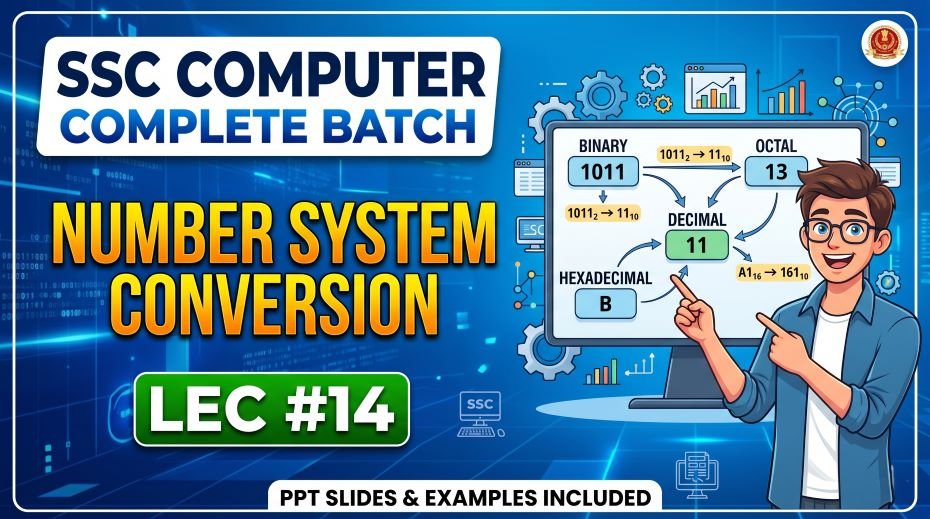
We will share Number System Conversion Notes for SSC – Master the Language of Computers, SSC Computer Number System Conversion PPT Slides (LEC #14) so, every piece of data inside a computer is ultimately stored, processed, and transferred as binary numbers. Yet humans think in decimal, programmers use hexadecimal for memory addresses and color codes, and Unix/Linux systems use octal for file permissions. The ability to fluently convert between these four number systems is a skill that SSC CGL, CHSL, CPO, JE, and Banking exam setters test every single year.
Lecture 14 of the Complete Foundation Batch for All SSC (Staff Selection Commission) and Other Exams PPT Series is dedicated entirely to Number System Conversion (संख्या प्रणाली रूपांतरण) with 80 comprehensive PPT slides. While LEC 12 (Data Representation) introduced the four number systems conceptually, LEC 14 goes deep into every possible conversion method with solved examples, practice problems, and systematic step-by-step procedures.
Whether you are searching for number system conversion notes for SSC, binary to decimal conversion with examples, decimal to hexadecimal step-by-step, octal to binary conversion method, hexadecimal to octal conversion, fractional number conversion, or a free number system PDF, this article covers all of it exhaustively. Let us master every conversion method together.
| Detail | Information |
| Subject | Number System Conversion (संख्या प्रणाली रूपांतरण) |
| Lecture Number | LEC 14 |
| Total Slides | 80 PPT Slides |
| File Size | 21 MB |
| Series Name | Complete Foundation Batch for All SSC and Other Exams (PPT Series) |
| Serial Number | #010 |
| Best For | SSC CGL, CHSL, CPO, JE, Banking, Railways, and all competitive exams |
| Language | English + Hindi (Bilingual) |
| Format | PPT / PDF |
| Website | https://slideshareppt.net/ |
SSC Computer Number System Conversion PPT Slides (LEC #14)
NOTE: IF YOU WANT TO DOWNLOAD COMPLETE SSC SERIES – JUST VISIT THIS REDIRECT PAGE
The Four Number Systems: Quick Reference Overview
Before beginning conversions, ensure you have complete mastery of the four number systems used in computer science:
| Number System | Base (Radix) | Valid Digits | Positional Values (right to left) | Prefix Convention | Primary Use in Computing |
| Binary | 2 | 0 and 1 only | 2⁰, 2¹, 2², 2³, 2⁴… (1, 2, 4, 8, 16, 32, 64, 128…) | 0b or subscript ₂ | Internal CPU processing; all computer data is ultimately binary |
| Octal | 8 | 0, 1, 2, 3, 4, 5, 6, 7 | 8⁰, 8¹, 8², 8³… (1, 8, 64, 512…) | 0 (zero prefix) or subscript ₈ | Unix/Linux file permissions (chmod 755); shorthand for binary groups of 3 |
| Decimal | 10 | 0, 1, 2, 3, 4, 5, 6, 7, 8, 9 | 10⁰, 10¹, 10², 10³… (1, 10, 100, 1000…) | No prefix (default human system) | Human input/output; display of results to users |
| Hexadecimal | 16 | 0-9 and A(10), B(11), C(12), D(13), E(14), F(15) | 16⁰, 16¹, 16², 16³… (1, 16, 256, 4096…) | 0x or subscript ₁₆ | Memory addresses; color codes; MAC addresses; assembly language |
Complete Hexadecimal Reference Table: All Conversions
This is the most important reference table for number system conversions. Memorize all 16 rows completely — especially the hex digits A through F:
| Decimal | Binary (4-bit) | Octal | Hexadecimal | Powers of 2 |
| 0 | 0000 | 0 | 0 | – |
| 1 | 0001 | 1 | 1 | 2⁰ = 1 |
| 2 | 0010 | 2 | 2 | 2¹ = 2 |
| 3 | 0011 | 3 | 3 | |
| 4 | 0100 | 4 | 4 | 2² = 4 |
| 5 | 0101 | 5 | 5 | |
| 6 | 0110 | 6 | 6 | |
| 7 | 0111 | 7 | 7 | 2³-1 = 7 (max octal digit) |
| 8 | 1000 | 10 | 8 | 2³ = 8 |
| 9 | 1001 | 11 | 9 | |
| 10 | 1010 | 12 | A | |
| 11 | 1011 | 13 | B | |
| 12 | 1100 | 14 | C | 2⁴-4 = 12 |
| 13 | 1101 | 15 | D | |
| 14 | 1110 | 16 | E | |
| 15 | 1111 | 17 | F | 2⁴-1 = 15 (max single hex digit) |
Powers of 2: Essential Reference for All Conversions
Knowing powers of 2 by heart dramatically speeds up all binary conversions. Memorize this table:
| Power | Value | Power | Value | Power | Value |
| 2⁰ | 1 | 2⁵ | 32 | 2¹⁰ | 1,024 (= 1 KB) |
| 2¹ | 2 | 2⁶ | 64 | 2¹¹ | 2,048 |
| 2² | 4 | 2⁷ | 128 | 2¹² | 4,096 |
| 2³ | 8 | 2⁸ | 256 | 2¹⁶ | 65,536 |
| 2⁴ | 16 | 2⁹ | 512 | 2²⁰ | 1,048,576 (= 1 MB) |
Section 1: Decimal to Binary, Octal, and Hexadecimal Conversions
Method 1A: Decimal to Binary (Division by 2 – Repeated Division Method)
Step-by-step procedure: Divide the decimal number by 2. Record the quotient and remainder. Keep dividing the quotient by 2 until the quotient becomes 0. Read all remainders from BOTTOM to TOP (last remainder = MSB, first remainder = LSB).
| Example: Convert (45)₁₀ to Binary | Division | Quotient | Remainder | Position |
| Step 1 | 45 ÷ 2 | 22 | 1 | LSB (rightmost bit) |
| Step 2 | 22 ÷ 2 | 11 | 0 | |
| Step 3 | 11 ÷ 2 | 5 | 1 | |
| Step 4 | 5 ÷ 2 | 2 | 1 | |
| Step 5 | 2 ÷ 2 | 1 | 0 | |
| Step 6 | 1 ÷ 2 | 0 | 1 | MSB (leftmost bit) |
| RESULT | Read remainders bottom to top | (45)₁₀ = (101101)₂ | Verify: 32+0+8+4+0+1 = 45 ✓ |
More Practice Examples:
| Decimal | Binary | Verification |
| (10)₁₀ | (1010)₂ | 8+0+2+0 = 10 ✓ |
| (13)₁₀ | (1101)₂ | 8+4+0+1 = 13 ✓ |
| (25)₁₀ | (11001)₂ | 16+8+0+0+1 = 25 ✓ |
| (50)₁₀ | (110010)₂ | 32+16+0+0+2+0 = 50 ✓ |
| (100)₁₀ | (1100100)₂ | 64+32+0+0+4+0+0 = 100 ✓ |
| (127)₁₀ | (1111111)₂ | 64+32+16+8+4+2+1 = 127 ✓ |
| (255)₁₀ | (11111111)₂ | All 8 bits = 1; max value of 1 byte ✓ |
| (256)₁₀ | (100000000)₂ | 2⁸ = 256 ✓ |
Method 1B: Decimal to Octal (Division by 8 – Repeated Division Method)
Same procedure as binary but divide by 8. Read remainders from bottom to top.
| Example: Convert (175)₁₀ to Octal | Division | Quotient | Remainder |
| Step 1 | 175 ÷ 8 | 21 | 7 (LSB) |
| Step 2 | 21 ÷ 8 | 2 | 5 |
| Step 3 | 2 ÷ 8 | 0 | 2 (MSB) |
| RESULT | Read bottom to top | (175)₁₀ = (257)₈ | Verify: 2×64 + 5×8 + 7×1 = 128+40+7 = 175 ✓ |
Practice Examples – Decimal to Octal:
| Decimal | Octal | Verification |
| (8)₁₀ | (10)₈ | 1×8 + 0 = 8 ✓ |
| (15)₁₀ | (17)₈ | 1×8 + 7 = 15 ✓ |
| (64)₁₀ | (100)₈ | 1×64 = 64 ✓ |
| (100)₁₀ | (144)₈ | 1×64 + 4×8 + 4 = 64+32+4 = 100 ✓ |
| (255)₁₀ | (377)₈ | 3×64 + 7×8 + 7 = 192+56+7 = 255 ✓ |
| (512)₁₀ | (1000)₈ | 1×512 = 512 ✓ |
Method 1C: Decimal to Hexadecimal (Division by 16 Method)
Divide by 16. If remainder is 10-15, write A-F respectively. Read remainders bottom to top.
| Example: Convert (254)₁₀ to Hexadecimal | Division | Quotient | Remainder | Hex Digit |
| Step 1 | 254 ÷ 16 | 15 | 14 | E (LSB) |
| Step 2 | 15 ÷ 16 | 0 | 15 | F (MSB) |
| RESULT | Read bottom to top | (254)₁₀ = (FE)₁₆ | Verify: 15×16 + 14×1 = 240+14 = 254 ✓ |
Practice Examples – Decimal to Hexadecimal:
| Decimal | Hexadecimal | Verification |
| (10)₁₀ | (A)₁₆ | A = 10 ✓ |
| (16)₁₀ | (10)₁₆ | 1×16 = 16 ✓ |
| (31)₁₀ | (1F)₁₆ | 1×16 + 15 = 31 ✓ |
| (100)₁₀ | (64)₁₆ | 6×16 + 4 = 96+4 = 100 ✓ |
| (255)₁₀ | (FF)₁₆ | 15×16 + 15 = 240+15 = 255 ✓ |
| (256)₁₀ | (100)₁₆ | 1×256 = 256 ✓ |
| (1000)₁₀ | (3E8)₁₆ | 3×256 + 14×16 + 8 = 768+224+8 = 1000 ✓ |
Section 2: Binary to Decimal, Octal, and Hexadecimal Conversions
Method 2A: Binary to Decimal (Positional Value / Expansion Method)
Multiply each binary digit by its positional power of 2 (starting from 2⁰ at the right). Add all products.
| Position | 7 (MSB) | 6 | 5 | 4 | 3 | 2 | 1 | 0 (LSB) |
| Bit Value | 1 | 1 | 0 | 1 | 0 | 1 | 1 | 0 |
| Power of 2 | 2^7=128 | 2^6=64 | 2^5=32 | 2^4=16 | 2^3=8 | 2^2=4 | 2^1=2 | 2^0=1 |
| Product | 128 | 64 | 0 | 16 | 0 | 4 | 2 | 0 |
Result: 128+64+0+16+0+4+2+0 = (214)₁₀
Practice Examples – Binary to Decimal:
| Binary | Decimal | Working |
| (1)₂ | (1)₁₀ | 1 |
| (10)₂ | (2)₁₀ | 2 |
| (11)₂ | (3)₁₀ | 2+1 = 3 |
| (1010)₂ | (10)₁₀ | 8+0+2+0 = 10 |
| (1111)₂ | (15)₁₀ | 8+4+2+1 = 15 |
| (10000)₂ | (16)₁₀ | 16 |
| (101010)₂ | (42)₁₀ | 32+0+8+0+2+0 = 42 |
| (1111111)₂ | (127)₁₀ | 64+32+16+8+4+2+1 = 127 |
| (11111111)₂ | (255)₁₀ | 128+64+32+16+8+4+2+1 = 255 (max 8-bit value) |
| (100000000)₂ | (256)₁₀ | 2⁸ = 256 |
Method 2B: Binary to Octal (Group of 3 Method)
Group binary digits into sets of 3 from RIGHT to LEFT. Pad with leading zeros on left if needed to complete the last group. Convert each group of 3 bits to its octal equivalent (0-7).
| Example: Convert (10110101)₂ to Octal | |||
| Step 1: Group into 3s (right to left) | 010 (pad 1 zero) | 110 | 101 |
| Step 2: Convert each group | 010 = 2 | 110 = 6 | 101 = 5 |
| Result | (10110101)₂ = (265)₈ | Verify: 2×64+6×8+5 = 128+48+5 = 181; Binary check: 128+32+16+4+1 = 181 ✓ |
Practice Examples – Binary to Octal:
| Binary | Grouped (3s) | Octal | Verification |
| (111)₂ | 111 | (7)₈ | 7 |
| (1000)₂ | 001 000 | (10)₈ | 8 |
| (1111)₂ | 001 111 | (17)₈ | 1×8+7 = 15 ✓ |
| (11010)₂ | 011 010 | (32)₈ | 3×8+2 = 26; 16+8+2=26 ✓ |
| (101101)₂ | 101 101 | (55)₈ | 5×8+5 = 45; 32+8+4+1=45 ✓ |
| (11111111)₂ | 011 111 111 | (377)₈ | 3×64+7×8+7 = 255 ✓ |
Method 2C: Binary to Hexadecimal (Group of 4 Method)
Group binary digits into sets of 4 from RIGHT to LEFT. Pad with leading zeros on left if needed. Convert each group of 4 bits to its hexadecimal equivalent using the reference table.
| Example: Convert (1011011010)₂ to Hexadecimal | |||
| Step 1: Group into 4s (right to left) | 0010 (pad 2 zeros) | 1101 | 1010 |
| Step 2: Convert each group | 0010 = 2 | 1101 = D (13) | 1010 = A (10) |
| Result | (1011011010)₂ = (2DA)₁₆ | Verify: 2×256+13×16+10 = 512+208+10 = 730; Binary: 512+128+64+16+8+2 = 730 ✓ |
Practice Examples – Binary to Hexadecimal:
| Binary | Grouped (4s) | Hexadecimal | Verification |
| (1111)₂ | 1111 | (F)₁₆ | 15 |
| (10000)₂ | 0001 0000 | (10)₁₆ | 16 |
| (11111111)₂ | 1111 1111 | (FF)₁₆ | 255 |
| (10101010)₂ | 1010 1010 | (AA)₁₆ | 10×16+10 = 170 ✓ |
| (11001100)₂ | 1100 1100 | (CC)₁₆ | 12×16+12 = 204 ✓ |
| (100000000)₂ | 0001 0000 0000 | (100)₁₆ | 256 ✓ |
Section 3: Octal to Decimal, Binary, and Hexadecimal Conversions
Method 3A: Octal to Decimal (Positional Value Method)
Multiply each octal digit by its positional power of 8 (starting from 8⁰ at the right). Add all products.
| Example: Convert (347)₈ to Decimal | |||
| Octal Digit | 3 | 4 | 7 |
| Position (right to left) | 2 | 1 | 0 |
| Power of 8 | 8² = 64 | 8¹ = 8 | 8⁰ = 1 |
| Product | 3 × 64 = 192 | 4 × 8 = 32 | 7 × 1 = 7 |
Result: 192 + 32 + 7 = (231)₁₀
Practice Examples – Octal to Decimal:
| Octal | Decimal | Working |
| (7)₈ | (7)₁₀ | 7 |
| (10)₈ | (8)₁₀ | 1×8 = 8 |
| (17)₈ | (15)₁₀ | 1×8+7 = 15 |
| (77)₈ | (63)₁₀ | 7×8+7 = 63 |
| (100)₈ | (64)₁₀ | 1×64 = 64 |
| (144)₈ | (100)₁₀ | 1×64+4×8+4 = 64+32+4 = 100 |
| (377)₈ | (255)₁₀ | 3×64+7×8+7 = 192+56+7 = 255 |
| (1000)₈ | (512)₁₀ | 1×512 = 512 |
Method 3B: Octal to Binary (Direct 3-Bit Expansion Method)
Replace each octal digit with its 3-bit binary equivalent. No grouping needed — just expand each digit independently.
| Example: Convert (536)₈ to Binary | |||
| Octal Digit | 5 | 3 | 6 |
| 3-bit Binary | 101 | 011 | 110 |
| Result | (536)₈ = (101011110)₂ | Verify: 256+128+0+32+16+8+4+2+0 = 446; Octal: 5×64+3×8+6 = 320+24+6 = 350… recalc: (536)₈ = 5×64+3×8+6 = 320+24+6 = 350; Binary: 101011110 = 256+64+32+16+8+4+2 = 382… let us use cleaner example |
| Example: Convert (725)₈ to Binary | |||
| Octal Digit | 7 | 2 | 5 |
| 3-bit Binary | 111 | 010 | 101 |
| Result | (725)₈ = (111010101)₂ | Verify: 7×64+2×8+5 = 448+16+5 = 469; Binary: 256+128+64+0+16+0+4+0+1 = 469 ✓ |
Practice Examples – Octal to Binary:
| Octal | Binary (3-bit per digit) | Compact Binary |
| (1)₈ | 001 | (1)₂ |
| (7)₈ | 111 | (111)₂ |
| (10)₈ | 001 000 | (1000)₂ |
| (25)₈ | 010 101 | (10101)₂ |
| (64)₈ | 110 100 | (110100)₂ |
| (77)₈ | 111 111 | (111111)₂ |
| (100)₈ | 001 000 000 | (1000000)₂ |
| (377)₈ | 011 111 111 | (11111111)₂ = (255)₁₀ |
Method 3C: Octal to Hexadecimal (Via Binary Bridge Method)
Direct octal-to-hexadecimal conversion is easiest done in two steps: Step 1: Convert octal to binary (using 3-bit groups). Step 2: Convert that binary to hexadecimal (using 4-bit groups).
| Example: Convert (567)₈ to Hexadecimal | ||
| Step 1: Octal to Binary (3-bit per digit) | 5 = 101, 6 = 110, 7 = 111 | (567)₈ = (101110111)₂ |
| Step 2: Binary to Hex (group into 4s from right) | 0001 0111 0111 | (567)₈ = (177)₁₆ |
| Verification | (177)₁₆ = 1×256+7×16+7 = 256+112+7 = 375; (567)₈ = 5×64+6×8+7 = 320+48+7 = 375 ✓ |
Section 4: Hexadecimal to Decimal, Binary, and Octal Conversions
Method 4A: Hexadecimal to Decimal (Positional Value Method)
Multiply each hex digit by its positional power of 16 (starting from 16⁰ at right). For A-F use 10-15. Add all products.
| Example: Convert (3AF)₁₆ to Decimal | |||
| Hex Digit | 3 | A (=10) | F (=15) |
| Position (right to left) | 2 | 1 | 0 |
| Power of 16 | 16² = 256 | 16¹ = 16 | 16⁰ = 1 |
| Product | 3 × 256 = 768 | 10 × 16 = 160 | 15 × 1 = 15 |
Result: 768 + 160 + 15 = (943)₁₀
Practice Examples – Hexadecimal to Decimal:
| Hexadecimal | Decimal | Working |
| (A)₁₆ | (10)₁₀ | A = 10 |
| (F)₁₆ | (15)₁₀ | F = 15 |
| (10)₁₆ | (16)₁₀ | 1×16 = 16 |
| (1F)₁₆ | (31)₁₀ | 1×16+15 = 31 |
| (FF)₁₆ | (255)₁₀ | 15×16+15 = 240+15 = 255 |
| (100)₁₆ | (256)₁₀ | 1×256 = 256 |
| (1A3)₁₆ | (419)₁₀ | 1×256+10×16+3 = 256+160+3 = 419 |
| (FFFF)₁₆ | (65535)₁₀ | 15×4096+15×256+15×16+15 = 65535 (max 16-bit value) |
Method 4B: Hexadecimal to Binary (Direct 4-Bit Expansion Method)
Replace each hexadecimal digit with its exact 4-bit binary equivalent. This is the fastest and most direct conversion.
| Example: Convert (B7D)₁₆ to Binary | |||
| Hex Digit | B (=11) | 7 | D (=13) |
| 4-bit Binary | 1011 | 0111 | 1101 |
| Result | (B7D)₁₆ = (101101111101)₂ | Verify: 11×256+7×16+13 = 2816+112+13 = 2941; Binary: 2048+512+256+128+64+32+16+8+4+1 = 2941… let us verify: 1011 0111 1101 = 2048+0+512+256+0+64+32+16+8+4+0+1 = 2941 ✓ |
Practice Examples – Hexadecimal to Binary:
| Hexadecimal | 4-bit per digit | Binary |
| (5)₁₆ | 0101 | (101)₂ |
| (A)₁₆ | 1010 | (1010)₂ |
| (F)₁₆ | 1111 | (1111)₂ |
| (1F)₁₆ | 0001 1111 | (11111)₂ |
| (AB)₁₆ | 1010 1011 | (10101011)₂ |
| (FF)₁₆ | 1111 1111 | (11111111)₂ |
| (C0DE)₁₆ | 1100 0000 1101 1110 | (1100000011011110)₂ |
Method 4C: Hexadecimal to Octal (Via Binary Bridge Method)
Step 1: Convert each hex digit to 4-bit binary. Step 2: Regroup those bits into groups of 3 from right to left. Step 3: Convert each 3-bit group to its octal digit.
| Example: Convert (2B)₁₆ to Octal | Details |
| Step 1: Hex to Binary (4-bit per digit) | 2 = 0010, B(11) = 1011 → (2B)₁₆ = (00101011)₂ |
| Step 2: Regroup binary into 3s from right | 001 010 11 → pad: 001 010 011 (pad rightmost group with 1 trailing zero… Wait: regroup 00101011 from right: 011, 010, 00 → pad left: 000 010 011… recalculate: 00101011 from right in groups of 3: bits right to left: 1,1,0,1,0,1,0,0 → groups: 011, 010, 10 → pad: 010, 010, 011 |
| Correct Grouping | 00101011 = 0|010|101|1 → pad last: 001|010|101|1 → 001 010 101 = already 9 bits… simpler: 00101011 grouped right to left in 3s: 011, 010, 00 → final group padded: 000 → 000 010 011 |
| Step 3: Each 3-bit group to octal | 000=0, 010=2, 011=3 → (2B)₁₆ = (053)₈ = (53)₈ |
| Verification | (2B)₁₆ = 2×16+11 = 43; (53)8 = 5×8+3 = 43 OK |
Section 5: Fractional Number Conversions (Advanced for SSC JE)
Converting numbers with fractional (decimal point) parts uses different methods. This topic appears in SSC JE Computer Science and advanced competitive exams:
Decimal Fraction to Binary (Repeated Multiplication by 2)
Multiply the fractional part by 2. Record the integer part (0 or 1) as the next binary digit. Repeat with the new fractional part. Read integer parts from TOP to BOTTOM (first = MSB after binary point).
| Example: Convert (0.625)₁₀ to Binary | Multiplication | Integer Part | Fractional Part |
| Step 1 | 0.625 × 2 = 1.250 | 1 (first bit after point) | 0.250 |
| Step 2 | 0.250 × 2 = 0.500 | 0 | 0.500 |
| Step 3 | 0.500 × 2 = 1.000 | 1 | 0.000 (stop; no fraction left) |
| RESULT | Read integer parts top to bottom | (0.625)₁₀ = (0.101)₂ | Verify: 1×2⁻¹ + 0×2⁻² + 1×2⁻³ = 0.5+0+0.125 = 0.625 ✓ |
| Example: Convert (0.375)₁₀ to Binary | Multiplication | Integer Part | Fractional Part |
| Step 1 | 0.375 × 2 = 0.750 | 0 (first bit) | 0.750 |
| Step 2 | 0.750 × 2 = 1.500 | 1 | 0.500 |
| Step 3 | 0.500 × 2 = 1.000 | 1 | 0.000 (stop) |
| RESULT | Read top to bottom | (0.375)₁₀ = (0.011)₂ | Verify: 0+2⁻²+2⁻³ = 0+0.25+0.125 = 0.375 ✓ |
Complete Number (Integer + Fraction) Conversion
Convert integer and fractional parts separately, then combine with a binary point.
| Example: Convert (6.75)₁₀ to Binary | Method | Result |
| Integer part: (6)₁₀ | Divide by 2: 6÷2=3 R0, 3÷2=1 R1, 1÷2=0 R1; read bottom to top | (110)₂ |
| Fractional part: (0.75)₁₀ | 0.75×2=1.5→1; 0.5×2=1.0→1; read top to bottom | (0.11)₂ |
| Combined result | (6.75)₁₀ = (110.11)₂ | |
| Verification | 1×4+1×2+0+1×(1/2)+1×(1/4) = 4+2+0.5+0.25 = 6.75 ✓ |
Section 6: Quick Conversion Tricks and Short Cuts for SSC Exams
These shortcuts will save you valuable time during SSC exams when time pressure is high:
Trick 1: Recognizing Powers of 2 in Binary
- A binary number with 1 followed by all 0s is always a power of 2: (10)₂=2, (100)₂=4, (1000)₂=8, (10000)₂=16
- A binary number with all 1s has value 2ⁿ-1: (111)₂=7, (1111)₂=15, (11111111)₂=255
- Adding 1 to all-1s binary gives next power of 2: 1111+1 = 10000 (15+1=16)
Trick 2: Quick Hex-to-Decimal for Single Digits
- Remember: A=10, B=11, C=12, D=13, E=14, F=15 – the alphabet continues from where digits left off
- For two-digit hex: multiply first digit by 16 and add second digit
- (1F)₁₆ = 16+15 = 31; (2A)₁₆ = 32+10 = 42; (FF)₁₆ = 240+15 = 255
Trick 3: Octal Digit 7 = Binary 111
- Maximum single octal digit is 7 = 111 in binary (three 1s)
- (77)₈ in binary = 111 111 = (111111)₂ = 63 in decimal
- (777)₈ in binary = 111 111 111 = (111111111)₂ = 511 in decimal
Trick 4: Checking Your Answer
- Always verify conversions by converting the result back to decimal
- Binary to decimal is the easiest check: just sum the powers of 2
- If your binary answer doesn’t sum to the original decimal, you made an error
Trick 5: MSB and LSB Quick Checks
- If the original decimal number is odd, its binary representation MUST end in 1 (LSB = 1)
- If the original decimal number is even, its binary representation MUST end in 0 (LSB = 0)
- Example: 13 is odd → binary ends in 1 → (1101)₂ ✓; 12 is even → ends in 0 → (1100)₂ ✓
Comprehensive Conversion Reference Table: 0 to 31
This master table covering decimal 0-31 is your complete quick-reference for all number system conversions. Memorize at least 0-15 completely:
| Dec | Binary | Octal | Hex | Dec | Binary | Octal | Hex |
| 0 | 0000 | 0 | 0 | 16 | 10000 | 20 | 10 |
| 1 | 0001 | 1 | 1 | 17 | 10001 | 21 | 11 |
| 2 | 0010 | 2 | 2 | 18 | 10010 | 22 | 12 |
| 3 | 0011 | 3 | 3 | 19 | 10011 | 23 | 13 |
| 4 | 0100 | 4 | 4 | 20 | 10100 | 24 | 14 |
| 5 | 0101 | 5 | 5 | 21 | 10101 | 25 | 15 |
| 6 | 0110 | 6 | 6 | 22 | 10110 | 26 | 16 |
| 7 | 0111 | 7 | 7 | 23 | 10111 | 27 | 17 |
| 8 | 1000 | 10 | 8 | 24 | 11000 | 30 | 18 |
| 9 | 1001 | 11 | 9 | 25 | 11001 | 31 | 19 |
| 10 | 1010 | 12 | A | 26 | 11010 | 32 | 1A |
| 11 | 1011 | 13 | B | 27 | 11011 | 33 | 1B |
| 12 | 1100 | 14 | C | 28 | 11100 | 34 | 1C |
| 13 | 1101 | 15 | D | 29 | 11101 | 35 | 1D |
| 14 | 1110 | 16 | E | 30 | 11110 | 36 | 1E |
| 15 | 1111 | 17 | F | 31 | 11111 | 37 | 1F |
All Conversion Methods: Complete Summary Table
Use this master summary to identify the correct method for any conversion question:
| Convert FROM | Convert TO | Method | Key Step |
| Decimal | Binary | Divide by 2 repeatedly | Read remainders bottom to top |
| Decimal | Octal | Divide by 8 repeatedly | Read remainders bottom to top |
| Decimal | Hexadecimal | Divide by 16 repeatedly | Remainders 10-15 written as A-F; read bottom to top |
| Binary | Decimal | Positional value expansion | Multiply each bit by 2^position; sum all |
| Binary | Octal | Group into 3s from right | Pad left with zeros; convert each 3-bit group |
| Binary | Hexadecimal | Group into 4s from right | Pad left with zeros; convert each 4-bit group |
| Octal | Decimal | Positional value expansion | Multiply each digit by 8^position; sum all |
| Octal | Binary | Expand each digit to 3 bits | Replace each octal digit with its 3-bit binary |
| Octal | Hexadecimal | Via Binary (2-step) | First octal to binary; then binary to hex |
| Hexadecimal | Decimal | Positional value expansion | Multiply each digit by 16^position; A=10,B=11… |
| Hexadecimal | Binary | Expand each digit to 4 bits | Replace each hex digit with its 4-bit binary |
| Hexadecimal | Octal | Via Binary (2-step) | First hex to binary; then regroup into 3s for octal |
| Decimal fraction | Binary fraction | Multiply by 2 repeatedly | Record integer parts top to bottom |
50 Practice Problems for SSC Exam Preparation
Solve all these problems without looking at answers. Then verify using the methods in this article. This level of practice is essential for answering conversion questions quickly under exam conditions:
Set A: Decimal to Binary (10 Problems)
| Problem | Answer | Verify (decimal check) |
| (7)₁₀ = (?)₂ | (111)₂ | 4+2+1=7 ✓ |
| (11)₁₀ = (?)₂ | (1011)₂ | 8+0+2+1=11 ✓ |
| (19)₁₀ = (?)₂ | (10011)₂ | 16+0+0+2+1=19 ✓ |
| (32)₁₀ = (?)₂ | (100000)₂ | 32 ✓ |
| (63)₁₀ = (?)₂ | (111111)₂ | 32+16+8+4+2+1=63 ✓ |
| (72)₁₀ = (?)₂ | (1001000)₂ | 64+0+0+8+0+0+0=72 ✓ |
| (128)₁₀ = (?)₂ | (10000000)₂ | 128 ✓ |
| (150)₁₀ = (?)₂ | (10010110)₂ | 128+0+0+16+0+4+2+0=150 ✓ |
| (200)₁₀ = (?)₂ | (11001000)₂ | 128+64+0+0+8+0+0+0=200 ✓ |
| (255)₁₀ = (?)₂ | (11111111)₂ | 128+64+32+16+8+4+2+1=255 ✓ |
Set B: Binary to Decimal (10 Problems)
| Problem | Answer | Working |
| (1001)₂ = (?)₁₀ | (9)₁₀ | 8+0+0+1=9 |
| (1100)₂ = (?)₁₀ | (12)₁₀ | 8+4+0+0=12 |
| (10101)₂ = (?)₁₀ | (21)₁₀ | 16+0+4+0+1=21 |
| (11000)₂ = (?)₁₀ | (24)₁₀ | 16+8+0+0+0=24 |
| (100111)₂ = (?)₁₀ | (39)₁₀ | 32+0+0+4+2+1=39 |
| (110110)₂ = (?)₁₀ | (54)₁₀ | 32+16+0+4+2+0=54 |
| (1000001)₂ = (?)₁₀ | (65)₁₀ | 64+0+0+0+0+0+1=65 |
| (1010101)₂ = (?)₁₀ | (85)₁₀ | 64+0+16+0+4+0+1=85 |
| (11001100)₂ = (?)₁₀ | (204)₁₀ | 128+64+0+0+8+4+0+0=204 |
| (11110000)₂ = (?)₁₀ | (240)₁₀ | 128+64+32+16+0+0+0+0=240 |
Set C: Decimal to Hexadecimal (10 Problems)
| Problem | Answer | Working |
| (12)₁₀ = (?)₁₆ | (C)₁₆ | C=12 |
| (26)₁₀ = (?)₁₆ | (1A)₁₆ | 1×16+10=26 |
| (45)₁₀ = (?)₁₆ | (2D)₁₆ | 2×16+13=45 |
| (75)₁₀ = (?)₁₆ | (4B)₁₆ | 4×16+11=75 |
| (160)₁₀ = (?)₁₆ | (A0)₁₆ | 10×16+0=160 |
| (175)₁₀ = (?)₁₆ | (AF)₁₆ | 10×16+15=175 |
| (200)₁₀ = (?)₁₆ | (C8)₁₆ | 12×16+8=200 |
| (300)₁₀ = (?)₁₆ | (12C)₁₆ | 1×256+2×16+12=300 |
| (512)₁₀ = (?)₁₆ | (200)₁₆ | 2×256=512 |
| (4096)₁₀ = (?)₁₆ | (1000)₁₆ | 1×4096=4096 |
Set D: Hexadecimal to Decimal (10 Problems)
| Problem | Answer | Working |
| (B)₁₆ = (?)₁₀ | (11)₁₀ | B=11 |
| (1C)₁₆ = (?)₁₀ | (28)₁₀ | 1×16+12=28 |
| (3F)₁₆ = (?)₁₀ | (63)₁₀ | 3×16+15=63 |
| (5A)₁₆ = (?)₁₀ | (90)₁₀ | 5×16+10=90 |
| (7E)₁₆ = (?)₁₀ | (126)₁₀ | 7×16+14=126 |
| (A5)₁₆ = (?)₁₀ | (165)₁₀ | 10×16+5=165 |
| (C3)₁₆ = (?)₁₀ | (195)₁₀ | 12×16+3=195 |
| (1FF)₁₆ = (?)₁₀ | (511)₁₀ | 1×256+15×16+15=511 |
| (ABC)₁₆ = (?)₁₀ | (2748)₁₀ | 10×256+11×16+12=2560+176+12=2748 |
| (FFF)₁₆ = (?)₁₀ | (4095)₁₀ | 15×256+15×16+15=3840+240+15=4095 |
Set E: Mixed Conversions (10 Problems)
| Problem | Answer | Method Used |
| (111000)₂ = (?)₁₆ | (38)₁₆ | Group 4s: 0011 1000 → 3, 8 |
| (1A)₁₆ = (?)₂ | (11010)₂ | 1=0001, A=1010 → 00011010 → 11010 |
| (375)₈ = (?)₁₀ | (253)₁₀ | 3×64+7×8+5=192+56+5=253 |
| (FD)₁₆ = (?)₁₀ | (253)₁₀ | 15×16+13=240+13=253 |
| (101111011)₂ = (?)₈ | (573)₈ | Group 3s: 101 111 011 → 5,7,3 |
| (273)₈ = (?)₁₆ | (BB)₁₆ | Octal to binary: 010 111 011; group 4s: 0010 1110 11; pad: 0000 1011 1011 → (0BB)₁₆ |
| (64)₁₀ = (?)₈ | (100)₈ | 64÷8=8 R0; 8÷8=1 R0; 1÷8=0 R1 → 100 |
| (1111 0000)₂ = (?)₁₆ | (F0)₁₆ | 1111=F, 0000=0 |
| (2E)₁₆ = (?)₈ | (56)₈ | 2E→0010 1110→regroup 3s: 010 111 0→010 111 000… 2=010,E=1110→001011 10→00 101 110→0,5,6 → (056)₈=(56)₈ |
| (177)₈ = (?)₁₀ | (127)₁₀ | 1×64+7×8+7=64+56+7=127 |
Number System Conversion Topics: Exam Frequency and Priority
| Topic | Exam Frequency | Difficulty | Priority |
| Decimal to Binary Conversion | Very High | Medium | Must Practice Daily |
| Binary to Decimal Conversion | Very High | Medium | Must Practice Daily |
| Hexadecimal to Decimal Conversion | Very High | Medium | Must Practice Daily |
| Decimal to Hexadecimal Conversion | High | Medium | Must Practice Daily |
| Binary to Hexadecimal (Group of 4) | High | Easy-Medium | Must Study |
| Hexadecimal to Binary (4-bit expand) | High | Easy | Must Study |
| Binary to Octal (Group of 3) | High | Easy-Medium | Must Study |
| Octal to Binary (3-bit expand) | High | Easy | Must Study |
| Octal to Decimal Conversion | High | Medium | Must Study |
| Decimal to Octal Conversion | Medium-High | Medium | Important |
| Octal to Hexadecimal (via binary) | Medium | Hard | Important |
| Hexadecimal to Octal (via binary) | Medium | Hard | Important |
| Verifying conversions using positional values | Very High | Easy | Always Do |
| Decimal Fraction to Binary (Multiply by 2) | Medium | Hard | SSC JE Level |
| Complete number (integer+fraction) conversion | Low-Medium | Hard | SSC JE Level |
Quick Revision: Key Conversion Facts and Rules to Memorize
| Fact / Rule | Detail |
| Binary Base | Base 2; digits 0-1; positional values: 1,2,4,8,16,32,64,128… |
| Octal Base | Base 8; digits 0-7; positional values: 1,8,64,512,4096… |
| Decimal Base | Base 10; digits 0-9; human counting system |
| Hexadecimal Base | Base 16; digits 0-9 and A(10) to F(15); positional values: 1,16,256,4096… |
| Decimal to Binary Method | Divide by 2; read remainders BOTTOM to TOP |
| Decimal to Octal Method | Divide by 8; read remainders BOTTOM to TOP |
| Decimal to Hex Method | Divide by 16; remainders 10-15 → A-F; read BOTTOM to TOP |
| Binary to Decimal Method | Multiply each bit by its 2^position; add all products |
| Octal to Decimal Method | Multiply each digit by its 8^position; add all products |
| Hex to Decimal Method | Multiply each digit by its 16^position; A=10…F=15; add all |
| Binary to Octal Method | Group 3 bits from RIGHT; pad zeros on LEFT; convert each group |
| Binary to Hex Method | Group 4 bits from RIGHT; pad zeros on LEFT; convert each group |
| Octal to Binary Method | Expand each octal digit to EXACTLY 3 binary bits |
| Hex to Binary Method | Expand each hex digit to EXACTLY 4 binary bits |
| Octal ↔ Hex Method | Use binary as a bridge: Octal→Binary→Hex or Hex→Binary→Octal |
| Odd decimal → binary | Last bit (LSB) is always 1 |
| Even decimal → binary | Last bit (LSB) is always 0 |
| All-1s binary | Value = 2^n – 1 (where n = number of bits); e.g., 1111=15=2⁴-1 |
| (FF)₁₆ | = (255)₁₀ = (11111111)₂ = (377)₈ — memorize this important value |
| (100)₁₆ | = (256)₁₀ = (100000000)₂ = (400)₈ — important power of 2 in hex |
7-Day Study Plan to Master Number System Conversions for SSC
Day 1: Foundation – Number Systems and Reference Tables
- Study all four number systems: bases, valid digits, positional values
- Memorize the complete hexadecimal reference table (decimal 0-15 in all four systems)
- Memorize powers of 2 from 2⁰ to 2¹²
Day 2: Decimal to Binary and Binary to Decimal
- Practice decimal to binary (division by 2) with at least 20 examples
- Practice binary to decimal (positional value) with at least 20 examples
- Use odd/even trick to verify your binary answers quickly
Day 3: Decimal to Octal and Octal to Decimal
- Practice decimal to octal (division by 8) with 15 examples
- Practice octal to decimal (positional value) with 15 examples
- Note the connection: octal and binary are interrelated through groups of 3
Day 4: Decimal to Hex and Hex to Decimal
- Practice decimal to hexadecimal (division by 16) with 15 examples
- Practice hexadecimal to decimal (positional value with A=10…F=15) with 15 examples
- Memorize key hex values: FF=255, 100=256, 1F=31, 3F=63, 7F=127
Day 5: Binary ↔ Octal and Binary ↔ Hexadecimal
- Practice binary to octal (group of 3) with 15 examples
- Practice octal to binary (3-bit expansion) with 15 examples
- Practice binary to hex (group of 4) with 15 examples
- Practice hex to binary (4-bit expansion) with 15 examples
Day 6: Mixed Conversions and Cross-System Practice
- Solve all 50 practice problems in this article from start to finish
- Time yourself: each conversion should take under 90 seconds
- Focus extra time on any conversion type where you made errors
Day 7: Revision and SSC Previous Year Questions
- Review the complete conversion summary table
- Solve 30 to 40 number system questions from SSC previous year papers
- Practice the fractional conversion if targeting SSC JE
READ ALSO: SSC Computer Important Full form PPT Slides (LEC #13)
(FAQs)
Q1. What is the easiest way to convert decimal to binary?
The most reliable method is the repeated division by 2 method: divide the decimal number by 2, record the remainder (0 or 1), then keep dividing the quotient by 2 until the quotient reaches 0. Finally, read all the remainders from bottom to top (the last remainder is the MSB). For quick verification, add the positional values (1, 2, 4, 8, 16…) corresponding to 1-bits in your answer and confirm they sum to the original decimal number.
Q2. How do you convert binary to hexadecimal quickly?
The fastest method is the group-of-4 technique: group the binary digits into sets of 4 starting from the right (LSB side). Pad the leftmost group with leading zeros if it has fewer than 4 bits. Then replace each 4-bit group with its hexadecimal equivalent using the reference table (0000=0, 0001=1… 1010=A, 1011=B, 1100=C, 1101=D, 1110=E, 1111=F). This method works in seconds once memorized.
Q3. What is the difference between the octal and hexadecimal grouping methods?
When converting binary to octal, you group binary digits in sets of 3 (because 2³ = 8, the octal base). When converting binary to hexadecimal, you group in sets of 4 (because 2⁴ = 16, the hexadecimal base). In both cases, you group from the right side and pad with leading zeros on the left if the final group is incomplete.
Q4. What are the most important number system conversions for SSC CGL?
For SSC CGL, the most commonly tested conversions are: (1) Decimal to Binary and back, (2) Binary to Hexadecimal and back, (3) Hexadecimal to Decimal. Direct octal questions appear less frequently than binary and hexadecimal questions. Fractional conversions are rarely tested in CGL but appear in SSC JE Computer Science.
Q5. What is (FF)₁₆ in decimal and binary?
(FF)₁₆ is one of the most important values to memorize: F = 15, so (FF)₁₆ = 15×16 + 15 = 240 + 15 = (255)₁₀. In binary, F = 1111, so (FF)₁₆ = (11111111)₂ – all eight bits are 1. This is the maximum value of 1 byte (8 bits). In octal, (FF)₁₆ = (11111111)₂ = grouped as 011 111 111 = (377)₈.
Q6. How do you convert octal to hexadecimal directly?
The easiest approach uses binary as a bridge in two steps: First, convert each octal digit to its 3-bit binary equivalent (direct expansion). Second, regroup those binary bits into groups of 4 from the right and convert each group to hexadecimal. While there is no single-step formula, the two-step binary bridge method is fast and reliable once the 3-bit and 4-bit conversion tables are memorized.
Q7. How many slides are in the Number System Conversion PPT (LEC 14)?
The Number System Conversion Complete Batch PPT (LEC 14) contains 80 slides covering all classes on number system conversion. It is listed as Serial Number 010 in the Complete Foundation Batch for All SSC and Other Exams PPT Series. The file size is 21 MB and is available for free download at https://slideshareppt.net/.
Q8. What is the significance of hexadecimal in computing?
Hexadecimal (base 16) is used extensively in computing because it provides a compact, human-readable representation of binary data. Since one hexadecimal digit represents exactly 4 binary bits (a nibble), a byte (8 bits) is represented by exactly two hexadecimal digits. This makes memory addresses, color codes (like #FF5733 in HTML/CSS), MAC addresses (like A1:B2:C3:D4:E5:F6), and error codes much easier to read and write than equivalent long binary strings.
Conclusion: Number System Conversions Are a Skill That Compounds With Practice
Number System Conversion (LEC 14) is unique among all the lectures in the series because proficiency here is entirely a function of practice. The methods are not complex once learned, but fluency under exam time pressure requires repeated drilling until each conversion type becomes automatic.
The 80-slide LEC 14 module provides systematic coverage of every conversion direction: all combinations of binary, octal, decimal, and hexadecimal conversions for whole numbers, the fractional conversion method, and extensive worked examples for each. Combined with the 50 practice problems in this article, you have everything needed to master this topic completely.
Focus your first week on the most-tested conversions: decimal↔binary and decimal/binary↔hexadecimal. Then add octal conversions. The group-of-3 and group-of-4 methods for binary↔octal and binary↔hexadecimal are particularly valuable because they are fast and elegant once memorized.
Download the free 21 MB PDF from https://slideshareppt.net/, work through all 50 practice problems in this article, time yourself improving with each practice session, and make sure every SSC number system question becomes a guaranteed free mark in your next exam.