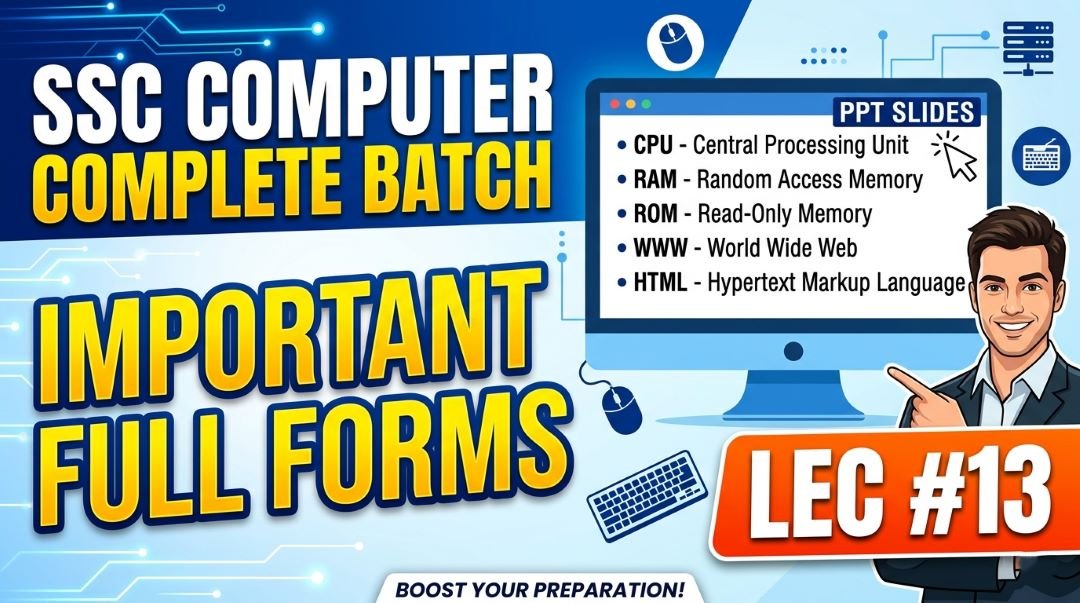
In this article you we will provide you Computer Full Forms for SSC – Why This Is a Guaranteed Mark Topic, SSC Computer Important Full form PPT Slides (LEC #13) so, If there is one topic in SSC Computer Awareness that rewards pure memorization more than any other, it is Computer Full Forms. Every single SSC exam, from CGL and CHSL to MTS, GD, CPO, Stenographer, and Railways RRB, includes questions asking for the full forms of computer abbreviations. These questions are typically the easiest in the Computer Awareness section, yet many aspirants lose marks here simply because they never bothered to systematically study and memorize them.
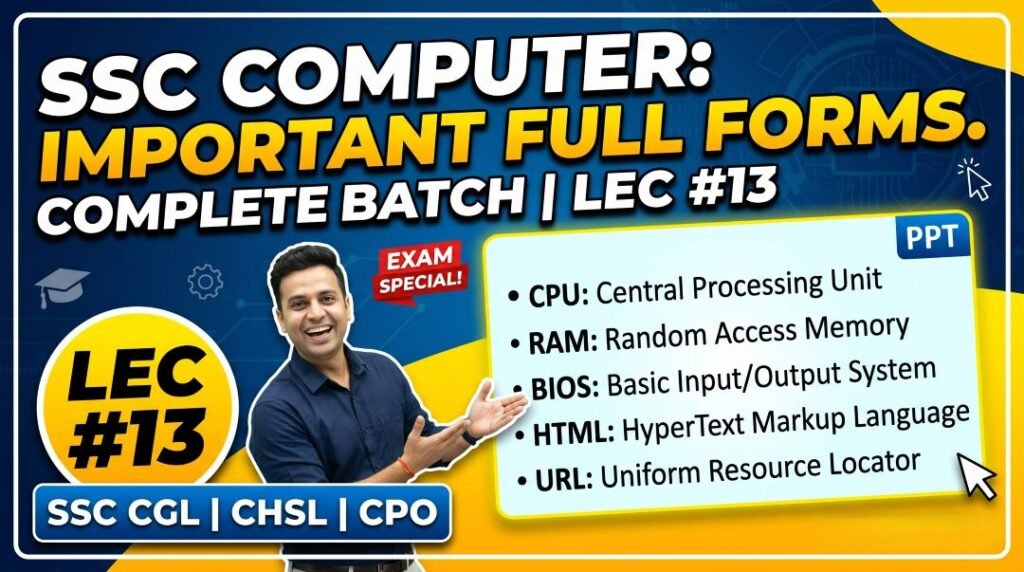
Lecture 13 (LEC 13) of the Complete Foundation Batch for All SSC (Staff Selection Commission) and Other Exams PPT Series is dedicated to Important Full Forms (महत्वपूर्ण पूर्ण रूप / ज़रूरी संक्षिप्त रूप) with 37 focused PPT slides covering every computer abbreviation that has ever been tested in competitive exams.
This article goes beyond the 37 slides and gives you the most comprehensive computer full forms list for competitive exams available this year. All abbreviations are organized by category, making them easier to learn and remember. Whether you need hardware full forms, software full forms, networking full forms, internet and web full forms, storage full forms, security full forms, or MS-Office full forms, everything is here in one place. Let us get started.
| Detail | Information |
| Subject | Important Full Forms (महत्वपूर्ण पूर्ण रूप / ज़रूरी संक्षिप्त रूप) |
| Lecture Number | LEC 13 |
| Total Slides | 37 PPT Slides |
| File Size | 19 MB |
| Series Name | Complete Foundation Batch for All SSC and Other Exams (PPT Series) |
| Serial Number | #013 |
| Best For | SSC CGL, CHSL, MTS, GD, CPO, JE, Banking, Railways, and all competitive exams |
| Language | English + Hindi (Bilingual) |
| Format | PPT / PDF |
| Website | https://slideshareppt.net/ |
SSC Computer Important Full form PPT Slides (LEC #13)
NOTE: IF YOU WANT TO DOWNLOAD COMPLETE SSC SERIES – JUST VISIT THIS REDIRECT PAGE
Why Computer Full Forms Are Critical for SSC Exams
Computer full form questions in SSC exams follow a very specific pattern that you must understand:
- Direct Full Form Questions: ‘What is the full form of CPU?’ or ‘LCD stands for?’ – straightforward and appear in every exam
- Reverse Questions: ‘Which of the following is the full form of RAM?’ – tests if you know the full form, not just recognize it
- Application-Based Questions: ‘SMTP is used for…’ or ‘FTP stands for…’ – tests both full form and function
- Trick Questions: Similar-sounding abbreviations like HTTP vs HTTPS, POP3 vs IMAP, RAM vs ROM – tests precision
- Hindi Full Form Questions: Some bilingual papers ask for the Hindi translation of the full form
The key insight is this: every full form question is a guaranteed free mark if you have memorized them. Unlike conceptual questions that may require thinking, full form questions have a single correct answer that you either know or do not. Systematic memorization through this article and the LEC 13 PPT will ensure you never lose a single mark on full forms.
Computer Hardware Full Forms: Complete List for SSC
| Abbreviation | Full Form | Category | Key Context |
| CPU | Central Processing Unit | Hardware – Processing | Called the brain of the computer; contains ALU, CU, Registers |
| ALU | Arithmetic Logic Unit | Hardware – CPU Component | Performs all math and logical operations inside the CPU |
| CU | Control Unit | Hardware – CPU Component | Manages and coordinates all CPU operations |
| GPU | Graphics Processing Unit | Hardware – Processing | Handles graphics rendering; used in gaming, AI, video editing |
| RAM | Random Access Memory | Hardware – Primary Memory | Volatile; temporary; used while running programs |
| ROM | Read Only Memory | Hardware – Primary Memory | Non-volatile; permanent; stores BIOS/firmware |
| DRAM | Dynamic Random Access Memory | Hardware – RAM Type | Needs constant refresh; most common type of RAM in computers |
| SRAM | Static Random Access Memory | Hardware – RAM Type | Faster; does not need refresh; used as CPU cache memory |
| PROM | Programmable Read Only Memory | Hardware – ROM Type | Can be programmed once after manufacture |
| EPROM | Erasable Programmable Read Only Memory | Hardware – ROM Type | Can be erased by UV light and reprogrammed |
| EEPROM | Electrically Erasable Programmable Read Only Memory | Hardware – ROM Type | Can be erased and reprogrammed electronically |
| HDD | Hard Disk Drive | Hardware – Storage | Magnetic storage; spinning platters; 5400/7200 RPM |
| SSD | Solid State Drive | Hardware – Storage | Flash memory; no moving parts; faster than HDD |
| NIC | Network Interface Card | Hardware – Networking | Connects computer to a network; has unique MAC address |
| SMPS | Switched Mode Power Supply | Hardware – Power | Converts AC to DC power for computer components |
| UPS | Uninterruptible Power Supply | Hardware – Power | Provides backup power during electricity failure |
| USB | Universal Serial Bus | Hardware – Connectivity | Standard port for connecting peripherals; USB 2.0, 3.0, Type-C |
| HDMI | High-Definition Multimedia Interface | Hardware – Connectivity | Transmits HD audio and video in one cable |
| VGA | Video Graphics Array | Hardware – Display | Older analog video output standard |
| DVI | Digital Visual Interface | Hardware – Display | Digital video output; better than VGA |
| LCD | Liquid Crystal Display | Hardware – Output | Flat panel display technology using liquid crystals |
| LED | Light Emitting Diode | Hardware – Output / Connectivity | Monitor backlighting; also indicator lights and USB indicators |
| OLED | Organic Light Emitting Diode | Hardware – Output | Self-emissive display; best contrast; used in premium phones/TVs |
| CRT | Cathode Ray Tube | Hardware – Output (Legacy) | Oldest monitor type; uses electron beam; bulky and heavy |
| VDU | Visual Display Unit | Hardware – Output | Another name for computer monitor |
| OMR | Optical Mark Recognition | Hardware – Input | Reads pencil/pen marks; used in answer sheets |
| OCR | Optical Character Recognition | Hardware – Input | Converts printed text to digital; used in document scanning |
| MICR | Magnetic Ink Character Recognition | Hardware – Input | Reads magnetic ink; used in bank cheques |
| ATX | Advanced Technology eXtended | Hardware – Motherboard | Most common motherboard form factor for desktop computers |
| BIOS | Basic Input Output System | Hardware/Firmware | First software to run on power-on; stored in ROM on motherboard |
Computer Software Full Forms: Complete List for SSC
| Abbreviation | Full Form | Category | Key Context |
| OS | Operating System | Software – System | Manages hardware and software; Windows, Linux, Android |
| GUI | Graphical User Interface | Software – Interface | Visual interface with icons, windows, menus; opposite of CLI |
| CLI | Command Line Interface | Software – Interface | Text-based interface; MS-DOS, Linux Terminal |
| API | Application Programming Interface | Software – Development | Allows different software to communicate with each other |
| SDK | Software Development Kit | Software – Development | Tools and libraries for building software applications |
| IDE | Integrated Development Environment | Software – Development | Software for writing, testing, debugging code; Visual Studio, Eclipse |
| VBA | Visual Basic for Applications | Software – Programming | Macro programming language built into MS Office |
| RTOS | Real-Time Operating System | Software – OS Type | OS for time-critical systems; aircraft, missiles, medical devices |
| SaaS | Software as a Service | Software – Cloud | Cloud-delivered software; Gmail, MS 365, Dropbox |
| PaaS | Platform as a Service | Software – Cloud | Cloud development platform; Google App Engine, Heroku |
| IaaS | Infrastructure as a Service | Software – Cloud | Virtual servers; AWS EC2, Azure VMs |
| ERP | Enterprise Resource Planning | Software – Business | Integrated business management software; SAP, Oracle ERP |
| CRM | Customer Relationship Management | Software – Business | Managing company-customer relationships; Salesforce |
| DBMS | Database Management System | Software – Database | Software for managing databases; MySQL, Oracle, MS Access |
| RDBMS | Relational Database Management System | Software – Database | Database with tables and relationships; MySQL, PostgreSQL |
| SQL | Structured Query Language | Software – Database | Standard language for querying databases; 4th generation language |
| COBOL | Common Business-Oriented Language | Software – Programming | Older business programming language; still used in banking mainframes |
| FORTRAN | Formula Translation | Software – Programming | First high-level programming language; scientific computing |
| BASIC | Beginner’s All-purpose Symbolic Instruction Code | Software – Programming | Early easy-to-learn programming language |
| HTML | HyperText Markup Language | Software – Web | Language for creating web page structure |
| CSS | Cascading Style Sheets | Software – Web | Language for styling web page appearance |
| PHP | PHP: Hypertext Preprocessor | Software – Web | Server-side scripting language for dynamic websites |
| JPEG | Joint Photographic Experts Group | Software – File Format | Lossy image compression format (.jpg, .jpeg) |
| PNG | Portable Network Graphics | Software – File Format | Lossless image format; supports transparency |
| GIF | Graphics Interchange Format | Software – File Format | 256-color lossless image format; supports animation |
| Portable Document Format | Software – File Format | Universal document format; created by Adobe | |
| XML | Extensible Markup Language | Software – Data Format | Structured data format; used in .docx, .xlsx, .pptx files |
Computer Networking Full Forms: Complete List for SSC
| Abbreviation | Full Form | Category | Key Context |
| LAN | Local Area Network | Networking – Network Type | Small area: building, office, campus |
| WAN | Wide Area Network | Networking – Network Type | Large area: country, global; Internet is the largest WAN |
| MAN | Metropolitan Area Network | Networking – Network Type | City-level network |
| PAN | Personal Area Network | Networking – Network Type | Personal range; Bluetooth is PAN technology |
| VPN | Virtual Private Network | Networking – Security | Encrypted secure tunnel over public internet |
| TCP | Transmission Control Protocol | Networking – Protocol | Reliable, connection-oriented data transmission |
| UDP | User Datagram Protocol | Networking – Protocol | Fast, connectionless; used for streaming, gaming |
| IP | Internet Protocol | Networking – Protocol | Routes data packets using logical addresses |
| MAC | Media Access Control | Networking – Addressing | Unique hardware address burned into NIC at manufacture |
| DNS | Domain Name System | Networking – Protocol | Translates domain names to IP addresses; Port 53 |
| DHCP | Dynamic Host Configuration Protocol | Networking – Protocol | Automatically assigns IP addresses to devices; Port 67/68 |
| ARP | Address Resolution Protocol | Networking – Protocol | Resolves IP addresses to MAC addresses within LAN |
| ICMP | Internet Control Message Protocol | Networking – Protocol | Network diagnostics; used by ping command |
| OSI | Open Systems Interconnection | Networking – Model | 7-layer theoretical networking reference model |
| NFC | Near Field Communication | Networking – Wireless | Short-range wireless (up to 4 cm); contactless payments |
| WiMAX | Worldwide Interoperability for Microwave Access | Networking – Wireless | Long-range wireless broadband; up to 50 km range |
| SSID | Service Set Identifier | Networking – Wi-Fi | Name of a Wi-Fi network (what appears in the Wi-Fi list) |
| MPLS | Multiprotocol Label Switching | Networking – WAN | High-speed network routing technology used by ISPs |
| NAT | Network Address Translation | Networking – Router | Allows multiple devices to share one public IP address |
| VLAN | Virtual Local Area Network | Networking – Enterprise | Logical subdivision of a physical LAN for security/management |
Internet and Web Full Forms: Complete List for SSC
| Abbreviation | Full Form | Category | Key Context |
| HTTP | HyperText Transfer Protocol | Internet – Protocol | Web page transfer; Port 80; unsecured |
| HTTPS | HyperText Transfer Protocol Secure | Internet – Protocol | Encrypted web protocol; Port 443; SSL/TLS |
| FTP | File Transfer Protocol | Internet – Protocol | File transfer; Port 21; used for uploading websites |
| SFTP | Secure File Transfer Protocol | Internet – Protocol | Encrypted FTP; Port 22 |
| SMTP | Simple Mail Transfer Protocol | Internet – Email Protocol | Sending email; Port 25 (server) / 587 (client) |
| POP3 | Post Office Protocol Version 3 | Internet – Email Protocol | Downloading email; Port 110; removes from server |
| IMAP | Internet Message Access Protocol | Internet – Email Protocol | Server-based email; Port 143; syncs all devices |
| SSH | Secure Shell | Internet – Protocol | Encrypted remote login; Port 22 |
| Telnet | Teletype Network | Internet – Protocol | Remote login (unencrypted, insecure); Port 23 |
| WWW | World Wide Web | Internet – Web | System of linked web pages on the internet |
| URL | Uniform Resource Locator | Internet – Web | Complete address of a web resource |
| URI | Uniform Resource Identifier | Internet – Web | Broader identifier; URL is a type of URI |
| HTML | HyperText Markup Language | Internet – Web Technology | Language for creating web page structure |
| ISP | Internet Service Provider | Internet – Service | Company providing internet access; Jio, Airtel, BSNL |
| ICANN | Internet Corporation for Assigned Names and Numbers | Internet – Governance | Manages global domain names and IP address assignments |
| TLD | Top Level Domain | Internet – Domain | Last part of domain: .com, .in, .org, .gov |
| SSL | Secure Sockets Layer | Internet – Security | Older web encryption protocol; now replaced by TLS |
| TLS | Transport Layer Security | Internet – Security | Modern HTTPS encryption; replaced SSL |
| VoIP | Voice over Internet Protocol | Internet – Communication | Voice calls over internet; WhatsApp, Zoom, Skype |
| SEO | Search Engine Optimization | Internet – Web Marketing | Improving website ranking in search results |
| SERP | Search Engine Results Page | Internet – Search | Page showing results after a search query |
| RSS | Really Simple Syndication | Internet – Web | Format for websites to share news/blog update feeds |
| CDN | Content Delivery Network | Internet – Infrastructure | Distributed servers for fast global content delivery |
| IoT | Internet of Things | Internet – Technology | Network of physical devices connected to the internet |
| AI | Artificial Intelligence | Technology – Emerging | Machine intelligence; increasingly delivered via internet |
| ARPANET | Advanced Research Projects Agency Network | Internet – History | First packet-switching network (1969); precursor to internet |
Cybersecurity and Virus Full Forms: Complete List for SSC
| Abbreviation | Full Form | Category | Key Context |
| VIRUS | Vital Information Resources Under Siege | Security – Malware | Backronym for computer virus; self-replicating malicious program |
| DDoS | Distributed Denial of Service | Security – Attack | Flooding server with traffic from many compromised computers |
| DoS | Denial of Service | Security – Attack | Single-source overwhelming attack on a server |
| MITM | Man-in-the-Middle | Security – Attack | Attacker intercepts communication between two parties |
| IDS | Intrusion Detection System | Security – Defense | Monitors network; detects and alerts on suspicious activity |
| IPS | Intrusion Prevention System | Security – Defense | Monitors and actively blocks suspicious network activity |
| VPN | Virtual Private Network | Security – Privacy | Encrypted internet tunnel; hides IP address |
| 2FA | Two-Factor Authentication | Security – Authentication | Password plus second verification (OTP, biometric) |
| MFA | Multi-Factor Authentication | Security – Authentication | Multiple verification methods for login security |
| CAPTCHA | Completely Automated Public Turing test to tell Computers and Humans Apart | Security – Anti-Bot | Distinguishes humans from automated bots |
| OTP | One-Time Password | Security – Authentication | Single-use time-limited password; sent via SMS/email |
| CERT-In | Computer Emergency Response Team India | Security – India | India’s national cybersecurity incident response agency under MeitY |
| IT Act | Information Technology Act | Security – Law | India’s primary cyber law; enacted in 2000 |
| PIN | Personal Identification Number | Security – Authentication | Numeric password; typically 4-6 digits |
| WAF | Web Application Firewall | Security – Defense | Protects web apps from SQL injection, XSS attacks |
| APT | Advanced Persistent Threat | Security – Threat | Long-term targeted cyberattack by well-resourced group |
| RAT | Remote Access Trojan | Security – Malware | Trojan giving attacker remote control over victim’s computer |
| C&C | Command and Control | Security – Botnet | Server remotely controlling a botnet of compromised computers |
| PUP | Potentially Unwanted Program | Security – Malware | Software installed without clear consent; often adware |
Storage, Data, and Memory Full Forms: Complete List for SSC
| Abbreviation | Full Form | Category | Key Context |
| KB | Kilobyte | Storage – Unit | 1,024 Bytes |
| MB | Megabyte | Storage – Unit | 1,024 KB |
| GB | Gigabyte | Storage – Unit | 1,024 MB |
| TB | Terabyte | Storage – Unit | 1,024 GB |
| PB | Petabyte | Storage – Unit | 1,024 TB; large data center scale |
| EB | Exabyte | Storage – Unit | 1,024 PB; internet-scale data |
| ZB | Zettabyte | Storage – Unit | 1,024 EB; global annual data generation scale |
| YB | Yottabyte | Storage – Unit | 1,024 ZB; theoretical future scale |
| ASCII | American Standard Code for Information Interchange | Data – Encoding | 7-bit character encoding; 128 characters; ‘A’=65 |
| EBCDIC | Extended Binary Coded Decimal Interchange Code | Data – Encoding | IBM mainframe 8-bit encoding; not ASCII compatible |
| BCD | Binary Coded Decimal | Data – Encoding | Each decimal digit separately as 4-bit binary |
| UTF | Unicode Transformation Format | Data – Encoding | UTF-8 (web standard), UTF-16 (Windows), UTF-32 (fixed) |
| RAID | Redundant Array of Independent Disks | Storage – Technology | Multiple drives for performance/redundancy; RAID 0, 1, 5, 10 |
| NAS | Network Attached Storage | Storage – Network | Shared storage device accessible over a network |
| SAN | Storage Area Network | Storage – Network | High-speed network connecting servers to storage in data centers |
| CD | Compact Disc | Storage – Optical | 700 MB capacity optical disc; uses laser to read/write |
| DVD | Digital Versatile Disc | Storage – Optical | 4.7 GB (single layer) to 17 GB (dual layer) optical disc |
| BD | Blu-ray Disc | Storage – Optical | 25 GB (single layer) to 50 GB (dual) high-capacity optical disc |
| LSB | Least Significant Bit | Data – Binary | Rightmost bit in binary number; lowest positional value (2⁰) |
| MSB | Most Significant Bit | Data – Binary | Leftmost bit in binary number; highest positional value |
| IEEE | Institute of Electrical and Electronics Engineers | Standards | Global technical professional body; sets computing standards including IEEE 754 |
MS-Office and Application Software Full Forms: Complete List
| Abbreviation | Full Form | Category | Key Context |
| DOCX | Document XML | MS-Office – Word | MS Word file format (2007+); XML-based |
| XLSX | Excel XML Spreadsheet | MS-Office – Excel | MS Excel file format (2007+); XML-based |
| PPTX | PowerPoint XML Presentation | MS-Office – PowerPoint | MS PowerPoint file format (2007+); XML-based |
| ACCDB | Access Database | MS-Office – Access | MS Access database file format (2007+) |
| PST | Personal Storage Table | MS-Office – Outlook | MS Outlook personal data file extension |
| MDB | Microsoft Database | MS-Office – Access (Legacy) | Old MS Access file format (before 2007) |
| DOC | Document | MS-Office – Word (Legacy) | Old MS Word file format (before 2007) |
| XLS | Excel Spreadsheet | MS-Office – Excel (Legacy) | Old MS Excel file format (before 2007) |
| PPT | PowerPoint Presentation | MS-Office – PowerPoint (Legacy) | Old MS PowerPoint file format (before 2007) |
| QAT | Quick Access Toolbar | MS-Office – Interface | Customizable shortcut toolbar above/below Ribbon in Office apps |
| VLOOKUP | Vertical Lookup | MS-Office – Excel Function | Excel function searching vertically in a data table |
| HLOOKUP | Horizontal Lookup | MS-Office – Excel Function | Excel function searching horizontally in a data table |
| OLE | Object Linking and Embedding | MS-Office – Technology | Technology for embedding objects between Office applications |
| VBA | Visual Basic for Applications | MS-Office – Programming | Macro programming language in MS Office |
| CMS | Content Management System | Web – Software | Software for managing website content; WordPress, Joomla |
| DTP | Desktop Publishing | Software – Application | Creating print/digital layouts; MS Publisher, Adobe InDesign |
| ERP | Enterprise Resource Planning | Business – Software | Integrated business management; SAP, Oracle |
| AI | Artificial Intelligence | Technology | Machine-based intelligence; learning, reasoning, problem-solving |
| ML | Machine Learning | Technology – AI | AI subset where systems learn from data without explicit programming |
| NLP | Natural Language Processing | Technology – AI | AI processing human language; chatbots, translation, voice assistants |
Output and Input Device Full Forms: Complete List for SSC
| Abbreviation | Full Form | Category | Key Context |
| DPI | Dots Per Inch | Output – Print Quality | Printer resolution; higher DPI = better quality printout |
| PPI | Pixels Per Inch | Output – Display Quality | Screen/display resolution; higher PPI = sharper screen |
| HD | High Definition | Output – Video | 1280 × 720 pixels video/display resolution |
| FHD | Full High Definition | Output – Video | 1920 × 1080 pixels; most common monitor/TV resolution |
| UHD | Ultra High Definition | Output – Video | 3840 × 2160 pixels; 4K resolution |
| TFT | Thin Film Transistor | Output – Monitor | Improved LCD variant with per-pixel transistor control |
| AMOLED | Active Matrix Organic Light Emitting Diode | Output – Display | Used in flagship smartphones; advanced OLED technology |
| QLED | Quantum Light Emitting Diode | Output – Display | Samsung’s enhanced LED TV technology using quantum dots |
| OMR | Optical Mark Recognition | Input – Device | Reads pencil/pen marks; exam answer sheets, surveys |
| OCR | Optical Character Recognition | Input – Device | Converts printed text to digital; document scanning, postal |
| MICR | Magnetic Ink Character Recognition | Input – Device | Reads magnetic ink; bank cheques and financial documents |
| BCR | Bar Code Reader | Input – Device | Reads barcodes; retail, inventory, libraries |
| QR | Quick Response | Input – Code | 2D matrix barcode; QR code scanned by smartphone cameras |
| ATM | Automated Teller Machine | Output/Input – Banking | Self-service banking terminal; uses MICR for cheques |
| POS | Point of Sale | Input/Output – Retail | Terminal for processing transactions at checkout counters |
India-Specific Technology and Digital India Full Forms for SSC
| Abbreviation | Full Form | Category | Key Context |
| NIC | National Informatics Centre | India – Govt IT | MeitY agency; manages govt IT infrastructure and .nic.in email |
| NIXI | National Internet Exchange of India | India – Internet | Manages .in and .bharat domain registrations for India |
| MeitY | Ministry of Electronics and Information Technology | India – Ministry | Indian ministry responsible for IT policy and digital governance |
| CERT-In | Computer Emergency Response Team India | India – Cybersecurity | India’s national cybersecurity incident response team under MeitY |
| UIDAI | Unique Identification Authority of India | India – Aadhaar | Manages Aadhaar (12-digit biometric ID) for Indian residents |
| NPCI | National Payments Corporation of India | India – Payments | Manages UPI, RuPay, BHIM, IMPS and other payment systems |
| UPI | Unified Payments Interface | India – Payments | Real-time mobile payment system; NPCI managed |
| IMPS | Immediate Payment Service | India – Banking | 24/7 instant interbank fund transfer; managed by NPCI |
| NEFT | National Electronic Funds Transfer | India – Banking | Electronic money transfer; RBI managed; not 24/7 (batch processing) |
| RTGS | Real Time Gross Settlement | India – Banking | Large value (above Rs. 2 lakh) real-time interbank transfer; RBI managed |
| IRCTC | Indian Railway Catering and Tourism Corporation | India – Railways | Online train ticket booking; irctc.co.in |
| GeM | Government e-Marketplace | India – Procurement | Online procurement portal for government departments |
| GSTN | Goods and Services Tax Network | India – Tax | Portal for GST registration, filing, compliance |
| DigiLocker | Digital Locker | India – Digital India | Platform for storing/sharing official digital documents |
| UMANG | Unified Mobile Application for New-Age Governance | India – Digital India | App providing access to 1200+ government services |
| CoWIN | COVID Vaccine Intelligence Network | India – Health | COVID-19 vaccination registration and certificate portal |
| SWIFT | Society for Worldwide Interbank Financial Telecommunication | International – Banking | International banking messaging network; used for cross-border transfers |
| RBI | Reserve Bank of India | India – Banking | Central bank of India; manages monetary policy and currency |
Computer Generation and History Full Forms for SSC
| Abbreviation | Full Form | Category | Key Context |
| ENIAC | Electronic Numerical Integrator and Computer | History | First general-purpose electronic computer (1945); weighed 30 tons |
| UNIVAC | Universal Automatic Computer | History | First commercial computer in the USA (1951) |
| IBM | International Business Machines | Company | World’s oldest and largest technology company; created first PC |
| VLSI | Very Large Scale Integration | Hardware – Chips | Technology packing millions of transistors on one chip; 4th generation |
| ULSI | Ultra Large Scale Integration | Hardware – Chips | Packing over 1 million transistors; modern microprocessors |
| IC | Integrated Circuit | Hardware – Component | Multiple electronic components on one semiconductor chip; 3rd gen computers |
| RISC | Reduced Instruction Set Computer | Hardware – Architecture | CPU design with simple, fast instructions; ARM processors |
| CISC | Complex Instruction Set Computer | Hardware – Architecture | CPU design with complex instructions; Intel x86, AMD |
| SoC | System on Chip | Hardware – Modern | CPU, GPU, memory on one chip; used in smartphones |
| ARM | Advanced RISC Machine | Hardware – Processor | Processor architecture used in smartphones, tablets, IoT devices |
| MIPS | Millions of Instructions Per Second | Performance | CPU performance measurement; how many instructions per second |
| FLOPS | Floating Point Operations Per Second | Performance | Supercomputer performance measurement |
| TDP | Thermal Design Power | Hardware – Cooling | Maximum heat a CPU generates under load; measured in Watts |
Miscellaneous Technology Full Forms: Complete Reference
| Abbreviation | Full Form | Category | Key Context |
| MIME | Multipurpose Internet Mail Extensions | Email / Web | Enables attachments and multimedia in email; HTML email |
| MX | Mail Exchange (Record) | Email / DNS | DNS record specifying which server handles email for a domain |
| SPF | Sender Policy Framework | Email – Security | Email authentication to prevent spoofing |
| DKIM | DomainKeys Identified Mail | Email – Security | Email signing to verify sender authenticity |
| DMARC | Domain-based Message Authentication Reporting and Conformance | Email – Security | Email authentication policy combining SPF and DKIM |
| CC | Carbon Copy | Email copy visible to all recipients | |
| BCC | Blind Carbon Copy | Hidden email copy; recipients invisible to others | |
| RGB | Red, Green, Blue | Multimedia | Color model for digital images; 8 bits each = 24 bits per pixel |
| CMYK | Cyan, Magenta, Yellow, Key (Black) | Multimedia – Print | Color model used in printing; different from RGB screen colors |
| MP3 | MPEG-1 Audio Layer III | Multimedia – Audio | Lossy compressed audio format; most common music format |
| FLAC | Free Lossless Audio Codec | Multimedia – Audio | Lossless compressed audio; CD quality without data loss |
| AAC | Advanced Audio Coding | Multimedia – Audio | Lossy audio compression; successor to MP3; used by Apple/YouTube |
| MPEG | Moving Picture Experts Group | Multimedia – Video | Standards organization; MPEG-4 used in digital video |
| H.264 | Advanced Video Coding (AVC) | Multimedia – Video | Most common video compression standard; used in streaming |
| H.265 | High Efficiency Video Coding (HEVC) | Multimedia – Video | Successor to H.264; better compression for 4K/8K video |
| GIS | Geographic Information System | Technology – Mapping | System for storing, analyzing, and displaying geographic data |
| GPS | Global Positioning System | Technology – Navigation | US satellite navigation system; 24 satellites; free for civilians |
| RFID | Radio Frequency Identification | Technology – Tracking | Wireless tracking using radio waves; used in library books, ID cards |
| NFC | Near Field Communication | Technology – Wireless | Short-range (4 cm) wireless; contactless payments, access cards |
| QR | Quick Response (Code) | Technology | 2D barcode; stores URLs, text, contacts; scanned by camera |
| AR | Augmented Reality | Technology – Emerging | Overlays digital information on real world view |
| VR | Virtual Reality | Technology – Emerging | Fully immersive digital environment; headsets (Oculus, Meta Quest) |
| MR | Mixed Reality | Technology – Emerging | Combines real and virtual worlds; Microsoft HoloLens |
| 5G | Fifth Generation Mobile Network | Technology – Mobile | Ultra-fast mobile internet; up to 10 Gbps; supports IoT and smart cities |
| LTE | Long-Term Evolution | Technology – Mobile | 4G mobile network standard; typical 10-150 Mbps speeds |
Master Quick Reference: 200+ Computer Full Forms Alphabetically
Here is a rapid alphabetical reference of the most important computer abbreviations for SSC exams. This master list is designed for rapid revision and last-minute preparation:
A to F
| Abbreviation | Full Form |
| AAC | Advanced Audio Coding |
| AI | Artificial Intelligence |
| ALU | Arithmetic Logic Unit |
| AMOLED | Active Matrix Organic Light Emitting Diode |
| API | Application Programming Interface |
| AR | Augmented Reality |
| ARM | Advanced RISC Machine |
| ARPANET | Advanced Research Projects Agency Network |
| ASCII | American Standard Code for Information Interchange |
| ATM | Automated Teller Machine (also Asynchronous Transfer Mode in networking) |
| ATX | Advanced Technology eXtended |
| BCC | Blind Carbon Copy |
| BCD | Binary Coded Decimal |
| BD | Blu-ray Disc |
| BHIM | Bharat Interface for Money |
| BIOS | Basic Input Output System |
| C&C | Command and Control |
| CAPTCHA | Completely Automated Public Turing test to tell Computers and Humans Apart |
| CC | Carbon Copy |
| CD | Compact Disc |
| CDN | Content Delivery Network |
| CERT-In | Computer Emergency Response Team India |
| CISC | Complex Instruction Set Computer |
| CLI | Command Line Interface |
| CMS | Content Management System |
| COBOL | Common Business-Oriented Language |
| CPU | Central Processing Unit |
| CRM | Customer Relationship Management |
| CRT | Cathode Ray Tube |
| CSS | Cascading Style Sheets |
| CU | Control Unit |
| DBMS | Database Management System |
| DDoS | Distributed Denial of Service |
| DHCP | Dynamic Host Configuration Protocol |
| DigiLocker | Digital Locker |
| DKIM | DomainKeys Identified Mail |
| DMARC | Domain-based Message Authentication Reporting and Conformance |
| DRAM | Dynamic Random Access Memory |
| DTP | Desktop Publishing |
| DVD | Digital Versatile Disc |
| DVI | Digital Visual Interface |
| EBCDIC | Extended Binary Coded Decimal Interchange Code |
| EEPROM | Electrically Erasable Programmable Read Only Memory |
| EB | Exabyte |
| ENIAC | Electronic Numerical Integrator and Computer |
| EPROM | Erasable Programmable Read Only Memory |
| ERP | Enterprise Resource Planning |
| FHD | Full High Definition |
| FLAC | Free Lossless Audio Codec |
| FLOPS | Floating Point Operations Per Second |
| FORTRAN | Formula Translation |
| FTP | File Transfer Protocol |
G to N
| Abbreviation | Full Form |
| GB | Gigabyte |
| GeM | Government e-Marketplace |
| GIF | Graphics Interchange Format |
| GIS | Geographic Information System |
| GPS | Global Positioning System |
| GPU | Graphics Processing Unit |
| GSTN | Goods and Services Tax Network |
| GUI | Graphical User Interface |
| H.264 | Advanced Video Coding (AVC) |
| H.265 | High Efficiency Video Coding (HEVC) |
| HD | High Definition |
| HDD | Hard Disk Drive |
| HDMI | High-Definition Multimedia Interface |
| HTML | HyperText Markup Language |
| HTTP | HyperText Transfer Protocol |
| HTTPS | HyperText Transfer Protocol Secure |
| IC | Integrated Circuit |
| ICANN | Internet Corporation for Assigned Names and Numbers |
| ICMP | Internet Control Message Protocol |
| IDS | Intrusion Detection System |
| IEEE | Institute of Electrical and Electronics Engineers |
| IMAP | Internet Message Access Protocol |
| IMPS | Immediate Payment Service |
| IoT | Internet of Things |
| IP | Internet Protocol |
| IPS | Intrusion Prevention System |
| IRCTC | Indian Railway Catering and Tourism Corporation |
| ISP | Internet Service Provider |
| IT Act | Information Technology Act |
| IaaS | Infrastructure as a Service |
| KB | Kilobyte |
| LAN | Local Area Network |
| LCD | Liquid Crystal Display |
| LED | Light Emitting Diode |
| LSB | Least Significant Bit |
| LTE | Long-Term Evolution |
| MAC | Media Access Control |
| MAN | Metropolitan Area Network |
| MB | Megabyte |
| MeitY | Ministry of Electronics and Information Technology |
| MFA | Multi-Factor Authentication |
| MICR | Magnetic Ink Character Recognition |
| MIME | Multipurpose Internet Mail Extensions |
| MIPS | Millions of Instructions Per Second |
| MITM | Man-in-the-Middle |
| ML | Machine Learning |
| MP3 | MPEG-1 Audio Layer III |
| MPEG | Moving Picture Experts Group |
| MR | Mixed Reality |
| MSB | Most Significant Bit |
| MX | Mail Exchange Record |
| NAS | Network Attached Storage |
| NAT | Network Address Translation |
| NEFT | National Electronic Funds Transfer |
| NFC | Near Field Communication |
| NIC | National Informatics Centre (also Network Interface Card) |
| NIXI | National Internet Exchange of India |
| NLP | Natural Language Processing |
| NPCI | National Payments Corporation of India |
O to Z
| Abbreviation | Full Form |
| OCR | Optical Character Recognition |
| OLED | Organic Light Emitting Diode |
| OLE | Object Linking and Embedding |
| OMR | Optical Mark Recognition |
| OS | Operating System |
| OSI | Open Systems Interconnection |
| OTP | One-Time Password |
| PaaS | Platform as a Service |
| PAN | Personal Area Network (also Permanent Account Number in tax context) |
| PB | Petabyte |
| Portable Document Format | |
| PHP | PHP: Hypertext Preprocessor |
| PIN | Personal Identification Number |
| PNG | Portable Network Graphics |
| POP3 | Post Office Protocol Version 3 |
| POS | Point of Sale |
| PPTX | PowerPoint XML Presentation |
| PROM | Programmable Read Only Memory |
| PST | Personal Storage Table |
| PUP | Potentially Unwanted Program |
| QAT | Quick Access Toolbar |
| QLED | Quantum Light Emitting Diode |
| QR | Quick Response Code |
| RAID | Redundant Array of Independent Disks |
| RAM | Random Access Memory |
| RAT | Remote Access Trojan |
| RBI | Reserve Bank of India |
| RDBMS | Relational Database Management System |
| RFID | Radio Frequency Identification |
| RISC | Reduced Instruction Set Computer |
| ROM | Read Only Memory |
| RSS | Really Simple Syndication |
| RTGS | Real Time Gross Settlement |
| RTOS | Real-Time Operating System |
| SaaS | Software as a Service |
| SAN | Storage Area Network |
| SDK | Software Development Kit |
| SEO | Search Engine Optimization |
| SERP | Search Engine Results Page |
| SFTP | Secure File Transfer Protocol |
| SMPS | Switched Mode Power Supply |
| SMTP | Simple Mail Transfer Protocol |
| SoC | System on Chip |
| SPF | Sender Policy Framework |
| SQL | Structured Query Language |
| SRAM | Static Random Access Memory |
| SSH | Secure Shell |
| SSID | Service Set Identifier |
| SSD | Solid State Drive |
| SSL | Secure Sockets Layer |
| TB | Terabyte |
| TCP | Transmission Control Protocol |
| TDP | Thermal Design Power |
| TFT | Thin Film Transistor |
| TLD | Top Level Domain |
| TLS | Transport Layer Security |
| UDP | User Datagram Protocol |
| UHD | Ultra High Definition |
| UIDAI | Unique Identification Authority of India |
| ULSI | Ultra Large Scale Integration |
| UMANG | Unified Mobile Application for New-Age Governance |
| UNIVAC | Universal Automatic Computer |
| UPI | Unified Payments Interface |
| UPS | Uninterruptible Power Supply |
| URI | Uniform Resource Identifier |
| URL | Uniform Resource Locator |
| USB | Universal Serial Bus |
| UTF | Unicode Transformation Format |
| VBA | Visual Basic for Applications |
| VDU | Visual Display Unit |
| VGA | Video Graphics Array |
| VIRUS | Vital Information Resources Under Siege |
| VLSI | Very Large Scale Integration |
| VoIP | Voice over Internet Protocol |
| VPN | Virtual Private Network |
| VR | Virtual Reality |
| WAF | Web Application Firewall |
| WAN | Wide Area Network |
| WiMAX | Worldwide Interoperability for Microwave Access |
| WWW | World Wide Web |
| XML | Extensible Markup Language |
| XLS | Excel Spreadsheet (old format) |
| XLSX | Excel XML Spreadsheet (new format) |
| YB | Yottabyte |
| ZB | Zettabyte |
| 2FA | Two-Factor Authentication |
| 3G | Third Generation Mobile Network |
| 4G | Fourth Generation Mobile Network |
| 5G | Fifth Generation Mobile Network |
Most Frequently Asked Computer Full Forms in SSC Exams
| Full Form Question | Correct Answer | Exam Frequency | Category |
| CPU | Central Processing Unit | Very High | Hardware |
| RAM | Random Access Memory | Very High | Hardware |
| ROM | Read Only Memory | Very High | Hardware |
| WWW | World Wide Web | Very High | Internet |
| URL | Uniform Resource Locator | Very High | Internet |
| HTTP | HyperText Transfer Protocol | Very High | Internet |
| HTML | HyperText Markup Language | Very High | Web |
| VIRUS | Vital Information Resources Under Siege | Very High | Security |
| ASCII | American Standard Code for Information Interchange | Very High | Data |
| USB | Universal Serial Bus | Very High | Hardware |
| LCD | Liquid Crystal Display | Very High | Output |
| LAN | Local Area Network | Very High | Networking |
| WAN | Wide Area Network | Very High | Networking |
| SMTP | Simple Mail Transfer Protocol | High | |
| HTTPS | HyperText Transfer Protocol Secure | High | Internet |
| VDU | Visual Display Unit | High | Output |
| OMR | Optical Mark Recognition | High | Input |
| OCR | Optical Character Recognition | High | Input |
| MICR | Magnetic Ink Character Recognition | High | Input |
| DNS | Domain Name System | High | Networking |
| OS | Operating System | High | Software |
| GUI | Graphical User Interface | High | Software |
| Portable Document Format | High | File Format | |
| JPEG | Joint Photographic Experts Group | High | File Format |
| NIC | National Informatics Centre / Network Interface Card | High | India / Hardware |
| UPI | Unified Payments Interface | Medium-High | India – Payments |
| CERT-In | Computer Emergency Response Team India | Medium-High | India – Security |
| BIOS | Basic Input Output System | Medium-High | Hardware |
| SSD | Solid State Drive | Medium-High | Hardware |
| DDoS | Distributed Denial of Service | Medium | Security |
Tricky Computer Full Forms: Common Confusions in SSC Exams
Some computer abbreviations are commonly confused in SSC exams. Here are the most frequently confused pairs and groups that you must know with absolute precision:
| Confusion | Abbreviation 1 | Full Form 1 | Abbreviation 2 | Full Form 2 | Key Difference |
| HTTP vs HTTPS | HTTP | HyperText Transfer Protocol (Port 80, unsecured) | HTTPS | HyperText Transfer Protocol Secure (Port 443, encrypted SSL/TLS) | S = Secure in HTTPS; padlock icon in browser |
| RAM vs ROM | RAM | Random Access Memory (volatile; loses data on power off) | ROM | Read Only Memory (non-volatile; permanent) | RAM = temporary; ROM = permanent |
| POP3 vs IMAP | POP3 | Post Office Protocol Version 3 (downloads email, removes from server) | IMAP | Internet Message Access Protocol (keeps email on server, syncs devices) | POP3 = downloads; IMAP = server-based |
| LAN vs WAN | LAN | Local Area Network (building/campus level) | WAN | Wide Area Network (country/global level) | LAN = local; WAN = wide/global; MAN = city level |
| HDD vs SSD | HDD | Hard Disk Drive (magnetic, spinning platters) | SSD | Solid State Drive (flash memory, no moving parts) | SSD = faster, more expensive, no moving parts |
| LCD vs LED | LCD | Liquid Crystal Display (CCFL backlight) | LED | Light Emitting Diode (LED backlight on LCD) | LED monitor is still LCD but with LED backlighting |
| VGA vs HDMI | VGA | Video Graphics Array (analog video only; older standard) | HDMI | High-Definition Multimedia Interface (both audio and video; digital) | VGA = analog, video only; HDMI = digital, audio + video combined |
| DRAM vs SRAM | DRAM | Dynamic RAM (needs refresh; slower; main RAM) | SRAM | Static RAM (no refresh needed; faster; used as cache) | DRAM for main memory; SRAM for CPU cache |
| NIC (Two Meanings) | NIC | National Informatics Centre (Indian govt agency) | NIC | Network Interface Card (hardware connecting to network) | Context determines which meaning applies in exam |
| IBM vs ICM | IBM | International Business Machines (company) | – | – | IBM is a company; no ‘ICM’ – common trap question |
Memory Tips for Remembering Computer Full Forms
Here are proven memorization techniques specifically designed for computer full forms in SSC exams:
Technique 1: Group by Category
Do not try to memorize all full forms in one go. Group them: all hardware full forms together, all networking full forms together, all Indian govt full forms together. Study one group per day.
Technique 2: Make Sentences from First Letters
- CPU: ‘Central Processing Unit’ = ‘Computers Process Using’ (make a silly sentence)
- HTML: ‘HyperText Markup Language’ = ‘How To Make Links’ (create a memorable phrase)
- ASCII: ‘American Standard Code for Information Interchange’ = ‘A Standard Code Is Internationally’)
Technique 3: Use Reverse Testing
- Look at the full form and try to recall the abbreviation
- Example: Cover the left column and see if you can recall ‘HTTPS’ from ‘HyperText Transfer Protocol Secure’
- This reverse testing is exactly how SSC exams sometimes phrase questions
Technique 4: Daily Flashcard Revision
- Write 10 abbreviations on one side of a card; full forms on the other
- Review 2 to 3 card sets daily; shuffle and re-test
- Focus more time on cards you keep getting wrong
Technique 5: Connect Full Form to Function
- Do not memorize in isolation; know WHAT each abbreviated item DOES
- Example: SMTP = Simple Mail Transfer Protocol; it TRANSFERS (sends) mail
- Example: DNS = Domain Name System; it converts domain NAMES to IP addresses
READ ALSO: SSC Computer Batch Data Representation PPT Slides (LEC #12)
(FAQs)
Q1. What is the full form of VIRUS in computers?
VIRUS stands for Vital Information Resources Under Siege. It is a backronym (an abbreviation created after the fact). A computer virus is a self-replicating malicious program that attaches itself to host files and spreads when infected files are shared or opened.
Q2. What is the full form of CAPTCHA?
CAPTCHA stands for Completely Automated Public Turing test to tell Computers and Humans Apart. It is a security challenge used on websites to distinguish between human users and automated bots. The name references Alan Turing’s work on machine intelligence.
Q3. What is the difference between the full forms of SMTP, POP3, and IMAP?
SMTP = Simple Mail Transfer Protocol (used for SENDING emails, Port 25/587). POP3 = Post Office Protocol Version 3 (used for DOWNLOADING/RECEIVING emails, Port 110; downloads to device). IMAP = Internet Message Access Protocol (used for SERVER-BASED email access, Port 143; keeps emails on server and syncs to all devices).
Q4. NIC has two different full forms – what are they?
NIC stands for two different things depending on context: (1) National Informatics Centre – the Indian government agency under MeitY that manages IT infrastructure including government websites and .nic.in email domain. (2) Network Interface Card – the hardware component that connects a computer or device to a network and provides a unique MAC address. In SSC exams, context determines which meaning applies.
Q5. What is the full form of ARPANET and why is it important?
ARPANET stands for Advanced Research Projects Agency Network. It was the first packet-switching computer network, developed by the US Department of Defense in 1969. ARPANET is historically important because it was the direct precursor to the modern internet. The first email was sent over ARPANET in 1971, and the TCP/IP protocol that ARPANET adopted in 1983 became the foundation of the internet.
Q6. What is the full form of COBOL and FORTRAN?
COBOL stands for Common Business-Oriented Language. It is one of the oldest high-level programming languages (1959) and is still used in banking and government mainframe systems worldwide. FORTRAN stands for Formula Translation. It was the first commercially available high-level programming language (1957), designed for scientific and mathematical calculations and still used in high-performance computing.
Q7. How many slides are in the Important Full Forms PPT (LEC 13)?
The Important Full Forms Complete Batch PPT (LEC 13) contains 37 slides. It is Serial Number 013 of the Complete Foundation Batch for All SSC and Other Exams PPT Series. The file size is just 19 MB, making it the smallest file in the series and the quickest to download.
Q8. What is the full form of UMANG and DigiLocker?
UMANG stands for Unified Mobile Application for New-Age Governance. It is a single mobile app that provides access to over 1,200 Indian government services from multiple departments and ministries. DigiLocker stands for Digital Locker. It is a government platform under the Digital India initiative where Indian citizens can store, access, and share official documents like Aadhaar, PAN card, driving license, educational certificates, and vehicle registration in digital form.
Conclusion: Full Forms Are Free Marks – Never Leave Them on the Table
Computer full forms (LEC 13) represent one of the most efficiently learnable topics in the entire SSC Computer Awareness syllabus. In terms of marks-per-hour-of-study ratio, full forms are probably the best investment you can make. A candidate who spends just 5 to 7 days systematically going through this article and the LEC 13 PPT can virtually guarantee full marks on every full form question in any SSC exam.
This article has compiled over 200 computer abbreviations organized into eight logical categories: Hardware, Software, Networking, Internet/Web, Security/Virus, Storage/Data, MS-Office/Applications, India-Specific Technology, and Miscellaneous Technology. The master alphabetical reference and the tricky confusions table are designed specifically to address the types of precision questions that SSC examiners favor.
The 37-slide LEC 13 PPT module serves as the perfect final revision layer on top of the conceptual knowledge built through LEC 1 to LEC 12. After mastering the concepts from each lecture, returning to LEC 13 to lock in the full forms gives you the complete picture: you know what each technology does AND you know exactly what its abbreviation stands for.
Download the free 19 MB PDF from https://slideshareppt.net/, use the categorized tables in this article for daily revision, apply the memory techniques, practice reverse testing (full form to abbreviation), and enter your next SSC exam knowing you will never lose a single mark on computer full forms