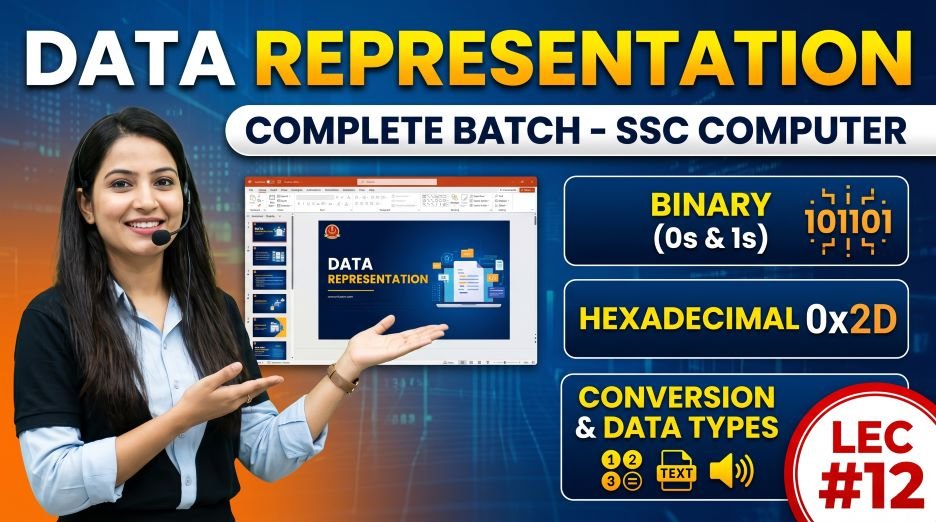
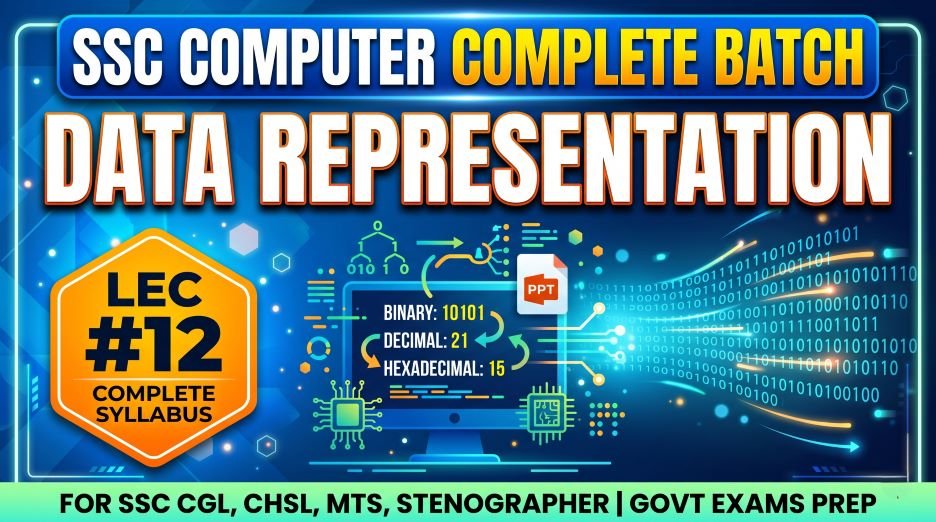
Today we will share Data Representation Notes for SSC Exams – The Language of Computers, SSC Computer Batch Data Representation PPT Slides (LEC #12) so, Every piece of information inside a computer, whether it is a letter you type, a photograph you take, a song you play, or a number you calculate, exists as patterns of binary digits: 0s and 1s. This fundamental concept, that computers can only process binary data, is the foundation of data representation. And it is a topic that SSC CGL, CHSL, CPO, and especially SSC JE (Computer Science) examiners test with great regularity.
Lecture 12 (LEC 12) of the Complete Foundation Batch for All SSC (Staff Selection Commission) and Other Exams PPT Series covers Data Representation (डेटा प्रतिनिधित्व) across 69 comprehensive PPT slides. This module builds directly on the Architecture of Computer (LEC 1) and Working of CPU (LEC 3) content, giving you the numerical and logical foundation that explains why computers work the way they do.
Whether you are searching for data representation notes for SSC, number systems in computer science, binary to decimal conversion, ASCII and Unicode explained, BCD code, what is a bit and byte, data storage units, or how computers represent text images and sound, this article covers all of it in a structured, table-rich, exam-focused format. Let us begin.
| Detail | Information |
| Subject | Data Representation (डेटा प्रतिनिधित्व) |
| Lecture Number | LEC 12 |
| Total Slides | 69 PPT Slides |
| File Size | 30 MB |
| Series Name | Complete Foundation Batch for All SSC and Other Exams (PPT Series) |
| Serial Number | #012 |
| Best For | SSC CGL, CHSL, MTS, GD, CPO, JE, Banking, and all competitive exams |
| Language | English + Hindi (Bilingual) |
| Format | PPT / PDF |
| Website | https://slideshareppt.net/ |
SSC Computer Batch Data Representation PPT Slides (LEC #12)
NOTE: IF YOU WANT TO DOWNLOAD COMPLETE SERIES – JUST VISIT THIS REDIRECT PAGE
Data Representation Kya Hai? What Is Data Representation?
Data representation in computers refers to the methods and formats used to store, process, and communicate different types of information (numbers, text, images, audio, video) inside a computer system using binary digits (0s and 1s).
Computers are electronic machines that use electrical circuits. Every circuit can be in one of two states: ON (conducting electricity) or OFF (not conducting). These two states are represented as 1 (ON) and 0 (OFF). This is why all computer data is ultimately represented in binary form.
In Hindi, data representation is called Data Pratinidhhitva (डेटा प्रतिनिधित्व) or Aankado ka Pratinidhhitva (आंकड़ों का प्रतिनिधित्व – meaning representation of data/figures). SSC bilingual papers use both forms.
| Aspect | Detail |
| Definition | Methods used to store and process different types of data inside a computer using binary (0 and 1) |
| Hindi Name | डेटा प्रतिनिधित्व / आंकड़ों का प्रतिनिधित्व |
| Why Binary? | Computers use electronic circuits with only two states: ON (1) and OFF (0); binary matches this perfectly |
| Basic Unit | Bit (Binary Digit) – the smallest unit of data; either 0 or 1 |
| Types of Data | Numeric data (integers, decimals), Text (characters), Images, Audio, Video |
| Number Systems Used | Binary (Base 2), Octal (Base 8), Decimal (Base 10), Hexadecimal (Base 16) |
| Character Encoding | ASCII (7-bit), Extended ASCII (8-bit), Unicode (UTF-8, UTF-16, UTF-32) |
| Data Codes | BCD (Binary Coded Decimal), Gray Code, Excess-3 Code |
| Storage Units | Bit → Nibble → Byte → KB → MB → GB → TB → PB → EB → ZB → YB |
Bit, Nibble, and Byte: Foundation of Data Storage
Before diving into number systems, you must have an absolutely solid understanding of bits, nibbles, and bytes as these form the foundation of all data representation concepts and are tested directly in SSC exams:
| Unit | Definition | Size | Example / Analogy |
| Bit | Binary Digit; smallest unit of data in a computer; can only be 0 or 1 | 1 bit = single 0 or 1 | Like a light switch: ON (1) or OFF (0) |
| Nibble | A group of 4 bits | 4 bits = 1 Nibble | Can represent 16 different values (0000 to 1111); one hexadecimal digit |
| Byte | A group of 8 bits; the standard unit for measuring data size | 8 bits = 1 Byte | Can represent 256 different values (00000000 to 11111111); stores one character in ASCII |
| Word | A group of bits the CPU processes at once; size depends on CPU architecture | 16-bit, 32-bit, or 64-bit depending on processor | A 64-bit CPU processes 64 bits (8 bytes) in one operation |
Data Storage Units: Complete Table from Bit to Yottabyte
Storage units are one of the most directly and consistently tested topics in SSC Computer Awareness. Every SSC exam has at least one question about storage conversions. Memorize this table completely:
| Unit | Symbol | Value in Bytes | Value in Previous Unit | Approximate Size Example |
| Bit | b | 1/8 of a byte | Smallest unit | Single binary digit: 0 or 1 |
| Nibble | – | 1/2 byte | 4 bits | One hexadecimal digit (0-F) |
| Byte | B | 1 byte | 8 bits | One ASCII character (e.g., letter ‘A’) |
| Kilobyte | KB | 1,024 bytes | 1,024 Bytes | A short text document; about 1,000 characters |
| Megabyte | MB | 1,048,576 bytes | 1,024 KB | A small image file; about 1 minute of music (compressed) |
| Gigabyte | GB | 1,073,741,824 bytes | 1,024 MB | A full-length HD movie; about 1,000 photos |
| Terabyte | TB | ~1.1 trillion bytes | 1,024 GB | Large hard drive; about 1,000 movies |
| Petabyte | PB | ~1.1 quadrillion bytes | 1,024 TB | Large data centers; about 1 million movies |
| Exabyte | EB | ~1.18 quintillion bytes | 1,024 PB | Total internet traffic in one month |
| Zettabyte | ZB | ~1.18 sextillion bytes | 1,024 EB | Total global internet data generated annually |
| Yottabyte | YB | ~1.21 septillion bytes | 1,024 ZB | Theoretical future data scale; entire internet many times over |
Critical Rule to Remember: 1 KB = 1024 Bytes (NOT 1000). All conversions use powers of 2. This is because computers use binary, and 2^10 = 1024.
Number Systems in Computer: Binary, Octal, Decimal, Hexadecimal
The number system chapter is the most mathematically intensive section of the SSC Computer Awareness syllabus. Questions on number systems appear regularly in SSC CGL, CPO, and JE exams. You must understand the four number systems used in computing and be able to convert between them.
| Number System | Base | Digits Used | Prefix | Used In | Example Number |
| Binary | Base 2 (Radix 2) | 0, 1 only | 0b or subscript 2 | Internal computer processing; all data is ultimately binary | (1010)₂ |
| Octal | Base 8 (Radix 8) | 0, 1, 2, 3, 4, 5, 6, 7 | 0 (zero) or subscript 8 | Used in older Unix/Linux file permissions; shorthand for binary | (12)₈ |
| Decimal | Base 10 (Radix 10) | 0, 1, 2, 3, 4, 5, 6, 7, 8, 9 | No prefix (default) | Human everyday counting system; input/output of computers | (10)₁₀ |
| Hexadecimal | Base 16 (Radix 16) | 0-9 and A, B, C, D, E, F | 0x or subscript 16 | Memory addresses, color codes (#FF5733), MAC addresses | (A)₁₆ = (10)₁₀ |
Hexadecimal Digit Values Reference
| Decimal | Binary | Octal | Hexadecimal |
| 0 | 0000 | 0 | 0 |
| 1 | 0001 | 1 | 1 |
| 2 | 0010 | 2 | 2 |
| 3 | 0011 | 3 | 3 |
| 4 | 0100 | 4 | 4 |
| 5 | 0101 | 5 | 5 |
| 6 | 0110 | 6 | 6 |
| 7 | 0111 | 7 | 7 |
| 8 | 1000 | 10 | 8 |
| 9 | 1001 | 11 | 9 |
| 10 | 1010 | 12 | A |
| 11 | 1011 | 13 | B |
| 12 | 1100 | 14 | C |
| 13 | 1101 | 15 | D |
| 14 | 1110 | 16 | E |
| 15 | 1111 | 17 | F |
Number System Conversions: Step-by-Step Methods
Conversion between number systems is one of the most directly tested skills in SSC Computer Awareness. Here are the methods with worked examples for each type of conversion:
1. Decimal to Binary Conversion (Division by 2 Method)
Method: Repeatedly divide the decimal number by 2. Write the remainders from BOTTOM to TOP (last remainder first).
| Step | Division | Quotient | Remainder |
| Step 1 | 13 ÷ 2 | 6 | 1 (LSB – Least Significant Bit) |
| Step 2 | 6 ÷ 2 | 3 | 0 |
| Step 3 | 3 ÷ 2 | 1 | 1 |
| Step 4 | 1 ÷ 2 | 0 | 1 (MSB – Most Significant Bit) |
| Result | Read remainders bottom to top | (13)₁₀ = (1101)₂ | Verification: 1×8 + 1×4 + 0×2 + 1×1 = 8+4+0+1 = 13 ✓ |
2. Binary to Decimal Conversion (Positional Value Method)
Method: Multiply each binary digit by 2 raised to its position power (starting from 0 on the right), then add all results.
| Binary Number | (1 1 0 1 0 1)₂ | |||||
| Position (right to left) | 5 | 4 | 3 | 2 | 1 | 0 |
| Bit Value | 1 | 1 | 0 | 1 | 0 | 1 |
| Power of 2 | 2⁵ = 32 | 2⁴ = 16 | 2³ = 8 | 2² = 4 | 2¹ = 2 | 2⁰ = 1 |
| Calculation | 1 × 32 = 32 | 1 × 16 = 16 | 0 × 8 = 0 | 1 × 4 = 4 | 0 × 2 = 0 | 1 × 1 = 1 |
Result: (110101)₂ = 32 + 16 + 0 + 4 + 0 + 1 = (53)₁₀
3. Decimal to Octal Conversion (Division by 8 Method)
Method: Repeatedly divide the decimal number by 8. Write the remainders from BOTTOM to TOP.
| Example: Convert (156)₁₀ to Octal | Division | Quotient | Remainder |
| Step 1 | 156 ÷ 8 | 19 | 4 (LSB) |
| Step 2 | 19 ÷ 8 | 2 | 3 |
| Step 3 | 2 ÷ 8 | 0 | 2 (MSB) |
| Result | Read bottom to top | (156)₁₀ = (234)₈ | Verification: 2×64 + 3×8 + 4×1 = 128+24+4 = 156 ✓ |
4. Binary to Hexadecimal Conversion (Group of 4 Method)
Method: Group binary digits into sets of 4 from RIGHT to LEFT. Convert each group of 4 binary digits to its hexadecimal equivalent using the reference table.
| Example: Convert (10111100)₂ to Hexadecimal | ||
| Step 1: Group into 4s from right | 1011 | 1100 |
| Step 2: Convert each group | 1011 = 11 = B | 1100 = 12 = C |
| Result | (10111100)₂ = (BC)₁₆ | Verification: B×16 + C×1 = 11×16 + 12 = 176+12 = 188; Binary check: 128+32+16+8+4 = 188 ✓ |
5. Hexadecimal to Decimal Conversion
Method: Multiply each hexadecimal digit by 16 raised to its position power (starting from 0 on the right), then add all results.
| Example: Convert (2AF)₁₆ to Decimal | Position | Hex Digit | Value | Power of 16 | Result |
| Rightmost digit | 0 | F | 15 | 16⁰ = 1 | 15 × 1 = 15 |
| Middle digit | 1 | A | 10 | 16¹ = 16 | 10 × 16 = 160 |
| Leftmost digit | 2 | 2 | 2 | 16² = 256 | 2 × 256 = 512 |
| Final Sum | 512 + 160 + 15 = (687)₁₀ |
Binary Arithmetic: Addition, Subtraction, and Complements
Binary arithmetic is tested in SSC CGL and SSC JE Computer Science. You must know the rules for binary addition and how complements work:
Binary Addition Rules
| Rule | Binary Addition | Result | Carry |
| Rule 1 | 0 + 0 | 0 | 0 (no carry) |
| Rule 2 | 0 + 1 | 1 | 0 (no carry) |
| Rule 3 | 1 + 0 | 1 | 0 (no carry) |
| Rule 4 | 1 + 1 | 0 | 1 (carry 1 to next position) |
| Rule 5 | 1 + 1 + 1 | 1 | 1 (carry 1 to next position) |
Example: Add (1011)₂ + (0110)₂
1011
+ 0110
——
10001
Result: (1011)₂ + (0110)₂ = (10001)₂ = (17)₁₀ [Check: 11 + 6 = 17 ✓]
1’s Complement and 2’s Complement
| Concept | Definition | Method | Example with (1011)₂ |
| 1’s Complement | Complement of a binary number obtained by inverting all bits (changing every 0 to 1 and every 1 to 0) | Flip all bits: 0→1, 1→0 | 1’s complement of (1011)₂ = (0100)₂ |
| 2’s Complement | Most widely used method to represent negative numbers in computers; equals 1’s complement plus 1 | Step 1: Find 1’s complement. Step 2: Add 1 to the result | 2’s complement of (1011)₂ = (0100)₂ + 1 = (0101)₂ |
| Use of 2’s Complement | Computers use 2’s complement to perform subtraction using addition circuits (A – B = A + 2’s complement of B) | Subtraction becomes addition; simplifies CPU design | (1011)₂ – (0110)₂ = (1011)₂ + 2’s complement of (0110)₂ |
Character Encoding: ASCII, Extended ASCII, and Unicode
Computers process only numbers (binary), so every character (letter, digit, symbol) must be assigned a unique numerical code. This is called character encoding. The history and details of character encoding standards are frequently tested in SSC Computer Awareness:
| Encoding Standard | Full Form | Bits Used | Characters Supported | Key Facts |
| ASCII | American Standard Code for Information Interchange | 7 bits | 128 characters (0-127) | Developed by ANSI in 1963; covers English alphabet (A-Z, a-z), digits (0-9), punctuation, and control characters; ‘A’ = 65, ‘a’ = 97, ‘0’ = 48 |
| Extended ASCII | Extended American Standard Code for Information Interchange | 8 bits | 256 characters (0-255) | Extends standard ASCII by adding 128 more characters (128-255) for European language characters, symbols, and graphics |
| EBCDIC | Extended Binary Coded Decimal Interchange Code | 8 bits | 256 characters | Used by IBM mainframe computers; not compatible with ASCII; uses different code assignments |
| Unicode (UTF-32) | Universal Character Encoding Standard | 32 bits | Over 1.1 million possible characters | Fixed 4 bytes per character; not efficient for English text; rarely used in practice |
| Unicode (UTF-16) | Unicode Transformation Format – 16 bit | 16 bits (or 32) | 65,536 base characters + extensions | Used in Windows internally, Java, JavaScript; 2-4 bytes per character |
| Unicode (UTF-8) | Unicode Transformation Format – 8 bit | 8 to 32 bits (variable) | All Unicode characters (over 143,000) | Most common encoding on the internet; backward compatible with ASCII; 1-4 bytes per character depending on the character; used in HTML, web pages, email |
Important ASCII Code Values for SSC Exams
| Character | ASCII Code (Decimal) | Binary Equivalent | Notes |
| A (uppercase) | 65 | 01000001 | Start of uppercase English alphabet in ASCII |
| B | 66 | 01000010 | |
| Z (uppercase) | 90 | 01011010 | End of uppercase English alphabet |
| a (lowercase) | 97 | 01100001 | Start of lowercase English alphabet; 32 more than ‘A’ |
| z (lowercase) | 122 | 01111010 | End of lowercase English alphabet |
| 0 (digit zero) | 48 | 00110000 | Start of digit characters in ASCII |
| 9 (digit nine) | 57 | 00111001 | End of digit characters |
| Space character | 32 | 00100000 | Space bar character |
| Enter / Newline (LF) | 10 | 00001010 | Line Feed control character |
| Tab | 9 | 00001001 | Horizontal Tab control character |
| ! (exclamation) | 33 | 00100001 | First printable character in ASCII |
| ~ (tilde) | 126 | 01111110 | Last printable character in standard ASCII |
BCD: Binary Coded Decimal – Important for SSC
BCD (Binary Coded Decimal) is a system where each decimal digit (0-9) is represented separately by its 4-bit binary equivalent. Unlike pure binary where a whole number is converted to binary, BCD converts each decimal digit independently.
| Decimal Digit | BCD (4-bit Binary) | Decimal Digit | BCD (4-bit Binary) |
| 0 | 0000 | 5 | 0101 |
| 1 | 0001 | 6 | 0110 |
| 2 | 0010 | 7 | 0111 |
| 3 | 0011 | 8 | 1000 |
| 4 | 0100 | 9 | 1001 |
BCD Example: Convert (27)₁₀ to BCD
Digit 2 = 0010, Digit 7 = 0111
Therefore: (27)₁₀ in BCD = 0010 0111
| Feature | BCD | Pure Binary |
| Method | Each decimal digit converted separately to 4-bit binary | Entire decimal number converted to binary |
| (27)₁₀ Representation | 0010 0111 (8 bits for 2 digits) | 0001 1011 (5 bits total, or 8 bits padded) |
| Efficiency | Less efficient (uses more bits for same number) | More efficient (uses fewer bits) |
| Ease of Conversion | Very easy to convert to/from decimal | Requires repeated division/multiplication |
| Use Cases | Digital clocks, calculators, financial systems where exact decimal representation matters | General computer arithmetic and processing |
| Invalid Codes | Combinations 1010 to 1111 are invalid in BCD | All 4-bit combinations are valid |
Gray Code: Definition and Importance
Gray code (also called Reflected Binary Code) is a sequence of binary numbers in which two consecutive values differ in only one bit. This property makes Gray code very useful in applications where errors due to multiple simultaneous bit changes could be catastrophic.
| Decimal | Binary | Gray Code | Key Difference Between Consecutive Gray Codes |
| 0 | 0000 | 0000 | – |
| 1 | 0001 | 0001 | Changed 1 bit (bit 0) |
| 2 | 0010 | 0011 | Changed 1 bit (bit 0) |
| 3 | 0011 | 0010 | Changed 1 bit (bit 1) |
| 4 | 0100 | 0110 | Changed 1 bit (bit 1) |
| 5 | 0101 | 0111 | Changed 1 bit (bit 0) |
| 6 | 0110 | 0101 | Changed 1 bit (bit 0) |
| 7 | 0111 | 0100 | Changed 1 bit (bit 1) |
Key Property of Gray Code: Consecutive values differ in exactly ONE bit. This prevents errors in systems like rotary encoders, digital displays, and error correction systems.
Data Types in Computers: How Different Data Is Represented
Different types of data require different representation methods inside a computer. Understanding how each data type is represented is fundamental to data representation:
| Data Type | How Represented in Computer | Bits Typically Used | Examples |
| Integer (Whole Number) | Pure binary representation; negative integers use 2’s complement | 8, 16, 32, or 64 bits | Age: 25 = 00011001 in binary; Temperature: -5 stored using 2’s complement |
| Floating Point (Decimal Number) | IEEE 754 standard; divided into Sign bit, Exponent bits, and Mantissa bits | 32 bits (single precision) or 64 bits (double precision) | 3.14, -2.718, scientific notation values; used for precise decimal calculations |
| Character (Text) | ASCII or Unicode code for each character | 7 bits (ASCII), 8-32 bits (Unicode/UTF) | Letter ‘A’ = 65 in ASCII = 01000001 in binary |
| Boolean (True/False) | 1 bit; 1 = True/ON, 0 = False/OFF | 1 bit (sometimes stored as 1 byte for efficiency) | A light switch state; a checkbox being checked or unchecked |
| Image / Pixel | Each pixel represented by RGB values; each color (Red, Green, Blue) has 0-255 range | 8 bits per channel = 24 bits per pixel (True Color) | A 1920×1080 image has over 2 million pixels; each pixel needs 24 bits of data |
| Audio / Sound | Sound waves digitized using sampling; amplitude at each time interval stored as binary | 16 bits per sample is CD quality (44.1 kHz sample rate) | 44,100 samples per second at 16 bits = 705,600 bits per second of mono audio |
| Video | Sequence of images (frames) at a rate (fps) plus synchronized audio | Varies widely; compressed using codecs (H.264, H.265, VP9) | 1080p at 30fps requires huge data; compression reduces file size dramatically |
Logic Gates: Basic Building Blocks of Computer Circuits
Logic gates are electronic circuits that perform basic logical operations on binary inputs (0s and 1s) and produce a binary output. They are the fundamental building blocks of all digital computer hardware, from the simplest circuits to the most complex CPU. Logic gates are tested in SSC JE (Computer Science) and are important conceptual knowledge for SSC CGL:
| Gate Name | Symbol | Operation | Truth Table Summary | Real-World Analogy |
| AND Gate | A · B or A ∧ B | Output is 1 ONLY when ALL inputs are 1; otherwise 0 | 0·0=0, 0·1=0, 1·0=0, 1·1=1 | Two switches in SERIES: both must be ON for light to glow |
| OR Gate | A + B or A ∨ B | Output is 1 when AT LEAST ONE input is 1; output 0 only when all inputs are 0 | 0+0=0, 0+1=1, 1+0=1, 1+1=1 | Two switches in PARALLEL: either one ON makes light glow |
| NOT Gate (Inverter) | Ā or ¬A | Inverts the input; output is opposite of input | NOT 0 = 1, NOT 1 = 0 | Single switch: if switch is ON, light is OFF; if OFF, light is ON |
| NAND Gate | A · B with bar (NOT AND) | Opposite of AND; output is 0 ONLY when ALL inputs are 1 | 0·0=1, 0·1=1, 1·0=1, 1·1=0 | Called Universal Gate: ANY logic circuit can be built from only NAND gates |
| NOR Gate | A + B with bar (NOT OR) | Opposite of OR; output is 1 ONLY when ALL inputs are 0 | 0+0=1, 0+1=0, 1+0=0, 1+1=0 | Also a Universal Gate: any circuit can be built from NOR gates alone |
| XOR Gate (Exclusive OR) | A ⊕ B | Output is 1 when inputs are DIFFERENT; 0 when inputs are SAME | 0⊕0=0, 0⊕1=1, 1⊕0=1, 1⊕1=0 | Used in binary addition circuits; detects when bits differ |
| XNOR Gate (Exclusive NOR) | A ⊙ B | Opposite of XOR; output is 1 when inputs are SAME; 0 when different | 0⊙0=1, 0⊙1=0, 1⊙0=0, 1⊙1=1 | Equality detector; used to check if two binary values are identical |
Universal Gates Memory Tip: NAND and NOR are called Universal Gates because any Boolean logic function can be implemented using only NAND gates or only NOR gates. This makes them essential in digital circuit design.
Boolean Algebra: Basic Laws and Theorems for SSC
Boolean algebra is the mathematical framework for digital logic, using variables that can only be 0 (false) or 1 (true). It was developed by George Boole (1815-1864). Boolean algebra laws are tested in SSC JE Computer Science:
| Law / Theorem | AND Form | OR Form | Explanation |
| Identity Law | A · 1 = A | A + 0 = A | ANDing with 1 keeps value; ORing with 0 keeps value |
| Null / Annihilation Law | A · 0 = 0 | A + 1 = 1 | ANDing with 0 gives 0; ORing with 1 gives 1 |
| Idempotent Law | A · A = A | A + A = A | ANDing or ORing a variable with itself gives same variable |
| Complement Law | A · Ā = 0 | A + Ā = 1 | Variable AND its complement = 0; Variable OR its complement = 1 |
| Double Negation | NOT(NOT A) = A | Same | Inverting twice gives original value |
| Commutative Law | A · B = B · A | A + B = B + A | Order of operands does not matter |
| Associative Law | (A·B)·C = A·(B·C) | (A+B)+C = A+(B+C) | Grouping does not matter |
| Distributive Law | A·(B+C) = A·B + A·C | A+(B·C) = (A+B)·(A+C) | Distribution across AND and OR operations |
| De Morgan’s Theorem | NOT(A·B) = Ā + B̄ | NOT(A+B) = Ā · B̄ | Complement of AND = OR of complements; Complement of OR = AND of complements |
Representation of Images, Audio, and Video
Beyond numbers and text, understanding how multimedia data is represented in computers is an important conceptual area for SSC Computer Awareness:
Image Representation
- Images are made up of pixels (picture elements); each pixel is a tiny square of color
- A pixel’s color is defined by RGB values: Red, Green, Blue components each ranging from 0 to 255
- 8 bits per color channel × 3 channels = 24 bits (3 bytes) per pixel in True Color (16.7 million colors)
- A 1920×1080 Full HD image has 2,073,600 pixels; uncompressed = about 6 MB
- Image compression: JPEG (lossy compression), PNG (lossless compression), GIF (256 colors, lossless)
- Resolution: pixels per inch (PPI) or dots per inch (DPI); higher = sharper image
Audio Representation
- Sound is an analog wave; computers must digitize it using a process called sampling
- Sampling: measuring the amplitude (volume) of a sound wave at regular time intervals
- Sample Rate: how many times per second the sound is measured; CD quality = 44,100 Hz (44.1 kHz)
- Bit Depth: bits used for each sample; CD quality = 16 bits; studio quality = 24 bits
- Higher sample rate + higher bit depth = better sound quality but larger file size
- Audio compression: MP3 (lossy), AAC (lossy), FLAC (lossless), WAV (uncompressed)
Video Representation
- Video is a sequence of images (frames) displayed at a specific rate (frames per second = fps)
- Standard video: 24 fps (film), 30 fps (broadcast TV), 60 fps (smooth motion/gaming)
- Video combines image data + audio data + synchronization information
- Uncompressed video is enormous; compression codecs (H.264, H.265, VP9) reduce file size
- Resolution standards: 480p (SD), 720p (HD), 1080p (Full HD), 2160p (4K/UHD)
Data Representation Abbreviations for SSC Exams
| Abbreviation | Full Form | Context |
| Bit | Binary Digit | Smallest data unit; 0 or 1 |
| KB | Kilobyte | 1,024 bytes |
| MB | Megabyte | 1,024 KB |
| GB | Gigabyte | 1,024 MB |
| TB | Terabyte | 1,024 GB |
| PB | Petabyte | 1,024 TB |
| EB | Exabyte | 1,024 PB |
| ZB | Zettabyte | 1,024 EB |
| YB | Yottabyte | 1,024 ZB |
| ASCII | American Standard Code for Information Interchange | 7-bit character encoding; 128 characters |
| EBCDIC | Extended Binary Coded Decimal Interchange Code | IBM mainframe 8-bit character encoding |
| BCD | Binary Coded Decimal | Each decimal digit encoded as separate 4-bit binary |
| UTF-8 | Unicode Transformation Format – 8 bit | Variable-width; most common web encoding |
| UTF-16 | Unicode Transformation Format – 16 bit | Used in Windows, Java; 2-4 bytes per character |
| UTF-32 | Unicode Transformation Format – 32 bit | Fixed 4 bytes; covers all Unicode characters |
| RGB | Red, Green, Blue | Color model for digital images; 8 bits per channel |
| LSB | Least Significant Bit | Rightmost bit in a binary number; lowest place value (2⁰) |
| MSB | Most Significant Bit | Leftmost bit in a binary number; highest place value |
| IEEE 754 | Institute of Electrical and Electronics Engineers Standard 754 | Standard for floating-point number representation |
| DPI | Dots Per Inch | Print resolution; higher = better quality print |
| PPI | Pixels Per Inch | Screen/display resolution; higher = sharper display |
| fps | Frames Per Second | Video playback rate; 24fps (film), 30fps (TV), 60fps (gaming) |
| JPEG | Joint Photographic Experts Group | Lossy image compression format |
| PNG | Portable Network Graphics | Lossless image format; supports transparency |
| MP3 | MPEG-1 Audio Layer III | Lossy compressed audio format |
| FLAC | Free Lossless Audio Codec | Lossless compressed audio format |
Data Representation Topics: Exam Frequency and Priority
| Topic | Exam Frequency | Difficulty | Priority |
| Storage Units: 1 KB = 1024 Bytes, 1 MB = 1024 KB etc. | Very High | Easy | Must Study First |
| Binary to Decimal Conversion | Very High | Medium | Must Study First |
| Decimal to Binary Conversion | Very High | Medium | Must Study First |
| ASCII Full Form and Key Codes (A=65, a=97, 0=48) | Very High | Easy-Medium | Must Study First |
| Bit Definition (0 or 1, smallest unit) | Very High | Easy | Must Study First |
| 1 Byte = 8 Bits | Very High | Easy | Must Study First |
| Binary Arithmetic (Addition Rules) | High | Medium | Must Study First |
| Hexadecimal Number System (Base 16) | High | Medium | Important |
| BCD (Binary Coded Decimal) Definition | High | Medium | Important |
| 1’s and 2’s Complement | High | Medium-Hard | Important |
| Unicode vs ASCII Difference | High | Easy-Medium | Important |
| AND, OR, NOT Gate Truth Tables | High | Medium | Important (CGL, JE) |
| NAND and NOR = Universal Gates | Medium-High | Medium | Important |
| XOR Gate Function | Medium-High | Medium | Important |
| Gray Code Property (consecutive differ by 1 bit) | Medium | Medium | Good to Know |
| Floating Point Representation (IEEE 754) | Medium | Hard | Good to Know (JE level) |
| De Morgan’s Theorem | Medium | Medium-Hard | Good to Know (JE level) |
| Image Resolution (RGB, pixels, DPI) | Medium | Medium | Good to Know |
| Audio Sampling and Sample Rate | Low-Medium | Medium | Revision Only |
Top 35 Data Representation Facts to Memorize for SSC
- A bit is the smallest unit of data in a computer; it can only be 0 or 1
- 1 Nibble = 4 bits; 1 Byte = 8 bits; these are the most basic data groupings
- 1 KB = 1024 bytes (NOT 1000); all storage conversions use multiples of 1024 (powers of 2)
- The sequence is: Bit → Nibble (4 bits) → Byte (8 bits) → KB → MB → GB → TB → PB → EB → ZB → YB
- Binary number system uses Base 2; only digits 0 and 1
- Decimal number system uses Base 10; digits 0-9; the system humans use daily
- Octal number system uses Base 8; digits 0-7
- Hexadecimal system uses Base 16; digits 0-9 and A(10), B(11), C(12), D(13), E(14), F(15)
- To convert binary to decimal: multiply each bit by its positional power of 2 and add
- To convert decimal to binary: repeatedly divide by 2; read remainders bottom to top
- To convert binary to hexadecimal: group 4 bits from right; convert each group
- 1’s complement: invert all bits (0→1, 1→0)
- 2’s complement: find 1’s complement then add 1; used for negative numbers in computers
- ASCII stands for American Standard Code for Information Interchange; uses 7 bits; 128 characters
- ASCII code for ‘A’ = 65; ‘a’ = 97; ‘0’ (digit zero) = 48
- UTF-8 is the most widely used encoding on the internet; variable width (1-4 bytes); backward-compatible with ASCII
- BCD (Binary Coded Decimal): each decimal digit is separately encoded as a 4-bit binary group
- In BCD, the codes 1010 to 1111 are invalid (no decimal digit corresponds to them)
- Gray code: consecutive values differ in exactly ONE bit; used in error prevention
- AND gate: output 1 only when ALL inputs are 1
- OR gate: output 1 when AT LEAST ONE input is 1
- NOT gate (Inverter): output is opposite of input
- NAND gate = NOT AND; output 0 only when ALL inputs are 1; NAND is a Universal Gate
- NOR gate = NOT OR; output 1 only when ALL inputs are 0; NOR is also a Universal Gate
- XOR gate: output 1 when inputs are DIFFERENT; output 0 when inputs are SAME
- NAND and NOR are called Universal Gates because any logic circuit can be built from them alone
- De Morgan’s Theorem: NOT(A AND B) = NOT A OR NOT B; NOT(A OR B) = NOT A AND NOT B
- RGB color model: each pixel has Red, Green, Blue values each from 0 to 255 (8 bits each)
- True Color images use 24 bits per pixel (8 bits each for R, G, B) = 16.7 million possible colors
- Audio digitization uses sampling; CD quality = 44.1 kHz sample rate at 16-bit depth
- JPEG is a lossy image compression format; PNG is lossless; MP3 is lossy audio
- Video is a sequence of frames; standard rates are 24fps (film), 30fps (TV), 60fps (gaming)
- IEEE 754 is the standard for representing floating-point (decimal) numbers in computers
- MSB = Most Significant Bit (leftmost, highest value); LSB = Least Significant Bit (rightmost)
- In a 7-bit ASCII table, the first 32 characters (0-31) are non-printable control characters
4-Day Study Plan to Master Data Representation for SSC Exams
Day 1: Bits, Bytes, Storage Units, and Number Systems
- Study bit, nibble, byte, word definitions thoroughly
- Memorize the complete storage units table: 1 KB = 1024 B, 1 MB = 1024 KB etc. up to Yottabyte
- Study all four number systems: Binary (Base 2), Octal (Base 8), Decimal (Base 10), Hexadecimal (Base 16)
- Learn the hexadecimal digit reference table (0-9 and A-F)
Day 2: Number System Conversions
- Practice Decimal to Binary conversion (division by 2 method) with multiple examples
- Practice Binary to Decimal conversion (positional value method)
- Practice Decimal to Octal and Binary to Hexadecimal (group of 4 method)
- Study 1’s complement and 2’s complement with worked examples
Day 3: Character Encoding, BCD, and Gray Code
- Study ASCII: full form, 7-bit encoding, key codes (A=65, a=97, 0=48)
- Study Unicode: UTF-8, UTF-16, UTF-32 differences and uses
- Learn BCD: encoding method, example (27 → 0010 0111), valid/invalid codes
- Study Gray Code: definition and key property (one bit change between consecutive values)
Day 4: Logic Gates, Boolean Algebra, and Practice
- Study all 7 logic gates: AND, OR, NOT, NAND, NOR, XOR, XNOR with truth tables
- Remember: NAND and NOR are Universal Gates
- Study De Morgan’s Theorems and key Boolean algebra laws
- Revise all abbreviations and solve 30 to 40 data representation questions from previous years
ALSO READ: SSC Computer Website and Web browser PPT Slides (LEC #11)
Frequently Asked Questions
Q1. What is data representation in computers?
Data representation refers to the methods used to store and process different types of information inside a computer using binary digits (0s and 1s). Since computers use electronic circuits with only two states (ON = 1, OFF = 0), all data including numbers, text, images, audio, and video must be encoded into binary form for the computer to process it.
Q2. How many bits are in a byte?
1 Byte = 8 Bits. A bit (binary digit) is the smallest unit of data and can only be 0 or 1. 4 bits form a Nibble. 8 bits form a Byte. 1024 Bytes = 1 Kilobyte (KB). The conversion uses 1024 (not 1000) because computers work in binary and 2^10 = 1024.
Q3. What is ASCII and what are its important code values?
ASCII stands for American Standard Code for Information Interchange. It is a 7-bit character encoding standard that represents 128 characters (0-127) including English uppercase letters, lowercase letters, digits, punctuation marks, and control characters. Key ASCII values: uppercase ‘A’ = 65, lowercase ‘a’ = 97, digit ‘0’ = 48, Space = 32. The difference between uppercase and lowercase letters is always 32 in ASCII.
Q4. What is the difference between ASCII and Unicode?
ASCII uses 7 bits and can represent only 128 characters, covering English alphabet, digits, and basic symbols. Unicode is a much larger encoding standard designed to represent all characters from all world languages. UTF-8 (the most common Unicode encoding) uses 1-4 bytes per character and is backward-compatible with ASCII. UTF-8 is used on over 98% of websites.
Q5. What is a Universal Gate?
NAND and NOR are called Universal Gates because any Boolean logic function or digital circuit can be constructed using only NAND gates or only NOR gates, without needing any other gate type. This makes them highly useful in chip manufacturing since entire processors can theoretically be built from a single gate type.
Q6. What is 2’s complement and why do computers use it?
2’s complement is a method to represent negative binary numbers. To find the 2’s complement of a binary number: first find the 1’s complement (invert all bits), then add 1. Computers use 2’s complement because it allows subtraction to be performed using the same addition circuits, simplifying CPU hardware design. For example, A – B is calculated as A + (2’s complement of B).
Q7. What is BCD and how is it different from binary?
BCD (Binary Coded Decimal) encodes each decimal digit separately as its 4-bit binary equivalent. For example, decimal 27 in BCD is 0010 0111 (digit 2 = 0010, digit 7 = 0111). Pure binary converts the entire decimal number: 27 in binary is 11011. BCD is less efficient but easier to convert to/from decimal, making it useful in calculators, digital clocks, and financial systems.
Q8. How many slides are in the Data Representation PPT (LEC 12)?
The Data Representation Complete Batch PPT (LEC 12) contains 69 slides. It is Serial Number 012 of the Complete Foundation Batch for All SSC and Other Exams PPT Series. The file size is 30 MB and it is available for free download at https://slideshareppt.net/.
Conclusion: Data Representation Is the Mathematical Core of Computer Science
Data Representation (LEC 12) is unique among all the lectures in the Complete Foundation Batch PPT Series because it is not just a topic to memorize but a framework to understand. When you know how binary works, why 1 KB is 1024 bytes, how ASCII encodes text, why AND and OR gates produce their outputs, and how 2’s complement enables subtraction, you understand the very language that computers speak.
The 69-slide LEC 12 module covers every dimension of this topic: the complete storage units hierarchy, all four number systems with conversion methods, binary arithmetic, 1’s and 2’s complement, ASCII and Unicode character encoding, BCD and Gray code, all seven logic gates with truth tables, key Boolean algebra theorems, and how images, audio, and video are digitally represented.
For exam scoring, focus first on the storage unit conversions (1 KB = 1024 Bytes), binary↔decimal conversion methods, ASCII key codes (A=65, a=97, 0=48), the 1 Byte = 8 bits rule, and the logic gate truth tables especially AND, OR, NOT, and the universal gates NAND/NOR. These areas generate the most questions and offer the easiest marks with good preparation.
Download the free 30 MB PDF from https://slideshareppt.net/, follow the 4-day study plan, practice the conversion exercises until they are automatic, and make sure you know your truth tables. Data Representation will become one of your highest-scoring and most conceptually satisfying topics in SSC Computer Awareness.