In this article we will give you Website and Web Browser Notes for SSC Exams, SSC Computer Website and Web browser PPT Slides (LEC #11) so, Every time you visit ssc.nic.in to check exam results, open irctc.co.in to book a train ticket, or search for government notifications on Google, you are using a web browser to access a website. These two technologies, websites and web browsers, are so deeply embedded in daily digital life that SSC (Staff Selection Commission) examiners consider knowledge of them essential for every government job aspirant.
Lecture 11 of the Complete Foundation Batch for All SSC and Other Exams PPT Series covers Website and Web Browser (वेबसाइट और वेब ब्राउज़र) across 63 focused PPT slides. This module is the ideal companion to LEC 7 (Internet) and LEC 6 (Networking), completing your understanding of how digital information is created, hosted, and accessed over the web.
Whether you are searching for website kya hai in Hindi, types of websites, how web browsers work, web browser notes for SSC, difference between website and web page, HTML CSS JavaScript basics, web hosting concepts, or important browser shortcuts for competitive exams, this article covers all of it. Let us start from the foundation.
| Detail | Information |
| Subject | Website and Web Browser (वेबसाइट और वेब ब्राउज़र) |
| Lecture Number | LEC 11 |
| Total Slides | 63 PPT Slides |
| File Size | 29 MB |
| Series Name | Complete Foundation Batch for All SSC and Other Exams (PPT Series) |
| Serial Number | #011 |
| Best For | SSC CGL, CHSL, MTS, GD, CPO, JE, Banking, and all competitive exams |
| Language | English + Hindi (Bilingual) |
| Format | PPT / PDF |
| Website | https://slideshareppt.net/ |
SSC Computer Website and Web browser PPT Slides (LEC #11)
NOTE: IF YOU WANT TO DOWNLOAD COMPLETE SERIES – JUST VISIT THIS REDIRECT PAGE
Website Kya Hai? What Is a Website?
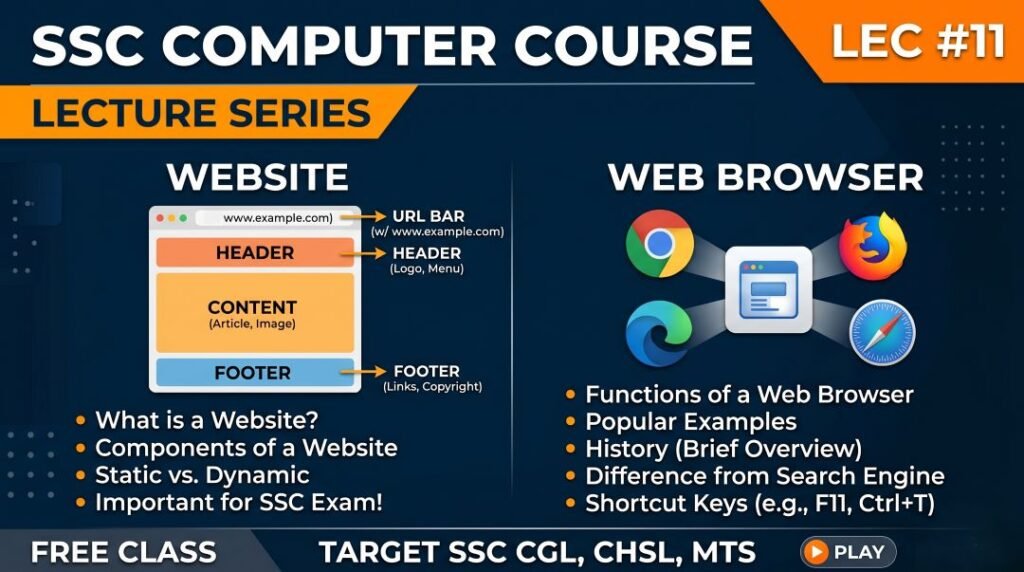
A website is a collection of related web pages stored on a web server and accessed through the internet via a web browser using a unique web address (URL/domain name). A website can contain text, images, videos, audio, interactive forms, databases, and links to other pages.
Think of a website as a building and each web page as a room inside that building. The building’s address is the domain name (like google.com or ssc.nic.in), and each room can be reached by its specific path within the address (like ssc.nic.in/result/2026/).
In Hindi, a website is called Vebasaait (वेबसाइट) or sometimes Jaal Sthal (जाल स्थल – meaning net location). The term website is universally understood and used in all SSC bilingual papers.
| Aspect | Detail |
| Definition | A collection of related web pages stored on a server and accessed via a domain name through a browser |
| Hindi Name | वेबसाइट / जाल स्थल (Jaal Sthal) |
| Accessed Via | Web browser (Chrome, Firefox, Safari, Edge) using HTTP or HTTPS protocol |
| Identified By | Domain name (URL) – e.g., google.com, ssc.nic.in, irctc.co.in |
| Stored On | Web server (a computer connected to internet 24/7 hosting website files) |
| Created Using | HTML, CSS, JavaScript (frontend); Python, PHP, Java (backend); databases (MySQL) |
| First Website | info.cern.ch – created by Tim Berners-Lee on August 6, 1991 at CERN |
| Governing Body | ICANN (Internet Corporation for Assigned Names and Numbers) for domain names |
| Types | Static website, Dynamic website, E-commerce, Blog, Portal, Social Media, Government, Educational |
Web Page vs Website vs Web Portal: Most Confused Concepts
Three terms that SSC aspirants frequently confuse are web page, website, and web portal. Examiners specifically test these distinctions. Here is a clear, definitive comparison:
| Feature | Web Page | Website | Web Portal |
| Definition | A single document written in HTML displayed in a browser; one page of content | A collection of multiple related web pages under one domain | A specialized website that serves as a gateway providing multiple services from multiple sources in one place |
| Scope | Single page | Multiple pages under one domain | Multiple services and data sources aggregated |
| Example | The specific page at ssc.nic.in/result/page.html | The entire website ssc.nic.in with all its pages | India.gov.in (National Portal of India), UMANG app portal, Gmail portal |
| Navigation | No sub-navigation needed (it is itself a page) | Has menus and links connecting all its pages | Complex navigation with login, personalization, integrated services |
| Login Required? | Usually no | May or may not require login | Usually requires login for personalized services |
| URL | Has a specific full path | Has a home URL (domain) | Has a home URL with extensive sub-services |
| Analogy | One room | An entire building | An entire complex with multiple buildings and services |
Types of Websites: Classification with Examples
Websites are classified based on their purpose, functionality, and how their content is managed. SSC exams test knowledge of website types and their examples, especially Indian government websites:
| Website Type | Definition | Examples |
| Static Website | Content is fixed; same content shown to all visitors; written in plain HTML/CSS; no database; changes require manual code editing | Info.cern.ch (first website), simple personal portfolio sites, basic brochure websites |
| Dynamic Website | Content changes based on user, time, or database; uses server-side programming; personalized experience | Gmail.com, Amazon.in, IRCTC.co.in, Facebook.com, YouTube.com |
| E-Commerce Website | Designed for buying and selling products or services online; requires payment gateway | Amazon.in, Flipkart.com, Myntra.com, Meesho.com, Snapdeal.com |
| Blog / Personal Website | Regularly updated website where individuals or organizations share articles, opinions, and information | WordPress blogs, Blogspot blogs, news blogger sites |
| News / Media Website | Online platform for publishing news articles, current affairs, and multimedia content | NDTV.com, Hindustan Times online, BBC.com, Aaj Tak online |
| Government Website | Official websites run by government departments for citizen services and information | ssc.nic.in, irctc.co.in, india.gov.in, mygov.in, uidai.gov.in |
| Educational Website | Provides learning resources, courses, and academic content | BYJU’S, Khan Academy, NCERT.nic.in, SWAYAM, ePathshala |
| Social Media Website | Platforms for social networking, content sharing, and communication | Facebook.com, Instagram.com, Twitter.com, LinkedIn.com, YouTube.com |
| Search Engine Website | Tools for finding information on the internet | Google.com, Bing.com, Yahoo.com, DuckDuckGo.com, Baidu.com |
| Forum / Community Website | Discussion boards where users post questions, answers, and opinions | Quora.com, Reddit.com, Stack Overflow |
| Streaming / Entertainment Website | Platforms for streaming video, music, or live content | Netflix.com, YouTube.com, Hotstar.com, Spotify.com, Amazon Prime |
| Banking / Financial Website | Secure platforms for banking, investment, and financial services | sbi.co.in, hdfcbank.com, nseindia.com, moneycontrol.com |
| Wikipedia / Reference Website | Online encyclopedias and reference databases | Wikipedia.org, Britannica.com |
How a Website Works: From Browser to Screen
Understanding how a website works from the moment you type a URL to when the page appears on your screen is an important conceptual topic for SSC Computer Awareness. Here is the complete step-by-step process:
| Step | Action | Technology Involved |
| 1. User types URL | User types a web address (like google.com) in the browser’s address bar | Browser, Keyboard |
| 2. DNS Resolution | Browser asks DNS server to convert the domain name (google.com) into an IP address (142.250.x.x) | DNS (Domain Name System), Port 53 |
| 3. TCP Connection | Browser establishes a TCP connection to the web server at the IP address found via DNS | TCP/IP Protocol, Port 80 (HTTP) or 443 (HTTPS) |
| 4. HTTP/HTTPS Request | Browser sends an HTTP GET request to the web server asking for the specific web page | HTTP or HTTPS protocol |
| 5. Server Processing | The web server receives the request; if dynamic site, server queries database and generates HTML | Web server software (Apache, Nginx, IIS); Database (MySQL) |
| 6. HTTP Response | Server sends back the HTML, CSS, JavaScript, and media files that make up the web page | HTTP Response, Status Codes (200 OK, 404 Not Found) |
| 7. Browser Rendering | Browser downloads, parses, and renders the HTML, CSS, and JavaScript to display the final page | Browser rendering engine (Blink, Gecko, WebKit) |
| 8. Page Displayed | The fully rendered web page appears on the user’s screen ready for interaction | Display/Monitor, User Interface |
Web Browser Kya Hai? What Is a Web Browser?
A web browser is a software application that enables users to access, navigate, display, and interact with content on the World Wide Web. When you open a browser and visit a website, the browser retrieves the website’s HTML, CSS, and JavaScript files from a web server and renders them into the visual page you see on your screen.
Web browsers are the primary interface through which billions of people experience the internet. They are classified as application software and are among the most essential programs on any internet-connected device.
In Hindi, a web browser is called Veb Braujar (वेब ब्राउज़र) or Jaalak (जालक – meaning net viewer). Both terms appear in SSC bilingual papers.
| Aspect | Detail |
| Definition | Application software that retrieves, renders, and displays web pages from the internet |
| Hindi Name | वेब ब्राउज़र / जालक (Jaalak) |
| Primary Function | Sends HTTP/HTTPS requests to web servers and displays the returned HTML/CSS/JS content |
| First Web Browser | WorldWideWeb (later renamed Nexus) – created by Tim Berners-Lee in 1990 |
| First Popular Browser | Mosaic (1993) – created by Marc Andreessen at NCSA; first graphical web browser for the public |
| Protocols Used | HTTP (Port 80), HTTPS (Port 443) |
| Rendering Engine | Software within the browser that processes HTML and CSS to display the visual page |
| Key Examples | Google Chrome (Blink), Firefox (Gecko), Safari (WebKit), Edge (Blink/Chromium), Internet Explorer (Trident) |
Components of a Web Browser: What Is Inside a Browser
Understanding the internal components and user interface elements of a web browser is tested in SSC Computer Awareness. Here are the key components:
| Browser Component | Description | SSC Exam Point |
| Address Bar (URL Bar) | The text field at the top where you type a web address (URL) or search query | Also called Omnibox in Chrome; shows current page URL |
| Navigation Buttons | Back (←), Forward (→), Refresh/Reload, Home buttons | Back = Alt+Left; Forward = Alt+Right; Refresh = F5 or Ctrl+R |
| Rendering Engine | Core component that interprets HTML, CSS, and JavaScript and draws the visual page | Chrome/Edge use Blink; Firefox uses Gecko; Safari uses WebKit |
| JavaScript Engine | Executes JavaScript code on web pages for interactivity | Chrome uses V8 engine; Firefox uses SpiderMonkey |
| Bookmarks / Favorites | Saved links to frequently visited websites | Ctrl+D = Add bookmark in most browsers |
| Browser History | Record of all websites visited; stored locally | Ctrl+H = Open History; important for privacy |
| Downloads Manager | Manages files being downloaded from the internet | Ctrl+J = Open Downloads in Chrome |
| Cookies | Small text files stored by websites on your device to remember your preferences and login sessions | SSC tests: cookies store user data; can be cleared from browser settings |
| Cache | Temporary storage of website files (images, scripts) to speed up future visits to the same site | Clearing cache can fix loading issues; larger cache = faster revisits |
| Extensions / Add-ons | Small software programs added to the browser for extra functionality | Adblock, password managers, developer tools are common extensions |
| Private / Incognito Mode | Browsing session that does not save history, cookies, or form data | Ctrl+Shift+N (Chrome) or Ctrl+Shift+P (Firefox) for private window |
| Developer Tools | Built-in tools for web developers to inspect HTML, CSS, and JavaScript of any web page | F12 opens developer tools in most browsers |
| Tabs | Multiple web pages open simultaneously within one browser window | Ctrl+T = New Tab; Ctrl+W = Close Tab; Ctrl+Tab = Switch Tabs |
Popular Web Browsers: Names, Developers, and Key Facts
| Browser | Developer | Rendering Engine | JS Engine | Platform | Key Facts |
| Google Chrome | Google (Alphabet Inc., USA) | Blink | V8 | Windows, macOS, Android, iOS, Linux | World’s most used browser (65%+ market share); fast; Google sync; extensive extensions |
| Mozilla Firefox | Mozilla Foundation (USA, non-profit) | Gecko | SpiderMonkey | All platforms including Linux | Open-source; strong privacy; highly customizable; no corporate tracking |
| Microsoft Edge | Microsoft (USA) | Blink (Chromium-based) | V8 (Chakra older) | Windows, macOS, Android, iOS | Replaced Internet Explorer in Windows 10/11; built-in PDF reader and reading mode |
| Apple Safari | Apple Inc. (USA) | WebKit | JavaScriptCore (Nitro) | macOS, iOS, iPadOS | Default Apple browser; optimized for battery life on Apple devices; fast on Apple hardware |
| Opera | Opera Software (Norway; owned by Chinese consortium) | Blink | V8 | All platforms | Built-in VPN and ad blocker; battery saver mode; sidebar; popular in Africa and Asia |
| Brave | Brave Software (USA) | Blink | V8 | All platforms | Privacy-first; blocks ads and trackers by default; faster page loading; Chromium-based |
| Internet Explorer (IE) | Microsoft (USA) | Trident | Chakra | Windows only | Discontinued in June 2022; replaced by Edge; still referenced in older SSC questions; do not confuse with Edge |
| Netscape Navigator | Netscape Communications (USA) | Gecko ancestor | – | Old Windows/Mac (discontinued) | One of the first popular browsers (1994); introduced cookies and JavaScript support; now discontinued |
Important Web Browser Keyboard Shortcuts for SSC Exams
Browser keyboard shortcuts are tested in SSC Computer Awareness, especially for positions like Data Entry Operator (DEO) and Stenographer where computer proficiency is assessed:
| Shortcut Key | Action | Works In |
| Ctrl + T | Open a New Tab | Chrome, Firefox, Edge, Opera, Brave |
| Ctrl + W | Close the Current Tab | All major browsers |
| Ctrl + Shift + T | Reopen the Last Closed Tab | All major browsers |
| Ctrl + Tab | Switch to the Next Tab (right) | All major browsers |
| Ctrl + Shift + Tab | Switch to the Previous Tab (left) | All major browsers |
| Ctrl + N | Open a New Browser Window | All major browsers |
| Ctrl + Shift + N | Open New Incognito/Private Window | Chrome (Incognito), Edge (InPrivate) |
| Ctrl + Shift + P | Open New Private Window | Firefox |
| F5 or Ctrl + R | Refresh / Reload the Current Page | All major browsers |
| Ctrl + Shift + R | Hard Refresh (reload ignoring cached files) | Chrome, Firefox, Edge |
| Ctrl + L or F6 or Alt+D | Select/Focus the Address Bar | All major browsers |
| Ctrl + D | Bookmark the Current Page | All major browsers |
| Ctrl + Shift + B | Show or Hide the Bookmarks/Favorites Bar | Chrome, Edge |
| Ctrl + H | Open Browsing History | Chrome, Firefox, Edge |
| Ctrl + J | Open Downloads Page | Chrome, Firefox |
| Ctrl + F | Open Find (search within the web page) | All major browsers |
| Ctrl + + | Zoom In on the page | All major browsers |
| Ctrl + – | Zoom Out on the page | All major browsers |
| Ctrl + 0 | Reset Zoom to 100% | All major browsers |
| F11 | Toggle Full Screen mode | All major browsers |
| F12 | Open Developer Tools (Inspect Element) | All major browsers |
| Alt + Left Arrow | Go Back (previous page) | All major browsers |
| Alt + Right Arrow | Go Forward (next page) | All major browsers |
| Ctrl + P | Print the current page | All major browsers |
| Esc | Stop page loading | All major browsers |
HTML, CSS, and JavaScript: Web Technology Basics for SSC
The three core technologies used to build every website are HTML, CSS, and JavaScript. Their full forms, purposes, and basic concepts are tested in SSC Computer Awareness. Here is a clear, exam-focused overview:
| Technology | Full Form | Purpose | Created By / Year | SSC Key Point |
| HTML | HyperText Markup Language | Creates the structure and content of web pages; defines headings, paragraphs, links, images, tables, forms | Tim Berners-Lee; HTML 1.0 in 1991; current version HTML5 | HTML is the skeleton of every web page; without HTML there is no web page |
| CSS | Cascading Style Sheets | Controls the visual presentation and layout of HTML elements: colors, fonts, sizes, spacing, backgrounds, animations | Håkon Wium Lie and Bert Bos; CSS 1.0 in 1996; current CSS3 | CSS is the design layer; makes pages beautiful; without CSS pages are plain text |
| JavaScript | JavaScript (JS) | Adds interactivity and dynamic behavior to web pages: button clicks, form validation, animations, content updates without page reload | Brendan Eich at Netscape; created in 1995 in just 10 days | JavaScript is the behavior layer; makes pages interactive; runs in the browser |
| PHP | PHP: Hypertext Preprocessor | Server-side scripting language; processes data on the server; generates dynamic HTML before sending to browser | Rasmus Lerdorf; 1994 | Server-side = runs on web server; not in browser; used in WordPress, Facebook |
| MySQL | My Structured Query Language | Open-source relational database management system; stores website data (users, products, articles) | Michael Widenius and David Axmark; 1995 | Most popular web database; pairs with PHP in LAMP stack |
| Python | Python (programming language) | General-purpose; used for web backend (Django, Flask frameworks); AI, data science | Guido van Rossum; 1991 | Increasingly popular for web development due to simplicity and Django framework |
HTML: Key Tags for SSC Awareness
| HTML Tag | Purpose / Meaning |
| <html> | Root element of every HTML page; everything is inside this tag |
| <head> | Contains metadata about the page (title, links to CSS, scripts); not displayed on page |
| <title> | Sets the title of the web page shown in browser tab and search results |
| <body> | Contains all visible content of the web page |
| <h1> to <h6> | Heading tags; h1 is largest/most important; h6 is smallest |
| <p> | Paragraph of text |
| <a href=’URL’> | Hyperlink; clicking takes user to another page (href = hypertext reference) |
| <img src=’path’> | Displays an image (src = source path of image file) |
| <table> | Creates a table; contains <tr> (table row), <td> (table data/cell), <th> (table header) |
| <form> | Creates an interactive form for user input (login, registration, contact forms) |
| <input> | Creates input fields within a form (text box, checkbox, radio button, submit button) |
| <div> | A generic container for grouping elements; used heavily with CSS for layout |
| <span> | Inline container for styling small pieces of text |
| <br> | Line break; forces text to next line |
| <hr> | Horizontal rule; draws a horizontal line across the page |
Web Hosting: How Websites Are Stored and Served
Web hosting is the service that stores website files on a server connected to the internet 24/7 so that the website is accessible to anyone worldwide. Understanding web hosting concepts is increasingly tested in SSC Computer Awareness:
| Hosting Type | Definition | Best For | Examples |
| Shared Hosting | Multiple websites share the same server’s resources (RAM, CPU, storage); cheapest option | Small websites, blogs, beginners | Bluehost, Hostinger, GoDaddy shared plans |
| VPS Hosting | Virtual Private Server; one physical server is divided into virtual machines; each gets dedicated resources | Medium websites needing more control | DigitalOcean, Linode, AWS Lightsail |
| Dedicated Hosting | Entire physical server is rented for one website exclusively | Large websites, enterprises, high traffic | Rackspace, Bluehost Dedicated, AWS EC2 |
| Cloud Hosting | Website hosted across multiple servers in the cloud; scales automatically with traffic | High-traffic, scalable applications | AWS, Google Cloud, Microsoft Azure, Cloudflare |
| WordPress Hosting | Hosting specifically optimized for WordPress websites | WordPress blogs and sites | WP Engine, Kinsta, SiteGround |
| Free Hosting | No-cost hosting with limitations (bandwidth, storage, ads, subdomain) | Students, testing, small personal sites | GitHub Pages, Netlify (free tier), InfinityFree |
| Government Hosting (NIC) | Websites hosted by National Informatics Centre for Indian government departments | All Indian central government websites | NIC Data Centers; .gov.in, .nic.in domains |
Domain Names and URLs: In-Depth Notes for SSC
Domain names and URL structure have been covered in LEC 7 (Internet), but LEC 11 goes deeper into web-specific concepts. Here is the additional detail needed for SSC Website and Web Browser questions:
How a Domain Name Is Registered
- Domain names are registered through ICANN-accredited domain registrars (GoDaddy, Namecheap, BigRock in India)
- You pay an annual fee to ‘rent’ a domain name; you do not permanently own it
- Domain registrars sell .com, .in, .org, .net domains to individuals and organizations
- NIXI (National Internet Exchange of India) manages .in and .bharat domain registrations for India
- Once a domain is registered, it is pointed to a web hosting server’s IP address via DNS records
Important URL Components Revisited
| URL Part | Example | Explanation |
| Protocol | https:// | http = HyperText Transfer Protocol; https = HTTP Secure (with SSL/TLS encryption) |
| Subdomain | www. | www = World Wide Web (most common); other subdomains: mail., blog., api., support., m. (mobile) |
| Second Level Domain (SLD) | The human-chosen name identifying the organization or brand | |
| Top Level Domain (TLD) | .com | .com, .org, .net, .in, .gov, .edu, .ac.in etc. |
| Path / Directory | /search/results | Folder structure on the server leading to specific page |
| Query Parameters | ?q=ssc+exam&safe=on | Additional data sent to server; starts with ?; multiple params separated by & |
| Anchor / Fragment | #heading2 | Links to specific section within the page; not sent to server |
| Port Number | :443 (usually hidden) | Port 80 = HTTP, Port 443 = HTTPS; usually hidden in modern browsers |
HTTP vs HTTPS: Security in Web Browsing
The difference between HTTP and HTTPS is one of the most directly tested web concepts in SSC Computer Awareness. It also overlaps with cybersecurity knowledge:
| Feature | HTTP | HTTPS |
| Full Form | HyperText Transfer Protocol | HyperText Transfer Protocol Secure |
| Security | No encryption; data sent in plain text | Encrypted using SSL/TLS; data is unreadable to interceptors |
| Port | Port 80 | Port 443 |
| URL Appearance | http://website.com | https://website.com (with padlock icon in browser) |
| Data Privacy | Anyone on the network can read the data | Data is encrypted; only sender and recipient can read |
| Certificate Required? | No | Yes; requires SSL/TLS digital certificate from a Certificate Authority |
| Best For | Old, non-sensitive information pages | Any page with login, payment, or personal data |
| Browser Indicator | No padlock; may show ‘Not Secure’ | Padlock icon (closed lock) in address bar |
| Use in India | Old government sites; being phased out | All modern websites; mandatory for e-commerce and banking |
| SEO Impact | Lower ranking in Google (penalized) | Higher ranking in Google (HTTPS is a ranking factor since 2014) |
Cookies, Cache, and Browser Storage: Key Web Concepts
Cookies, cache, and browser storage are frequently tested web browser concepts in SSC Computer Awareness, especially in the context of privacy and web performance:
| Concept | Definition | Purpose | SSC Key Points |
| Cookie | Small text files stored on your device by websites you visit; created by the web server and stored in browser | Remember login sessions, preferences, shopping cart items, language settings; enable personalized experience | Cookies can be session cookies (deleted when browser closes) or persistent cookies (stored for set duration); can be cleared in browser settings |
| Cache | Browser’s local storage of website assets (images, CSS, JavaScript, HTML) downloaded during previous visits | Speeds up page loading on return visits; reduces server load and bandwidth usage | Clearing cache can fix page display issues; cache is not the same as cookies; Ctrl+Shift+Delete to clear |
| Local Storage | Browser-based key-value storage that persists even after browser closes; more capacity than cookies | Storing user preferences and app data client-side; offline functionality | Part of HTML5 Web Storage API; accessible via JavaScript; up to 5-10 MB per origin |
| Session Storage | Similar to Local Storage but data is cleared when the browser tab/window is closed | Temporary data for a single browsing session (e.g., form data between pages in a checkout flow) | Lives only for the duration of one tab session; cleared when tab closes |
| IndexedDB | Browser-based NoSQL database for storing larger amounts of structured data | Offline web applications; storing large datasets locally in browser | More complex than Local Storage; can store files, images, large datasets |
How Search Engines Work: Process and Key Terms
Since search engines are the gateway to most websites, their working is closely related to the Website and Web Browser chapter. LEC 11 covers search engine concepts that complement LEC 7 (Internet):
| Search Engine Term | Definition | SSC Exam Relevance |
| Web Crawler / Spider / Bot | Automated programs that systematically browse the web, discovering and reading web pages for the search engine | These are what Google’s ‘Googlebot’ does; not a virus; legitimate software |
| Indexing | Process of storing and organizing discovered web pages in the search engine’s massive database | Without indexing, a page cannot appear in search results |
| SERP | Search Engine Results Page; the page displayed after a user enters a search query | Contains organic results, paid ads (PPC), featured snippets, knowledge panels |
| SEO | Search Engine Optimization; practices to improve a website’s ranking in organic search results | Important for website owners; tests knowledge of web visibility concepts |
| Organic Results | Search results that appear based on relevance and SEO; not paid | Also called natural results; opposite of paid/sponsored results |
| PPC / Paid Ads | Pay-Per-Click advertising; websites pay to appear at top of search results | Google Ads (formerly AdWords); marked as ‘Sponsored’ or ‘Ad’ in SERP |
| PageRank | Google’s original algorithm for ranking web pages based on the number and quality of links pointing to them | Invented by Larry Page (Google co-founder); not the only ranking factor today |
| Keywords | Words and phrases users type into search engines to find information | Fundamental to both search and SEO |
| Meta Tags | HTML tags in web page <head> that provide information to search engines (title, description, keywords) | <meta name=’description’> affects SERP description; not visible on page itself |
| Sitemap | A file (XML or HTML) listing all pages of a website to help search engines find and index all content | Submitted to Google Search Console; helps SEO; important for large websites |
Important Indian Government Websites for SSC General Awareness
Knowledge of important Indian government websites and portals is directly tested in SSC General Awareness and Computer Awareness sections. These are the websites every government employee and citizen should know:
| Website / Portal | URL | Department / Ministry | Purpose |
| SSC (Staff Selection Commission) | ssc.nic.in | Ministry of Personnel | SSC exam notifications, results, admit cards |
| UPSC | upsc.gov.in | Constitutional Body | IAS/IPS/Civil Services exam portal |
| IRCTC | irctc.co.in | Ministry of Railways | Indian Railway online ticket booking |
| Income Tax e-Filing | incometax.gov.in | Ministry of Finance / CBDT | Income tax return filing and refund tracking |
| MCA21 | mca.gov.in | Ministry of Corporate Affairs | Company registration and corporate compliance |
| GeM | gem.gov.in | Ministry of Commerce | Government e-Marketplace for procurement |
| GSTN | gst.gov.in | Ministry of Finance | GST registration, filing, and compliance |
| DigiLocker | digilocker.gov.in | MeitY | Digital document storage (Aadhaar, PAN, DL) |
| UIDAI (Aadhaar) | uidai.gov.in | MeitY | Aadhaar enrollment, update, verification |
| UMANG | umang.gov.in | MeitY / NIC | Access to 1200+ government services via app |
| National Portal of India | india.gov.in | PM Office / MeitY | Gateway to all Indian government websites |
| MyGov | mygov.in | PM Office | Citizen engagement and government feedback |
| PM India | pmindia.gov.in | PM Office | Official website of Prime Minister of India |
| NCERT | ncert.nic.in | Ministry of Education | Educational content and textbooks |
| eNAM | enam.gov.in | Ministry of Agriculture | Online agricultural commodity trading |
| Cyber Crime Portal | cybercrime.gov.in | MHA | Reporting cybercrime online |
| NIC | nic.in | MeitY | National Informatics Centre; hosts govt websites |
Website and Web Browser Abbreviations for SSC Exams
| Abbreviation | Full Form | Context |
| WWW | World Wide Web | System of interlinked web pages on the internet |
| URL | Uniform Resource Locator | Complete web address of a resource |
| HTTP | HyperText Transfer Protocol | Protocol for transferring web pages (Port 80) |
| HTTPS | HyperText Transfer Protocol Secure | Encrypted web protocol (Port 443) |
| HTML | HyperText Markup Language | Language for creating web page structure |
| CSS | Cascading Style Sheets | Language for styling web page appearance |
| JS | JavaScript | Language for web page interactivity |
| PHP | PHP: Hypertext Preprocessor | Server-side scripting language for dynamic websites |
| DNS | Domain Name System | Translates domain names to IP addresses |
| IP | Internet Protocol | Numerical address identifying every internet device |
| SSL | Secure Sockets Layer | Older web encryption protocol |
| TLS | Transport Layer Security | Modern replacement for SSL; used in HTTPS |
| TLD | Top Level Domain | .com, .in, .org, .gov – last part of a domain name |
| SLD | Second Level Domain | The main domain name before TLD (google in google.com) |
| ICANN | Internet Corporation for Assigned Names and Numbers | Global domain name and IP address management body |
| NIXI | National Internet Exchange of India | Manages .in and .bharat domain registration for India |
| NIC | National Informatics Centre | Indian govt agency hosting government websites |
| SEO | Search Engine Optimization | Improving website visibility in search results |
| SERP | Search Engine Results Page | Page shown after a search query |
| PPC | Pay Per Click | Paid advertising model in search engines |
| UI | User Interface | What the user sees and interacts with in a browser/website |
| UX | User Experience | How a user feels when interacting with a website |
| CMS | Content Management System | Software for creating and managing website content without coding (WordPress, Joomla) |
| CDN | Content Delivery Network | Distributed servers caching website content globally for faster loading |
| API | Application Programming Interface | Allows different software systems (like websites and apps) to communicate |
| XML | Extensible Markup Language | Data format used in sitemaps, RSS feeds, web services |
| RSS | Really Simple Syndication | Format for websites to publish frequently updated content (news feeds, blogs) |
| FTP | File Transfer Protocol | Used to upload website files to a web server (Port 21) |
| LAMP | Linux, Apache, MySQL, PHP | Popular open-source web server technology stack |
| CMS | WordPress, Joomla, Drupal | Most widely used Content Management Systems for websites |
Website and Web Browser Topics: Exam Frequency and Priority
| Topic | Exam Frequency | Difficulty | Priority |
| Web Browser Definition and Examples | Very High | Easy | Must Study First |
| HTTP vs HTTPS Difference | Very High | Easy | Must Study First |
| HTML Full Form and Purpose | Very High | Easy | Must Study First |
| First Web Browser (WorldWideWeb by Tim Berners-Lee) | High | Easy | Must Study First |
| URL Structure (Protocol, Domain, TLD, Path) | High | Medium | Must Study First |
| Website vs Web Page vs Web Portal | High | Easy-Medium | Must Study First |
| Types of Websites (Static vs Dynamic) | High | Easy | Important |
| Browser Shortcuts (Ctrl+T, Ctrl+H, Ctrl+D, F5, F12) | High | Easy | Important |
| Google Chrome = Blink Engine; Firefox = Gecko Engine | High | Medium | Important |
| CSS Full Form and Purpose | High | Easy | Important |
| JavaScript Full Form and Purpose | High | Easy | Important |
| Internet Explorer Discontinued (2022) | Medium-High | Easy | Important |
| Cookies Definition and Purpose | Medium-High | Easy-Medium | Important |
| Web Hosting Types (Shared, VPS, Dedicated, Cloud) | Medium | Medium | Important |
| Important Indian Government Websites (SSC, IRCTC, DigiLocker) | Medium-High | Easy | Important |
| How a Website Works (DNS → Server → Render) | Medium | Medium | Good to Know |
| SEO and SERP Concepts | Medium | Medium | Good to Know |
| HTML Tags (<a>, <img>, <table>, <form>) | Medium | Medium | Good to Know (DEO/JE level) |
| ICANN and NIXI Full Forms | Low-Medium | Easy | Revision Only |
Top 30 Website and Web Browser Facts to Memorize for SSC
- A website is a collection of related web pages under one domain name, stored on a web server
- The first website was info.cern.ch, created by Tim Berners-Lee on August 6, 1991 at CERN
- A web page is a single document; a website is a collection of pages; a web portal aggregates multiple services
- A web browser is application software that retrieves and displays web pages from the internet
- The first web browser was WorldWideWeb (later renamed Nexus), created by Tim Berners-Lee in 1990
- The first popular graphical web browser was Mosaic, created by Marc Andreessen in 1993
- Google Chrome uses the Blink rendering engine and V8 JavaScript engine
- Mozilla Firefox uses the Gecko rendering engine and SpiderMonkey JavaScript engine
- Apple Safari uses the WebKit rendering engine
- Microsoft Internet Explorer used the Trident rendering engine; it was discontinued in June 2022
- Microsoft Edge is the replacement for Internet Explorer; it uses the Blink/Chromium engine
- HTTP stands for HyperText Transfer Protocol; works on Port 80
- HTTPS stands for HyperText Transfer Protocol Secure; works on Port 443; uses SSL/TLS encryption
- The padlock icon in the browser address bar indicates a secure HTTPS connection
- HTML stands for HyperText Markup Language; creates the structure of web pages
- CSS stands for Cascading Style Sheets; controls the visual appearance of web pages
- JavaScript (JS) adds interactivity and dynamic behavior to web pages
- PHP (PHP: Hypertext Preprocessor) is a server-side scripting language for dynamic websites
- A cookie is a small text file stored by a website on your browser to remember your preferences and sessions
- Browser cache stores website files locally to speed up future visits to the same site
- Ctrl+T = New Tab; Ctrl+W = Close Tab; Ctrl+H = History; F5 = Refresh; F12 = Developer Tools
- Ctrl+Shift+N opens Incognito window in Chrome; Ctrl+Shift+P opens Private window in Firefox
- A static website has fixed content; a dynamic website changes content based on user or database
- Web hosting is the service that stores website files on servers connected to the internet
- Shared hosting is cheapest; VPS gives dedicated virtual resources; Dedicated gives whole server
- NIC (National Informatics Centre) under MeitY hosts all major Indian government websites
- NIXI (National Internet Exchange of India) manages .in and .bharat domain registrations
- ICANN (Internet Corporation for Assigned Names and Numbers) manages global domain names
- SEO (Search Engine Optimization) improves a website’s ranking in search engine results
- SERP stands for Search Engine Results Page; it shows after a search query is entered
3-Day Study Plan to Master Website and Web Browser for SSC Exams
Day 1: Websites and Web Technology Basics
- Study website definition, Hindi name, and the website vs web page vs web portal distinction
- Learn types of websites: static vs dynamic, e-commerce, government, blog, social media
- Study how a website works: DNS → HTTP request → server → render (8 steps)
- Learn HTML, CSS, JavaScript full forms, purposes, and who created them
Day 2: Web Browsers, Shortcuts, and HTTP/HTTPS
- Study web browser definition, first browser (Tim Berners-Lee, 1990), and Mosaic (1993)
- Memorize all popular browsers with their engines: Chrome (Blink), Firefox (Gecko), Safari (WebKit)
- Study all browser keyboard shortcuts especially Ctrl+T, Ctrl+H, Ctrl+D, F5, F11, F12
- Master HTTP vs HTTPS comparison: port numbers, security, padlock icon
Day 3: Cookies, Hosting, Indian Websites, and Revision
- Study cookies, cache, local storage concepts and their differences
- Learn web hosting types: Shared, VPS, Dedicated, Cloud, Government (NIC)
- Study all important Indian government websites from the table (SSC, IRCTC, DigiLocker, GeM, etc.)
- Revise all abbreviations and solve 25 to 30 previous year questions on this topic
READ ALSO: SSC Computer Complete Batch Computer Virus PPT Slides LEC 10
(FAQs)
Q1. What is the difference between a web page, a website, and a web portal?
A web page is a single document written in HTML that displays content in a browser. A website is a collection of related web pages under one domain name (e.g., all pages under ssc.nic.in form one website). A web portal is a specialized website that acts as a gateway providing multiple integrated services from multiple sources in one place, often requiring user login for personalized access (e.g., india.gov.in, UMANG portal).
Q2. What was the first website and who created it?
The first website was info.cern.ch, created by Tim Berners-Lee on August 6, 1991 at CERN (the European Organization for Nuclear Research) in Switzerland. It described the World Wide Web project itself. Tim Berners-Lee had also created the first web browser (WorldWideWeb, later renamed Nexus) in 1990, the HTTP protocol, HTML, and the URL system.
Q3. What is the difference between HTTP and HTTPS?
HTTP (HyperText Transfer Protocol) transmits data in plain text over Port 80; it is unsecured and anyone on the network can read the data. HTTPS (HyperText Transfer Protocol Secure) uses SSL/TLS encryption and operates over Port 443; data is encrypted so it cannot be read by intermediaries. Modern browsers show a padlock icon for HTTPS sites and may warn users about HTTP sites as ‘Not Secure’.
Q4. Which rendering engine does Google Chrome use?
Google Chrome uses the Blink rendering engine (which it shares with Microsoft Edge, Opera, and Brave, as they are all based on the Chromium open-source project). Chrome’s JavaScript engine is called V8. Mozilla Firefox uses Gecko for rendering and SpiderMonkey for JavaScript. Apple Safari uses WebKit. The discontinued Internet Explorer used the Trident engine.
A cookie is a small text file that a website stores on your browser/device when you visit it. Cookies remember your preferences, login session, language settings, and shopping cart items. Session cookies are deleted when you close the browser; persistent cookies remain for a set duration. Cookies enable personalized web experiences but can also be used to track browsing behavior across sites.
Q6. What are HTML, CSS, and JavaScript?
HTML (HyperText Markup Language) creates the structure and content of web pages. CSS (Cascading Style Sheets) controls the visual appearance, layout, and design. JavaScript adds interactivity and dynamic behavior. Together these three form the foundation of every website. HTML = structure (skeleton), CSS = style (skin/design), JavaScript = behavior (brain/interactivity).
Q7. How many slides are in the Website and Web Browser PPT (LEC 11)?
The Website and Web Browser Complete Batch PPT (LEC 11) contains 63 slides. It is Serial Number 011 of the Complete Foundation Batch for All SSC and Other Exams PPT Series. The file size is 29 MB. It is available for free download from https://slideshareppt.net/.
Q8. What is Internet Explorer and why is it important to know for SSC?
Internet Explorer (IE) was Microsoft’s web browser that used the Trident rendering engine. It was pre-installed on all Windows computers from 1995 to 2022. Microsoft officially discontinued Internet Explorer in June 2022 and replaced it with Microsoft Edge (which uses the Blink/Chromium engine). SSC exams ask about Internet Explorer because it was historically the most used browser for many years and its discontinuation is a recent notable tech development.
Conclusion: Websites and Browsers Are How the World Accesses Knowledge
The Website and Web Browser chapter (LEC 11) brings together the theoretical knowledge of networking (LEC 6) and the internet (LEC 7) into the practical, visible layer that every computer user interacts with daily. From the moment Tim Berners-Lee published the first website in 1991 to today where billions of web pages exist and Chrome browsers load pages in milliseconds, the evolution of websites and browsers represents the most visible part of the digital revolution.
For SSC aspirants, this chapter offers an excellent combination of easy marks and conceptual depth. The HTTP vs HTTPS distinction, browser engine names, HTML/CSS/JavaScript full forms, the first website and browser history, URL structure, important Indian government websites, cookie and cache concepts, and browser keyboard shortcuts are all highly testable and all covered in this 63-slide module.
The most exam-critical areas are: browser names with their engines, HTTP vs HTTPS (ports and security), HTML/CSS/JS full forms and purposes, first website (Tim Berners-Lee, 1991), browser shortcuts, static vs dynamic website distinction, and important Indian government website URLs. Mastering these will ensure you answer every website and browser question in SSC Computer Awareness with full confidence.
Download the free 29 MB PDF from https://slideshareppt.net/, follow the 3-day study plan, revise the tables and abbreviations, and practice previous year questions. With LEC 11 completed, combined with all previous lectures, you now have comprehensive, exam-ready preparation for the complete SSC Computer Awareness syllabus.