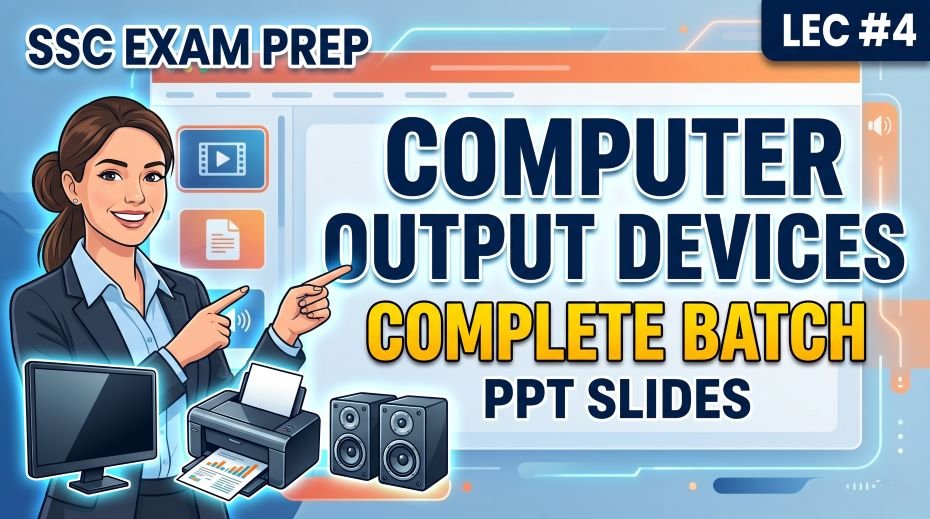
In this article we will share SSC Computer Output Devices Complete Batch PPT Slides (LEC #4) so, ask any SSC Computer Awareness teacher which topic is guaranteed to appear in every single SSC exam without exception, and the answer will always include Output Devices. From SSC CGL Tier 1 to SSC CHSL, SSC MTS, SSC GD, and SSC CPO, questions on output devices appear consistently because they are part of the absolute basics of computer knowledge that every government job aspirant is expected to know.
This article is your complete preparation guide for Lecture 4 (LEC 4) of the Complete Foundation Batch for All SSC (Staff Selection Commission) Exams PPT Series, which covers Output Devices (आउटपुट डिवाइस / निर्गम उपकरण) across 90 well-structured PPT slides. Whether you are looking for output devices definition, types of output devices with examples, output devices list for SSC exams, or a free output devices PDF notes, this article and the downloadable PPT cover everything you need.
Let us start from the very foundation and build your understanding systematically, exactly the way the 90-slide PPT module is organized.
| Detail | Information |
| Subject | Output Devices (आउटपुट डिवाइस / निर्गम उपकरण) |
| Lecture Number | LEC 4 |
| Total Slides | 90 PPT Slides |
| File Size | 31 MB |
| Series Name | Complete Foundation Batch for All SSC Exams (PPT Series) |
| Serial Number | #04 |
| Best For | SSC CGL, CHSL, MTS, GD, CPO, JE and all competitive exams |
| Language | English + Hindi (Bilingual) |
| Format | PPT / PDF |
| Website | https://slideshareppt.net/ |
SSC Computer Output Devices Complete Batch PPT Slides (LEC #4)
NOTE: IF YOU WANT TO DOWNLOAD COMPLETE SERIES – JUST VISIT THIS REDIRECT PAGE
Output Devices Definition: What Are Output Devices in Computer?
An output device is any hardware component of a computer that receives data from the computer system and converts it into a human-readable or usable form. In simpler words, output devices take the processed information from the computer and present it to the user in a form they can see, hear, or physically hold.
The word ‘output’ itself means the result or product of a process. When you type a document and print it, the printer is converting the computer’s digital data into a physical paper printout. When you play a video, your monitor is converting digital signals into visible moving images. Both are output devices performing their core function.
In Hindi, output devices are called Nairgam Upkaran (निर्गम उपकरण) or Output Dvices (आउटपुट डिवाइस). Both terms are used in SSC bilingual question papers.
| Aspect | Detail |
| Definition | Hardware that receives processed data from the computer and presents it to the user |
| Hindi Name | आउटपुट डिवाइस / निर्गम उपकरण |
| Direction of Data | From the computer TO the user (computer → device → user) |
| Type | External Hardware Component |
| Examples | Monitor, Printer, Speaker, Plotter, Projector, Headphone |
| Opposite of | Input Devices (which send data FROM user TO computer) |
Input Devices vs Output Devices: Key Differences (Most Tested in SSC)
One of the most commonly asked questions in SSC Computer Awareness is the distinction between input devices and output devices. Many students confuse them under pressure. Here is a crystal-clear comparison table:
| Feature | Input Devices | Output Devices |
| Function | Send data FROM user TO computer | Send data FROM computer TO user |
| Direction | User to Computer | Computer to User |
| Data Flow | Inward (into the system) | Outward (out of the system) |
| Examples | Keyboard, Mouse, Scanner, Microphone, Webcam, Joystick | Monitor, Printer, Speaker, Projector, Plotter, Headphone |
| What it produces | Input (raw data for processing) | Output (processed, usable result) |
| Hindi Name | इनपुट डिवाइस / आगत उपकरण | आउटपुट डिवाइस / निर्गम उपकरण |
| User Interaction | User controls input device to give commands | User views, hears, or receives results from output device |
Devices That Are Both Input and Output (I/O Devices)
Some devices serve both as input and output, depending on how they are being used at a given moment. These are called Input/Output devices or I/O devices. Knowing these is important because SSC exams sometimes ask which devices function as both:
| Device | As Input | As Output |
| Touch Screen | User touches screen to give input | Screen displays visual output |
| Headset with Microphone | Microphone captures voice (input) | Earphones play audio (output) |
| Modem | Receives data from the internet | Sends data to the internet |
| Network Interface Card (NIC) | Receives data from the network | Sends data to the network |
| External Hard Drive | Computer reads data from it | Computer writes data to it |
| CD/DVD Drive (Read/Write) | Reads data from disc (input) | Writes data to disc (output) |
| USB Flash Drive | Computer reads data from it | Computer writes data to it |
Types of Output Devices: Complete Classification with Examples
Output devices are classified based on the type of output they produce. For SSC exams, knowing the classification of output devices with examples is extremely important. Here is the complete breakdown:
| Type of Output | Output Form | Output Device Examples |
| Hardcopy Output | Physical, permanent output you can touch and hold | Printer (Inkjet, Laser, Dot Matrix), Plotter |
| Softcopy Output | Temporary, digital output displayed on screen or as audio | Monitor, Projector, Speaker, Headphone |
| Visual Output | Output in the form of text, images, or video | Monitor (CRT, LCD, LED, OLED), Projector |
| Audio Output | Output in the form of sound | Speaker, Headphone, Earphone |
| Printed Output | Output on paper or physical material | Inkjet Printer, Laser Printer, Dot Matrix Printer, Plotter |
| Tactile Output | Output perceived through touch or physical sensation | Braille Printer, Haptic Feedback devices |
| Data Output | Output stored to another medium | CD/DVD Writer, Tape Drive |
Monitor: Types, Working, and Key Differences for SSC Exams
The monitor is the most widely used output device and the one that generates the most exam questions. A monitor (also called VDU – Visual Display Unit or Visual Display Terminal) is the primary output device that displays text, images, and video on a screen.
Types of Monitors: Complete Comparison Table
| Monitor Type | Full Form | Technology | Advantages | Disadvantages |
| CRT | Cathode Ray Tube | Electron gun fires beams at phosphor-coated screen | Excellent color accuracy, no input lag | Very heavy, bulky, high power consumption, emits radiation |
| LCD | Liquid Crystal Display | Liquid crystals between two glass panels controlled by electric current; uses CCFL backlight | Thin, light, energy efficient, no radiation | Poor contrast ratio, limited viewing angles in older models |
| LED | Light Emitting Diode | Same as LCD but uses LED backlighting instead of CCFL | Slimmer than LCD, better brightness, energy efficient | More expensive than LCD, limited true black reproduction |
| OLED | Organic Light Emitting Diode | Each pixel emits its own light; no backlight needed | Perfect blacks, infinite contrast ratio, thinnest design | Expensive, risk of burn-in on static images |
| AMOLED | Active Matrix Organic LED | OLED with active matrix addressing for faster response | Used in smartphones; vibrant colors, fast response | Very expensive to manufacture |
| QLED | Quantum Light Emitting Diode | LED with quantum dot filter for enhanced color | Better color volume than regular LED, bright | Not true self-emissive; still uses backlight like LED |
| TFT | Thin Film Transistor | Improved LCD variant with a transistor for each pixel | Better image quality and response time than standard LCD | Higher power consumption than basic LCD |
VDU and Monitor: Important Terms for SSC
| Term | Full Form | Meaning |
| VDU | Visual Display Unit | Another name for a computer monitor; displays visual output |
| Resolution | Pixels per inch (PPI) | Number of pixels displayed; higher = sharper image. E.g., 1920×1080 (Full HD) |
| Refresh Rate | Hz (Hertz) | Number of times the screen redraws per second; 60Hz standard, 144Hz for gaming |
| Aspect Ratio | Width:Height | Shape of the screen; 16:9 (widescreen), 4:3 (old square monitors) |
| Pixel | Picture Element | Smallest unit of a digital image on screen |
| Screen Size | Diagonal measurement in inches | Measured diagonally from corner to corner of screen |
Types of Printers: Most Important Output Device Topic for SSC
Printers are the most tested subcategory within output devices in SSC exams. You absolutely must know all types of printers, their working principles, and their differences. Here is the most comprehensive printer reference table for your SSC preparation:
Impact vs Non-Impact Printers: The Primary Classification
| Category | How It Works | Examples | Key Feature |
| Impact Printer | A physical mechanism (pins, hammers, or type head) strikes an ink ribbon against paper to create characters | Dot Matrix Printer, Daisy Wheel Printer, Line Printer | Can create carbon copies; noisy operation; used where multi-part forms are needed |
| Non-Impact Printer | Does not physically strike paper; uses heat, laser, or inkjet technology to create output | Inkjet Printer, Laser Printer, Thermal Printer, 3D Printer | Silent operation; better print quality; cannot create carbon copies directly |
Detailed Printer Types Comparison Table
| Printer Type | Category | Technology Used | Print Quality | Speed | Cost | Best Use |
| Dot Matrix | Impact | Pins strike ink ribbon on paper to form characters | Low (visible dots) | Slow | Low | Bank passbooks, railway tickets, multi-part invoices |
| Daisy Wheel | Impact | Rotating wheel with character shapes struck against ribbon | High (typewriter quality) | Very Slow | Moderate | Word processing in early computers (now obsolete) |
| Line Printer | Impact | Prints entire line at once using rotating drum or chain | Low-Medium | Very Fast | High | Large volume batch printing in mainframe computers |
| Inkjet Printer | Non-Impact | Tiny nozzles spray liquid ink droplets on paper | High (especially color) | Moderate | Low to Moderate | Home use, photo printing, color documents |
| Laser Printer | Non-Impact | Laser beam draws image on drum; toner powder fused by heat | Very High | Fast | Moderate to High | Office bulk printing, professional documents |
| Thermal Printer | Non-Impact | Heat applied to heat-sensitive paper to form image | Moderate | Fast | Low | ATM receipts, billing counters, POS systems |
| 3D Printer | Non-Impact | Deposits material layer by layer to create 3D objects | High (3D objects) | Very Slow | Very High | Prototyping, manufacturing, medical models |
| Plotter | Non-Impact | Pens or inkjet heads draw precise lines on large paper | Very High (line art) | Slow | High | Engineering drawings, architectural plans, maps |
| LED Printer | Non-Impact | Like laser but uses LED array instead of laser beam | Very High | Fast | Moderate to High | Office printing; similar use cases to laser printer |
DPI: What Does Print Resolution Mean?
DPI stands for Dots Per Inch. It measures the resolution or quality of a printer’s output. A higher DPI means more dots are packed into each inch, resulting in a sharper and more detailed printout. For example, a standard office laser printer typically prints at 600 DPI, while high-quality photo printers can print at 1200 DPI or higher.
Speakers and Audio Output Devices: Notes for SSC
Audio output devices convert digital audio signals from the computer into sound waves that humans can hear. These are output devices that produce sound-based output. Here is a complete overview:
| Audio Output Device | Working Principle | Use Case |
| Speaker | Converts electrical signals into sound waves using a diaphragm and electromagnet | Desktop and laptop audio, music, system alerts, video playback |
| Headphone | Same as speaker but worn over or in the ears for personal audio | Private listening, calls, gaming, music |
| Earphone / Earbuds | Smaller version of headphone; fits inside the ear canal | Mobile audio, commuting, compact personal audio |
| Sound Bar | Elongated speaker unit with multiple drivers for enhanced audio | TV audio, home theater, multimedia presentations |
| Subwoofer | Specialized speaker for low-frequency bass sounds | Music systems, gaming audio, home theater |
Projector: Definition, Types, and SSC Exam Notes
A projector is an output device that takes the video signal from a computer and projects an enlarged image onto a screen or flat surface. Projectors are widely used in classrooms, conference rooms, movie theaters, and presentations.
| Projector Type | Technology | Best For | Key Feature |
| LCD Projector | Liquid Crystal Display panels split light into RGB and project it | Classrooms, business presentations | Accurate colors, good brightness |
| DLP Projector | Digital Light Processing using micro-mirrors on a chip | Home theater, portable projectors | Sharp images, high contrast, minimal maintenance |
| LED Projector | LED light source instead of traditional lamp | Portable use, small rooms | Long lamp life (up to 20,000 hours), energy efficient |
| Laser Projector | Laser light source for projection | Large venues, auditoriums | Extremely bright, long life, instant on/off |
| LCOS Projector | Liquid Crystal on Silicon – combines LCD and DLP | Home cinema, high-end use | Very high resolution, smooth images |
Plotter: Definition, Types, and Use in SSC Notes
A plotter is a specialized output device used to produce large-format, high-precision graphical output on paper or other media. Unlike regular printers that print text and images on A4 or letter-size paper, plotters are designed to handle very large sheets and produce accurate technical drawings.
Plotters are commonly used by architects, civil engineers, mechanical engineers, and graphic designers to print blueprints, technical diagrams, maps, and detailed design drawings.
| Plotter Type | Working Principle | Use Case |
| Drum Plotter | Paper is wrapped around a rotating drum; pens move horizontally to draw | Large engineering drawings; paper moves, pens move sideways |
| Flatbed Plotter | Paper lies flat; pens move in both X and Y directions over the paper | Precise drawings; paper stays still, entire surface accessible |
| Inkjet Plotter | Uses inkjet technology on wide-format rolls instead of pen | Banners, posters, architectural plans, GIS maps |
| Cutting Plotter | Uses a blade instead of a pen to cut shapes from vinyl or paper | Signage, stickers, vinyl graphics, fashion cutting |
Braille Printer / Embosser: Accessibility Output Device
A Braille printer, also called a Braille embosser, is a specialized output device that converts digital text into Braille, which is a tactile writing system used by people who are visually impaired. Instead of printing with ink, it embosses (raises) dot patterns onto thick paper that the reader can feel with their fingertips.
In SSC exams, Braille printers are sometimes asked in the context of accessibility devices or tactile output devices. Knowing that Braille printers produce tactile output (output perceived through touch) differentiates them from all other output devices.
Complete Output Devices List with Examples for SSC Exams
Here is a comprehensive output devices list that covers all the devices you must know for SSC Computer Awareness. This is your go-to reference for any exam:
| Output Device | Output Type | Key Points for SSC |
| Monitor (CRT, LCD, LED, OLED) | Visual (Softcopy) | Most common output device; VDU is another name; resolution measured in pixels |
| Inkjet Printer | Hardcopy (Printed) | Uses liquid ink; good for color; home use; non-impact printer |
| Laser Printer | Hardcopy (Printed) | Uses toner + heat; fastest for office; non-impact; best quality text |
| Dot Matrix Printer | Hardcopy (Printed) | Impact printer; can make carbon copies; used at banks, railways |
| Thermal Printer | Hardcopy (Printed) | Uses heat-sensitive paper; used in ATM, billing counters |
| 3D Printer | Hardcopy (3D Object) | Prints 3D objects layer by layer; used in manufacturing and medicine |
| Plotter | Hardcopy (Large Format) | For large engineering and architectural drawings; uses pens or inkjet |
| Braille Printer / Embosser | Hardcopy (Tactile) | For visually impaired; embosses Braille dot patterns on thick paper |
| Speaker | Audio (Softcopy) | Converts digital audio to sound waves; most common audio output device |
| Headphone / Earphone | Audio (Softcopy) | Personal audio output; worn on or in ears |
| Projector (LCD, DLP, Laser) | Visual (Softcopy) | Projects enlarged images; used in classrooms, presentations, cinemas |
| LED Display Board | Visual (Softcopy) | Large LED display for public information; airports, stadiums, highways |
| GPS Navigator Screen | Visual (Softcopy) | Displays navigational maps and directions |
| Film Recorder | Visual (Hardcopy) | Records digital images onto photographic film |
| Sound Card | Audio | Internal component that processes and outputs audio signals to speakers |
Screen Resolution Standards: Important Display Knowledge for SSC
Screen resolution is the number of pixels displayed on a monitor screen, expressed as Width x Height. Higher resolution means more pixels, which means a sharper and more detailed image. Here are the standard resolutions you should know:
| Resolution Name | Pixel Count | Common Name | Used In |
| SD | 640 x 480 | Standard Definition | Old monitors, early digital cameras |
| HD | 1280 x 720 | High Definition (720p) | Budget TVs, older monitors |
| Full HD | 1920 x 1080 | FHD (1080p) | Most common for monitors, laptops, and TVs |
| 2K / QHD | 2560 x 1440 | Quad HD (1440p) | High-end monitors, gaming displays |
| 4K / UHD | 3840 x 2160 | Ultra HD (2160p) | Premium TVs, professional monitors, modern displays |
| 8K | 7680 x 4320 | 8K Ultra HD | Latest generation professional and broadcast displays |
Hardcopy vs Softcopy Output: Very Important for SSC Exams
One of the most consistently tested concepts in SSC Computer Awareness is the difference between hardcopy and softcopy output. This appears in almost every exam and is deceptively simple, so never skip it:
| Feature | Hardcopy | Softcopy |
| Definition | Physical, tangible output that can be touched and held | Temporary, intangible digital output that exists only while the device is on |
| Permanence | Permanent; remains after device is switched off | Temporary; disappears when device is turned off |
| Medium | Paper, plastic, 3D material | Screen, audio, digital signal |
| Device Examples | Printer (all types), Plotter, Braille Embosser | Monitor, Speaker, Projector, Headphone |
| Can it be edited? | Not directly (must be reprinted) | Yes, can be edited before output |
| Storage Required? | Physical storage space needed | Digital storage (saves as file) |
| Exam Question Trick | Dot Matrix / Inkjet / Laser = Hardcopy | Monitor / Speaker / Projector = Softcopy |
Output Devices Topics: Exam Frequency and Priority for SSC
| Topic | Exam Frequency | Difficulty | Priority |
| Definition of Output Device | Very High | Easy | Must Study First |
| Hardcopy vs Softcopy | Very High | Easy | Must Study First |
| Types of Printers (Impact vs Non-Impact) | Very High | Easy-Medium | Must Study First |
| Monitor Types (CRT, LCD, LED, OLED) | Very High | Easy-Medium | Must Study First |
| Dot Matrix Printer = Impact Printer | Very High | Easy | Must Study First |
| VDU Full Form | High | Easy | Must Study First |
| Plotter Uses and Types | High | Medium | Important |
| Speaker as Output Device | High | Easy | Important |
| DPI (Dots Per Inch) Definition | High | Easy | Important |
| Projector Types (LCD, DLP) | Medium-High | Medium | Important |
| Screen Resolution Standards | Medium-High | Medium | Important |
| Braille Printer Function | Medium | Easy | Good to Know |
| I/O Devices (Both Input and Output) | Medium | Medium | Good to Know |
| 3D Printer Working | Medium | Medium | Good to Know |
| Thermal Printer Use Cases | Medium | Easy | Good to Know |
Most Commonly Asked SSC Output Device Questions with Answers
Here are the types of questions that appear most frequently in SSC exams on output devices. Study these thoroughly:
| Question Type | Correct Answer | Why Students Get This Wrong |
| Which printer can make carbon copies? | Dot Matrix Printer (Impact Printer) | Students confuse it with Inkjet which also has ink but is non-impact |
| Which is the fastest printer for bulk office use? | Laser Printer | Inkjet is slower and more suitable for home use |
| What does VDU stand for? | Visual Display Unit | Some students write Video Display Unit (incorrect) |
| Which output is hardcopy? | Printer and Plotter output | Students incorrectly include monitor in hardcopy |
| Which output is softcopy? | Monitor and Speaker output | Students incorrectly include printer in softcopy |
| Which printer uses heat to print? | Thermal Printer | Students confuse it with Dot Matrix (which uses impact) |
| What is a plotter used for? | Large engineering and architectural drawings | Students generalize it as just a printer |
| Which monitor type has the best black levels? | OLED Monitor | Students confuse LED (backlit) with OLED (self-emissive) |
| What does DPI stand for in printing? | Dots Per Inch | Students confuse with PPI (Pixels Per Inch used for displays) |
| Which device is used for visually impaired output? | Braille Printer / Embosser | Students forget this is classified as an output device |
Output Device Abbreviations for SSC Computer Awareness
| Abbreviation | Full Form | Context |
| VDU | Visual Display Unit | Another name for a computer monitor |
| CRT | Cathode Ray Tube | Oldest type of monitor technology |
| LCD | Liquid Crystal Display | Common flat panel monitor technology |
| LED | Light Emitting Diode | Modern monitor backlighting technology |
| OLED | Organic Light Emitting Diode | Self-emissive display; best contrast |
| AMOLED | Active Matrix Organic Light Emitting Diode | Used in smartphones; advanced OLED |
| QLED | Quantum Light Emitting Diode | Samsung’s enhanced LED technology |
| TFT | Thin Film Transistor | Type of LCD with per-pixel transistor control |
| DPI | Dots Per Inch | Printer resolution measurement |
| PPI | Pixels Per Inch | Display resolution measurement for monitors |
| HD | High Definition | 1280 x 720 pixel screen resolution |
| FHD | Full High Definition | 1920 x 1080 pixel screen resolution |
| UHD | Ultra High Definition | 3840 x 2160 pixel (4K) screen resolution |
| DLP | Digital Light Processing | Projector technology using micro-mirrors |
| LCOS | Liquid Crystal on Silicon | High-end projector technology |
| 3D | Three Dimensional | Used in context of 3D printers and 3D displays |
| I/O | Input/Output | Refers to devices that function as both input and output |
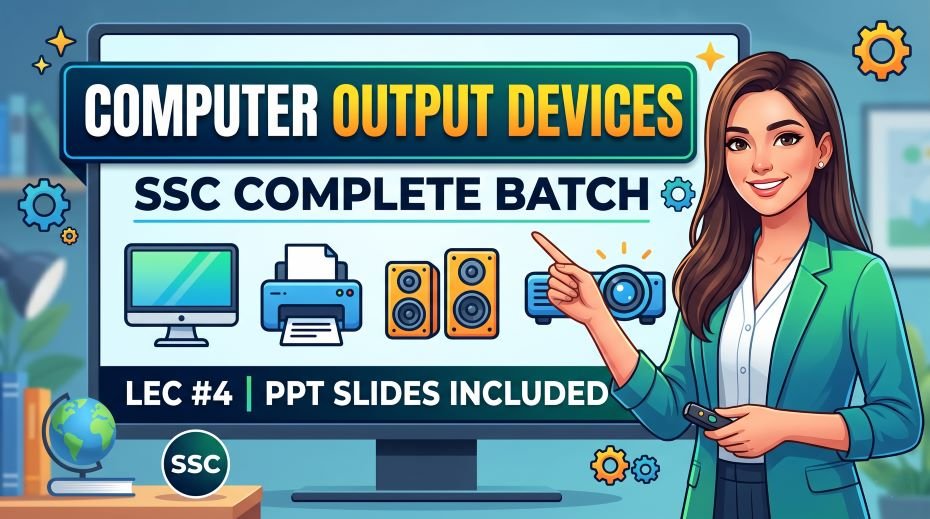
Top 30 Output Device Facts to Memorize for SSC Exams
- An output device receives processed data from the computer and presents it to the user
- The monitor is the most common output device; it is also called a VDU (Visual Display Unit)
- Hardcopy output is physical and permanent; examples are printer and plotter output
- Softcopy output is temporary and digital; examples are monitor and speaker output
- A Dot Matrix Printer is an impact printer that can produce carbon copies
- An Inkjet Printer is a non-impact printer that sprays liquid ink onto paper
- A Laser Printer uses toner powder and heat to fuse characters onto paper
- A Thermal Printer uses heat-sensitive paper and is used in ATMs and billing counters
- A Plotter is used to print large engineering drawings, architectural plans, and maps
- A 3D Printer creates three-dimensional physical objects layer by layer
- A Braille Printer (Embosser) converts digital text into Braille for visually impaired users
- CRT monitors use a cathode ray tube and electron beams; they are bulky and heavy
- LCD monitors use liquid crystals and are thin and energy-efficient
- LED monitors use LED backlighting for the LCD panel; they are slimmer than LCD
- OLED displays emit their own light from each pixel; they have perfect black levels
- DPI (Dots Per Inch) measures printer resolution; higher DPI means better print quality
- A projector projects an enlarged image onto a screen or wall
- DLP projectors use Digital Light Processing with micro-mirrors
- A Speaker converts digital audio signals into audible sound waves
- Full HD resolution is 1920 x 1080 pixels; also called 1080p
- 4K (UHD) resolution is 3840 x 2160 pixels
- A Line Printer is a fast impact printer that prints one entire line at a time
- A Daisy Wheel Printer is an impact printer that produces typewriter-quality text
- Screen resolution is measured in pixels; more pixels = sharper display
- Refresh rate (Hz) is the number of times a monitor redraws its image per second
- A Touch Screen is both an input AND output device
- The aspect ratio of most modern monitors is 16:9 (widescreen format)
- QLED is Samsung’s quantum dot LED technology for enhanced colors
- AMOLED is the display technology used in most flagship Android smartphones
- A Sound Bar is a type of audio output device that provides enhanced speaker output
How to Use This Output Devices PPT for Maximum SSC Score
Day 1: Master the Basics
- Download the 90-slide PDF from https://slideshareppt.net/
- Learn the definition of output devices and the hardcopy vs softcopy difference
- Study the complete output devices list and categorize each by output type
Day 2: Deep Dive into Monitors and Displays
- Study all monitor types: CRT, LCD, LED, OLED, AMOLED, QLED, TFT
- Memorize VDU full form, resolution standards (HD, Full HD, 4K), and DPI
- Create a comparison table from memory: CRT vs LCD vs LED vs OLED
Day 3: Master All Printer Types
- Study the impact vs non-impact printer classification first
- Then learn each printer: Dot Matrix, Daisy Wheel, Line Printer, Inkjet, Laser, Thermal, 3D, Plotter
- For each printer, remember: technology used, type (impact/non-impact), and best use case
Day 4: Audio Output and Other Devices
- Study speakers, headphones, and projectors
- Learn plotter types: Drum Plotter, Flatbed Plotter, Inkjet Plotter, Cutting Plotter
- Study Braille Printer and I/O dual-function devices
Day 5 to 7: Revision and Practice
- Revise all abbreviations from the table in this article
- Practice 30 to 40 output device questions from SSC previous year papers
- Attempt mock tests and track which topics are causing errors
READ ALSO: SSC Computer CPU Complete Batch PPT Slides (LEC #3)
(FAQs)
Q1. What are output devices in computer with examples?
Output devices are hardware components that receive processed data from the computer and present it to the user. Examples include Monitor (visual output), Printer (printed output), Speaker (audio output), Projector (visual presentation), Plotter (large-format drawings), and Braille Printer (tactile output for visually impaired users).
Q2. What is the difference between hardcopy and softcopy output devices?
Hardcopy output is physical and permanent, meaning it exists even after the computer is switched off. Examples are Printer and Plotter outputs. Softcopy output is temporary and digital, existing only while the device is running. Examples are Monitor display and Speaker audio.
Q3. Which printer is an impact printer?
Dot Matrix Printer, Daisy Wheel Printer, and Line Printer are all impact printers. They work by physically striking an ink ribbon against paper. Dot Matrix is the most commonly tested impact printer in SSC exams because it is still used in banks, railways, and government offices for carbon copy printing.
Q4. What is VDU in computer output devices?
VDU stands for Visual Display Unit. It is another name for a computer monitor. The VDU displays text, images, and video output from the computer. It is a softcopy output device because the display is temporary and disappears when the monitor is turned off.
Q5. Is a speaker an output device?
Yes, a speaker is an output device. It receives digital audio signals from the computer’s sound card and converts them into sound waves. Since it presents processed information (audio) to the user, it is classified as an output device. More specifically, it is an audio output device that produces softcopy output.
Q6. What is a plotter and how is it different from a printer?
A plotter is an output device used to produce large-format, high-precision drawings on paper or other media. Unlike regular printers that print on standard A4 or letter-size paper, plotters are designed for very large sheets and are used by engineers and architects for blueprints, technical drawings, and maps. Plotters draw with pens or use wide-format inkjet technology.
Q7. How many slides are in this Output Devices PPT (LEC 4)?
This lecture contains 90 PPT slides covering all 9 classes on Output Devices. It is Lecture 4 (LEC 4), Serial Number 04 of the Complete Foundation Batch for All SSC Exams PPT Series. The file size is 31 MB.
Q8. What type of output does a Braille Printer produce?
A Braille Printer (also called a Braille Embosser) produces tactile output. It embosses raised dot patterns on thick paper that visually impaired users can read by touch. It is classified as a hardcopy output device because the output is physical and permanent.
Conclusion: Output Devices Are Your Easiest Guaranteed Marks in SSC
Output devices represent one of the most straightforward topics in SSC Computer Awareness, yet they remain one of the most consistently tested. The reason is simple: they cover every level of difficulty, from the very basic (what is an output device?) to the moderately technical (difference between DLP and LCD projectors), making them perfect for generating exam questions that sort students by preparation level.
The 90-slide Output Devices Complete Batch PPT (LEC 4) covers every aspect of this topic in an organized, visual, and bilingual format. The hardcopy vs softcopy distinction, the impact vs non-impact printer classification, monitor types from CRT to OLED, plotter uses, speaker and projector types, and Braille printer function, all of these are covered with clarity and depth.
If you study this material consistently, revise the tables, memorize the abbreviations, and practice previous year questions, the output devices section of any SSC exam will become your strongest asset rather than a source of confusion.
Download the free PDF from https://slideshareppt.net/, follow the 5-day study plan outlined in this article, and make sure you also go through LEC 1, LEC 2, and LEC 3 of the same series for complete SSC Computer Awareness preparation. Best of luck!