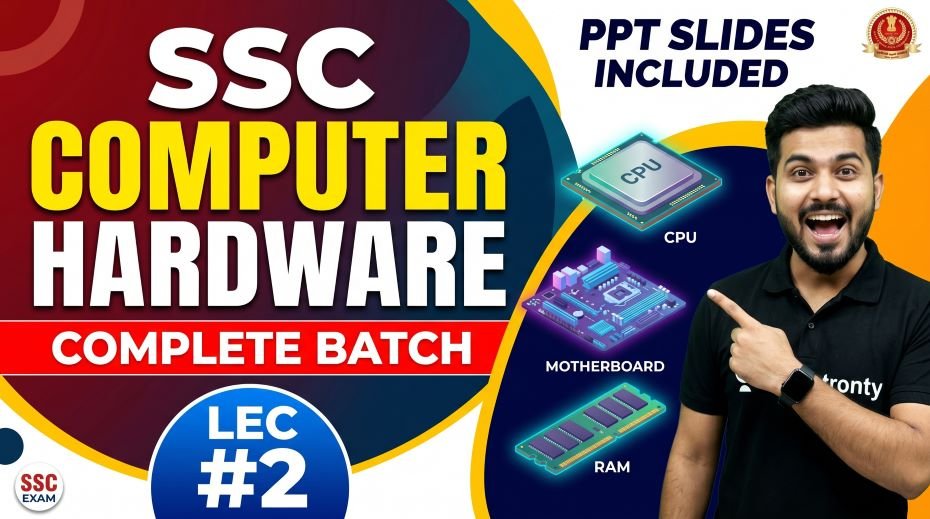
In this article we will provide you self-made PPT Slides – SSC Computer Complete Batch PPT Slides Download (308 Slides) so, if you are preparing for SSC CGL, SSC CHSL, SSC MTS, SSC GD, or any other Staff Selection Commission exam, you already know that Computer Awareness is one of the most scoring yet underrated sections. Many aspirants skip it early in their preparation, only to realize later how many marks they lost because of it.
That is exactly why the SSC Computer Complete Batch PPT Slides have been created. These SSC Computer Notes PDF cover every important topic in a visual, easy-to-understand format. Whether you are a complete beginner or someone who just needs a quick revision before the exam, this material is designed for you.
This article is a complete guide to the SSC Computer PPT Slides compilation, what is included, how to use it, and why it is one of the best Computer Awareness study materials available for free in 2026.
| Detail | Information |
| Subject | Computer Awareness (Architecture of Computer) |
| Total Slides | 308 PPT Slides |
| File Size | 100 MB |
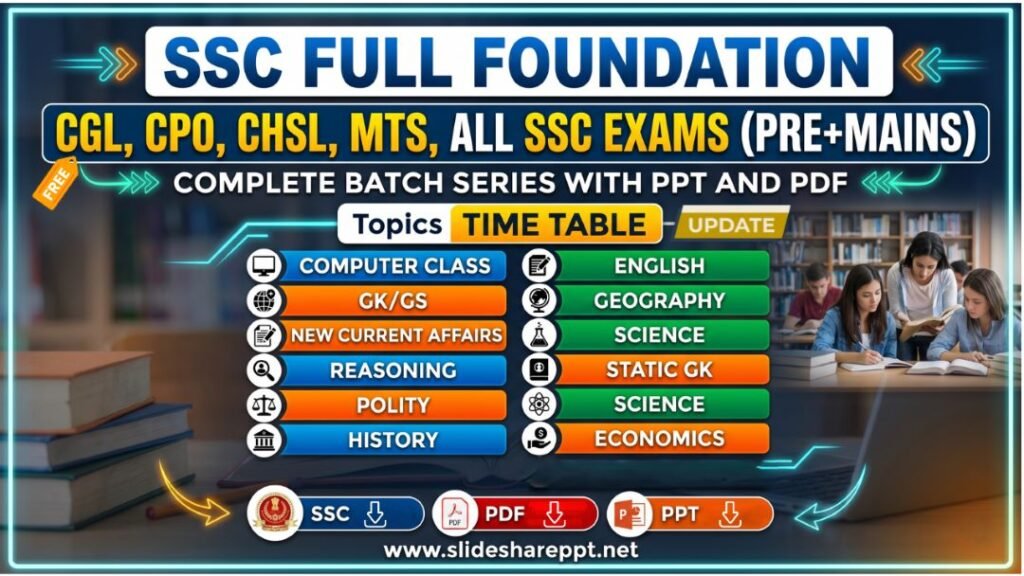
| Series Name | Complete Foundation Batch for All SSC Exams (PPT Series) |
| Serial Number | #01 |
| Best For | SSC CGL, CHSL, MTS, GD, CPO, JE and all competitive exams |
| Language | English + Hindi (Bilingual) |
| Format | PPT / PDF |
SSC Computer Complete Batch PPT Slides Download (308 PPT Slides)
NOTE: IF YOU WANT TO DOWNLOAD COMPLETE – JUST VISIT THIS REDIRECT PAGE
What Is the SSC Computer Complete Batch PPT Series?
The SSC Computer Complete Batch is part of the Complete Foundation Batch for All SSC Exams PPT Series. This particular compilation is Serial Number 01 and focuses entirely on Computer Awareness. It combines all 11 classes of PPT slides into a single PDF, making it a one-stop resource for students.
| Feature | Details |
| Total Classes Covered | 11 Classes Combined (ALL IN ONE) |
| Total Slides | 1 PPT = 308 Slides |
| Topic Covered | Architecture of Computer, कंप्यूटरकी वास्तुकला (Computer Fundamentals) |
| Medium | Bilingual (English + Hindi) |
| Use Case | SSC CGL, CHSL, MTS, CPO, GD Exams |
| Download Format | PPT + PDF |
The term ‘Architecture of Computer’ or ‘Computer Ki Vastukala (कंप्यूटरकी वास्तुकला)’ (as it is known in Hindi) covers everything from the basic structure of a computer to its input/output devices, memory units, software types, and operating system basics. All of these are high-frequency topics in SSC exams.
Topics Covered in the SSC Computer PPT Slides (308 Slides)
The Computer Awareness Complete Course PDF covers all the major chapters that appear in SSC exams. Here is a topic-wise breakdown of what you will find inside these 308 slides:
1. Computer Fundamentals and Basic Computer Knowledge
- Definition and history of computers
- Generations of computers (1st to 5th Generation)
- Types of computers: Analog, Digital, Hybrid
- Characteristics of computers: Speed, Accuracy, Diligence, Versatility
- Basic computer knowledge SSC aspirants must know
2. Architecture of Computer (Central Processing Unit)
- What is CPU and its functions
- ALU (Arithmetic Logic Unit)
- Control Unit (CU) and its role
- Registers, cache memory, and clock speed
- Computer architecture notes for SSC exams
3. Input and Output Devices
- Input devices: Keyboard, Mouse, Scanner, Microphone, Webcam, Joystick, Light Pen, Barcode Reader, OMR, OCR, MICR
- Output devices: Monitor (types), Printer (Inkjet, Laser, Dot Matrix), Plotter, Speaker
- Input output devices notes with diagrams and examples
- Difference between input and output devices
4. Memory and Storage of Computer
- Primary Memory: RAM and ROM (types of each)
- Secondary Memory: Hard Disk, Pen Drive, CD, DVD, Blu-ray
- Cache Memory, Virtual Memory, Flash Memory
- Units of storage: Bit, Byte, KB, MB, GB, TB, PB
- Memory and storage computer concepts for SSC
5. Number System
- Binary, Decimal, Octal, Hexadecimal number systems
- Conversion techniques between number systems
- Binary arithmetic: Addition, Subtraction
6. Software and Hardware Basics
- Difference between hardware and software
- Types of software: System Software, Application Software, Utility Software
- Programming languages: Machine Language, Assembly Language, High-Level Language
- Software and hardware basics for SSC Computer section
7. Operating System Basics
- What is an Operating System and its functions
- Types of OS: Single-user, Multi-user, Real-time, Time-sharing
- Popular operating systems: Windows, Linux, Mac OS, Android
- Operating system basics SSC aspirants need to revise
- DOS commands and basic Windows shortcuts
8. Computer Networks and Internet
- Types of networks: LAN, WAN, MAN, PAN
- Network devices: Hub, Switch, Router, Modem
- Internet concepts: IP Address, DNS, URL, HTTP, HTTPS, FTP
- Browsers and search engines
9. Microsoft Office Applications
- MS Word: Shortcuts, tools, and exam-relevant features
- MS Excel: Functions, formulas, cell references
- MS PowerPoint: Slide layouts, animations, shortcuts
- MS Access basics
10. Security and Viruses
- What is a computer virus, worm, Trojan, malware, spyware
- Antivirus software and firewall
- Cybersecurity basics and safe browsing
11. Important Computer Abbreviations
- Full forms that frequently appear in SSC exams
- Abbreviations related to hardware, software, internet, and networking
Why These SSC Computer Notes PDF Are the Best Study Material
There are hundreds of study materials available online, but very few are as well-structured as this PPT-based Computer Awareness Complete Course PDF. Here is why students and educators recommend this resource:
| Reason | Explanation |
| Visual Learning | PPT format uses diagrams, tables, and flowcharts that make complex topics easy to remember |
| Exam-Focused | Every slide is crafted keeping SSC CGL, CHSL, and MTS syllabus in mind |
| Bilingual Content | English and Hindi explanations help students from all backgrounds |
| 308 Slides in One File | No need to search multiple sources; everything is in one place |
| Free Download | No subscription or payment required to access this SSC Computer Study Material |
| Covers All 11 Classes | The complete foundation course is compressed into one shareable PDF |
| Revision-Friendly | Structured headings and short points make last-minute revision quick |
How to Use the SSC Computer PPT Slides for Maximum Exam Score
Just downloading the material is not enough. Here is a smart study strategy to get the best results from these SSC Computer Awareness Notes:
Step 1: Download and Organize
- Download the full 308-slide PDF from the official website
- Save it on your phone and laptop for offline access
- Rename the file with the date so you can track your progress
Step 2: First Reading (Overview)
- Go through all slides once without taking notes
- Mark slides that contain unfamiliar topics or difficult concepts
- Focus on understanding diagrams and comparison tables
Step 3: Topic-Wise Deep Study
- Study one chapter at a time (e.g., Input/Output Devices first)
- Make handwritten notes of definitions, full forms, and shortcuts
- Practice number system conversions on paper
Step 4: Revision Using Flashcards
- Create flashcards for all computer abbreviations
- Write down memory units, storage devices, and their capacities
- Revise operating system names and their developers
Step 5: Practice Previous Year Questions
- After completing each chapter, solve SSC Computer Awareness Questions from previous papers
- Focus on questions from SSC CGL, CHSL, and MTS exams
- Keep a record of your mistakes for final revision
Which SSC Exams Ask Computer Awareness Questions?
The computer section in SSC exams may vary in weightage, but its presence across all major exams makes it impossible to ignore. Here is a quick overview:
| Exam | Computer Questions (Approx.) | Marks | Importance |
| SSC CGL Tier 1 | 10 Questions | 20 Marks | High |
| SSC CHSL Tier 1 | 10 Questions | 20 Marks | High |
| SSC MTS | 5-10 Questions | 10-20 Marks | Medium-High |
| SSC GD Constable | 15-20 Questions | 15-20 Marks | High |
| SSC CPO | 10 Questions | 20 Marks | High |
| SSC JE (Computer Science) | Full Paper | Full Paper | Very High |
| SSC Stenographer | 5-10 Questions | 10-20 Marks | Medium |
As the table shows, Computer Awareness for SSC Exams covers a significant portion of marks. Students who are thorough with their SSC Computer Study Material Free Download often secure full marks in this section, giving them a clear edge in the final merit list.
Most Important Computer Topics for SSC Exams (Frequency Table)
| Topic | Frequency in SSC Exams | Priority |
| Input/Output Devices | Very High | Must Study |
| Memory & Storage Units | Very High | Must Study |
| Computer Abbreviations | Very High | Must Study |
| Operating System Basics | High | Must Study |
| Generations of Computers | High | Important |
| Computer Virus & Security | High | Important |
| MS Office Shortcuts | High | Important |
| Number System (Binary) | Medium-High | Important |
| Internet & Networking | Medium-High | Important |
| Computer Architecture | Medium | Good to Know |
| Programming Languages | Low-Medium | Good to Know |
Quick Revision Tips for SSC Computer Awareness
Here are some expert tips that will help you score full marks in the computer section of any SSC exam:
- Memorize all storage units: 1 KB = 1024 Bytes, 1 MB = 1024 KB, 1 GB = 1024 MB, and so on
- Know the difference between RAM (volatile) and ROM (non-volatile) clearly
- Practice at least 15 to 20 full forms daily; they are almost certain to appear in the exam
- Remember important keyboard shortcuts for MS Word, Excel, and Windows
- Understand the OSI model layers and their functions for networking questions
- Study at least 3 to 5 previous year question papers specifically for computer awareness
- Keep a separate notebook for computer abbreviations, memory units, and device comparisons
- Revise the generations of computers table at least 3 to 4 times before the exam
Important Computer Abbreviations for SSC Exams
These are the most frequently tested computer full forms in SSC exams. Memorize all of these from the Computer Awareness Notes for SSC CGL CHSL MTS:
| Abbreviation | Full Form |
| CPU | Central Processing Unit |
| RAM | Random Access Memory |
| ROM | Read Only Memory |
| ALU | Arithmetic Logic Unit |
| GUI | Graphical User Interface |
| URL | Uniform Resource Locator |
| HTTP | HyperText Transfer Protocol |
| HTML | HyperText Markup Language |
| LAN | Local Area Network |
| WAN | Wide Area Network |
| USB | Universal Serial Bus |
| Portable Document Format | |
| OS | Operating System |
| BIOS | Basic Input Output System |
| DNS | Domain Name System |
| IP | Internet Protocol |
| ISP | Internet Service Provider |
| VIRUS | Vital Information Resources Under Siege |
| OMR | Optical Mark Recognition |
| OCR | Optical Character Recognition |
| MICR | Magnetic Ink Character Recognition |
| VDU | Visual Display Unit |
| CD | Compact Disc |
| DVD | Digital Versatile Disc |
Generations of Computers: Quick Reference Table
| Generation | Period | Technology Used | Key Features |
| First Generation | 1940-1956 | Vacuum Tubes | Large size, high heat, machine language used |
| Second Generation | 1956-1963 | Transistors | Smaller, faster, assembly language used |
| Third Generation | 1964-1971 | Integrated Circuits (IC) | Even smaller, faster, high-level languages |
| Fourth Generation | 1971-Present | Microprocessors (VLSI) | Personal computers, GUI, internet era |
| Fifth Generation | Present & Beyond | Artificial Intelligence | Voice recognition, AI, machine learning |
RAM vs ROM: Key Differences (Important for SSC Exams)
| Feature | RAM | ROM |
| Full Form | Random Access Memory | Read Only Memory |
| Volatile | Yes (data lost on power off) | No (data retained permanently) |
| Speed | Fast | Slower than RAM |
| Modifiable | Yes (read and write) | No (read only) |
| Use | Temporary storage during processing | Stores permanent boot instructions |
| Types | DRAM, SRAM, SDRAM | PROM, EPROM, EEPROM |
| Cost | More expensive per unit | Less expensive per unit |
Input and Output Devices: Classification Table
| Device | Type | Function |
| Keyboard | Input | Text and command input |
| Mouse | Input | Pointing and clicking |
| Scanner | Input | Converts physical documents to digital |
| Microphone | Input | Audio input |
| Webcam | Input | Video input |
| Barcode Reader | Input | Reads barcodes on products |
| OMR | Input | Reads pencil or pen marks |
| OCR | Input | Reads and recognizes printed text |
| MICR | Input | Reads magnetic ink (used in banking) |
| Monitor | Output | Displays visual output |
| Printer | Output | Produces hard copy of documents |
| Speaker | Output | Audio output |
| Projector | Output | Displays enlarged screen output |
| Plotter | Output | Prints large-scale drawings |
How to Download SSC Computer Notes PDF Free
Getting the SSC Computer PDF Download is straightforward. Follow these steps to access your free copy of the Computer Awareness Complete Course PDF:
- Visit the official website: https://slideshareppt.net/
- Search for ‘Architecture of Computer Complete Batch PPT Series #02’
- Look for the download button or link provided on the post
- Click the download link and save the file to your device
- The file size is approximately 100 MB, so a stable internet connection is recommended
- Once downloaded, you can access the 308 slides offline at any time
The SSC Computer Study Material Free Download is available without any registration or payment. The website slideshareppt.net is dedicated to providing high-quality SSC study material to all aspirants across India.
read also: Complete Foundation Batch for All SSC Exams (PPT SERIES)
Frequently Asked Questions (FAQs)
Q1. Is this SSC Computer Notes PDF completely free to download?
Yes. The entire 308-slide SSC Computer PPT Slides PDF is available for free download from the website https://slideshareppt.net/. No payment, subscription, or registration is required.
Q2. Is this material enough for SSC CGL Computer Awareness preparation?
Yes, for SSC CGL, these Computer Awareness Notes for SSC CGL CHSL MTS cover all the topics mentioned in the official syllabus. However, it is always recommended to also solve previous year question papers to understand the exam pattern.
Q3. Can I use these SSC Computer Classes PPT for SSC MTS preparation?
Absolutely. The content is designed keeping SSC MTS Computer Awareness Notes in mind. The language is simple, and all concepts are explained in an easy-to-understand way suitable for all levels of aspirants.
Q4. What is the file size of this Computer Awareness Complete Course PDF?
The file is approximately 100 MB in size. It contains 308 high-resolution PPT slides covering the entire computer awareness syllabus for SSC exams.
Q5. Which topics are covered in Computer Notes for Competitive Exams in this PDF?
The PDF covers computer fundamentals, architecture of computer, input/output devices, memory and storage, number system, operating system basics, networking, MS Office, security and viruses, and computer abbreviations. All of these are essential Computer Notes for Competitive Exams.
Q6. How many slides are in each chapter of the SSC Computer Complete Batch?
The total is 308 slides spread across 11 classes. Each class covers a different module or topic. The distribution ensures comprehensive coverage of all chapters in proportion to their importance in SSC exams.
Final Words: Make Computer Awareness Your Strength
The SSC Computer Awareness Notes covered in these 308 PPT slides are more than just study material. They are a complete roadmap to mastering one of the most scoring sections in any SSC exam. Students who use this SSC Computer Complete Batch consistently and revise the important tables and abbreviations regularly often find that computer awareness becomes their strongest section.
Instead of spending money on expensive coaching materials, you can now access the same quality of content for free. The SSC Computer Notes PDF Free Download 2026 is your best companion for all government exam preparation.
Download the file, study it thoroughly, revise the key tables and abbreviations, practice previous year questions, and walk into your next SSC exam with full confidence in the computer section.
Best of luck with your SSC preparation. If this material was helpful, share it with your friends and fellow aspirants who are also preparing for SSC CGL, CHSL, MTS, or any other government exam. More materials from the Complete Foundation Batch series are available at https://slideshareppt.net/.